Atlas builds courses, translates them, grades work and tells you who is falling behind. It asks before it changes anything, and its changes can be undone.
Atlas is on every plan. 14 days free, no card needed.
Atlas reads your academy's own data and answers with tables you can export.
Atlas acts as the person using it. Every action goes through the same permission checks as the dashboard.
In ask-first mode each change waits as a card you approve. In autonomous mode Atlas edits straight away and shows every change with an Undo.
Deleting, sending emails or invitations, changing a URL and bulk changes always stop for approval, in either mode. Destructive actions need a typed confirmation.
Atlas can't read or change anything your role can't. Plan limits and organization scope apply to it exactly as they apply to you.
A task shows about how many AI credits it will use before it starts, and what it used when it ends.
A scheduled agent runs an Atlas task on its own: once, daily, weekly or monthly, in your time zone. It emails you what it did and keeps the run as a chat you can open.
Scheduled agents have no deletion tools. In ask-first mode their changes wait up to a week for your approval.
On Business and Enterprise.
Tasks you could schedule
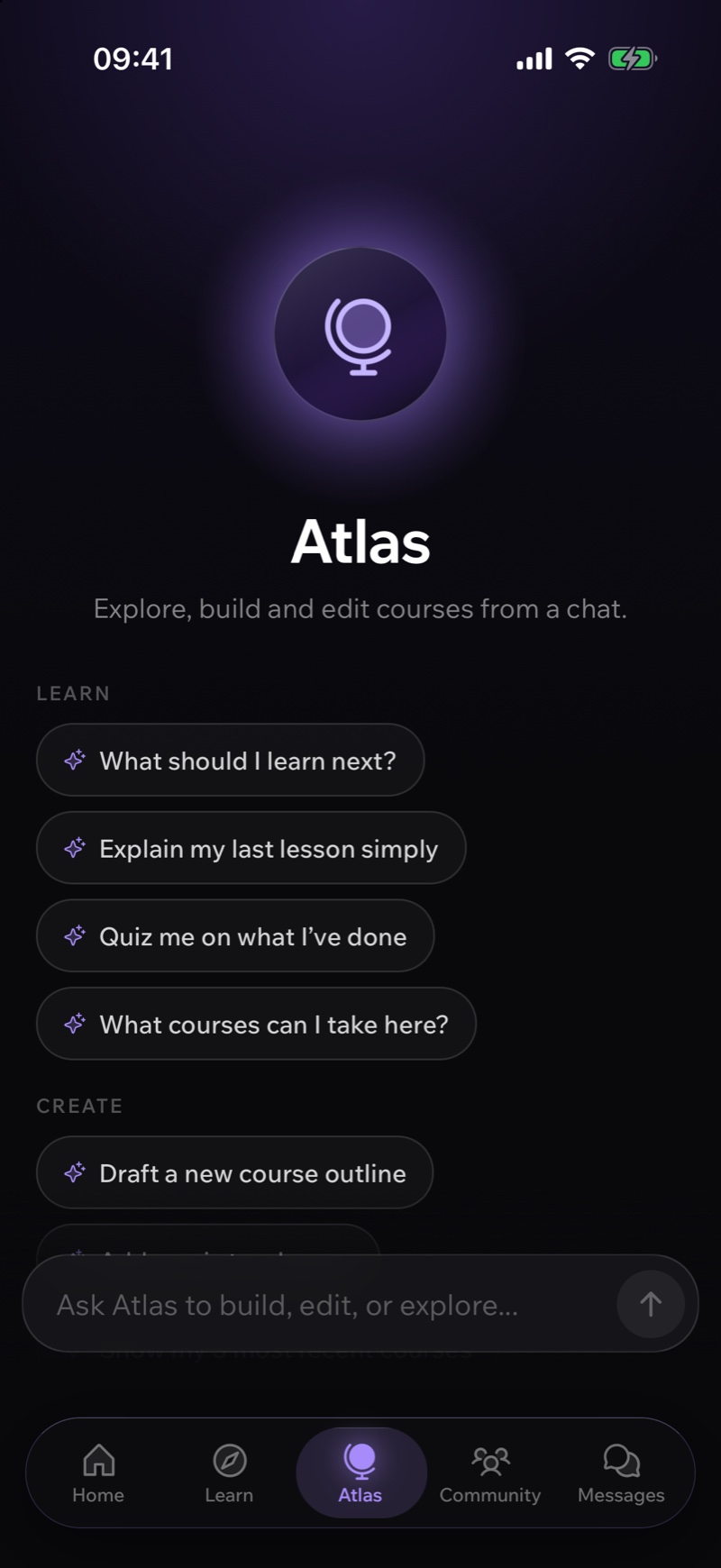
Atlas is in the mobile app for admins and course teams. Ask about your courses, draft a course outline or approve a change Atlas proposed, without opening the desktop dashboard.
See the mobile appWrite a private rubric. AI drafts a score and feedback for each task and you review it, or you let it grade on hand-in. Questions with an answer key keep their exact score.
Ask for a rewrite, a shorter version or a new section. The edits come back as changes you accept or reject one by one.
Generate a quiz, an assignment or a branching scenario from the lesson you are writing, then refine it in the same panel.
Add a language and Atlas translates the whole course with your glossary. It stays one course with several language versions, and later it redoes only what changed.
Subtitles made from your video's audio and translated into the languages your learners speak. On Pro and above.
Generate a course thumbnail or a lesson image, and turn text into a narrated track or a two-voice podcast.
Learners ask a question about a lesson and get an answer drawn from your course material, with citations.
Create an assistant with a name, a tone and instructions, and limit it to a few courses. Learners chat with it directly or mention it in a group conversation.
LearnHouse has an MCP server built in. Claude, ChatGPT, Cursor, VS Code and Claude Code connect to it, and each member signs in with their own account.
Tool groups
Courses · Content · Teaching · Paths · Library · Communities · Plays · Boards · People · Organization
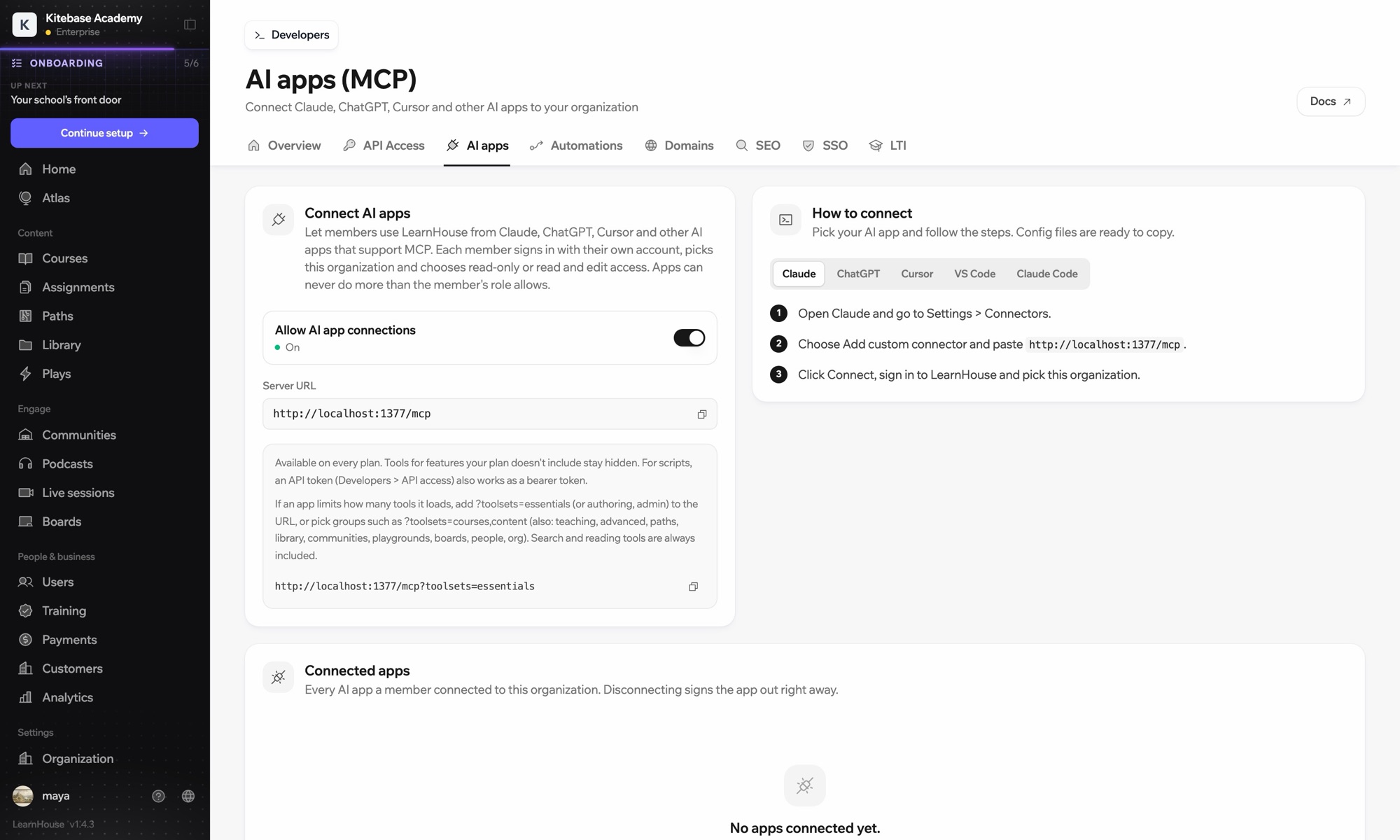
Outside agents call the same tools through the same permission checks. A member picks read-only or read and edit access, and an app can never do more than their role allows.
Deleting something or changing an admin needs an approval link opened by a signed-in person. An agent can't approve its own action.
Each change an AI app makes is logged, and appears in the audit log on plans that include one.
API and MCP are on Pro and above. The MCP server is also in the open source edition.
On LearnHouse Cloud the models are set up and metered for you. On a self-hosted LearnHouse you choose the provider and use your own key.
Open source and self-hostingProviders you can configure when self-hosting
Google Gemini, OpenAI, Anthropic, Mistral, DeepSeek, Moonshot, OpenRouter, AWS Bedrock, Azure, Together, Ollama, and any OpenAI-compatible server.
AI features spend credits from your plan's monthly allowance. A task is charged for the work the model did, and stops cleanly if the allowance runs out.
Compare plansYes. Atlas, course translation and localized SEO are on every plan and use your monthly AI credits. AI captions and API & MCP are on Pro and above. Scheduled Atlas agents are on Business and Enterprise.
Only if you switch it to autonomous mode, and only for changes that can be undone. Deletions, emails and invitations, URL changes and bulk changes always wait for your approval.
Any app that supports MCP. The dashboard has ready-made steps for Claude, ChatGPT, Cursor, VS Code and Claude Code. Each member signs in with their own account and the app is limited to that member's role.
Google Gemini by default. On a self-hosted LearnHouse you can configure OpenAI, Anthropic, Mistral, DeepSeek, Moonshot, OpenRouter, AWS Bedrock, Azure, Together, Ollama or any OpenAI-compatible server. Image and speech generation use Google models.
Yes, with your own AI key. The open source Community edition includes the AI quiz, assignment and caption tools and the MCP server. Atlas, with the course builder, translation and scheduled agents, is part of the Enterprise Edition.
Yes. One switch in the organization settings turns AI features off for the whole academy, and the learner copilot has its own switch.
Start a 14-day trial and ask it to build your first course.
Start free trialNo credit card needed
