LearnHouse
ابدأ الآن
LearnHouse
الذكاء الاصطناعيالمؤسساتالمطورونالجوالالأسعار
GitHub...
تسجيل الدخولابدأ الآن

منصة تعلّم حديثة مفتوحة المصدر من الجيل الجديد

XGitHubLinkedInDiscord

المنتج

  • صنّاع المحتوى
  • التعليم الأكاديمي
  • المؤسسات
  • المطورون
  • تطبيق الجوال
  • مفتوح المصدر
  • التصميم
  • الظهور في البحث
  • الأسعار

الميزات

  • الدورات
  • الذكاء الاصطناعي
  • المدفوعات
  • المجتمعات
  • البودكاست
  • اللوحات
  • Plays
  • البرمجة
  • التحليلات
  • دورات الفيديو
  • النشرة البريدية
  • الجلسات المباشرة
  • مسارات التعلّم
  • المحتوى التدريجي
  • الواجبات
  • الشهادات
  • السيناريوهات
  • التدريب الإلزامي
  • ترجمة الدورات
  • التكاملات

الموارد

  • التوثيق
  • الأكاديمية
  • المدونة
  • سجل التغييرات
  • الاستضافة الذاتية
  • المسرد
  • GitHub
  • قارن المنصات

الشركة

  • تواصل معنا
  • الأمان
  • القطاعات

الشركة

  • تواصل معنا
  • الأمان
  • القطاعات

قارن LearnHouse مع

  • Udemy
  • Moodle
  • Teachable
  • Open edX
  • Thinkific
  • Canvas
  • Kajabi
  • Skool
  • Podia
  • Coursera
  • كل المقارنات

بدائل

  • Udemy
  • Teachable
  • Thinkific
  • Kajabi
  • Skool
  • Podia
  • Coursera
  • Moodle
  • Open edX
  • Canvas LMS
  • Skillshare
  • Mighty Networks
  • LearnWorlds
  • Circle
وجدت خطأً أو مشكلة؟
Open Source Initiative

مفتوح المصدر

بترخيص AGPLv3 وقابل للاستضافة الذاتية

متوافق مع GDPR

يلتزم بقواعد حماية البيانات الأوروبية

G2

G2

قيّمنا على G2

© 2026 LearnHouse, Inc.

  • الخصوصية
  • الشروط
  • سياسة ملفات تعريف الارتباط
كل التكاملات

Use OpenOLAT with LearnHouse: LTI Page ElementLearnHouse lessons as OpenOLAT course elements

Add LearnHouse as an LTI 1.3 tool once, then teachers drop an LTI page into any course and pick the content.

ابدأ تجربتك المجانية

14 يومًا مجانًا · بلا بطاقة ائتمان

LearnHouse connects to OpenOLAT through LTI 1.3. An administrator enables Module LTI 1.3 and creates LearnHouse as an external tool. Teachers add an LTI page element to a course, select content with deep linking and can turn on score transfer.

طريقة الربط
LTI 1.3
الخطة
Business وما فوق
صفحة ذات صلة في LearnHouse
SSO وLTI
BusinessLTI 1.3أنظمة التعلم والمعايير
ما يمكنك فعله

ماذا يقدّم لك OpenOLAT

محرر الدورات

One element, any content

An LTI page element can open a full course, a single activity or a board.
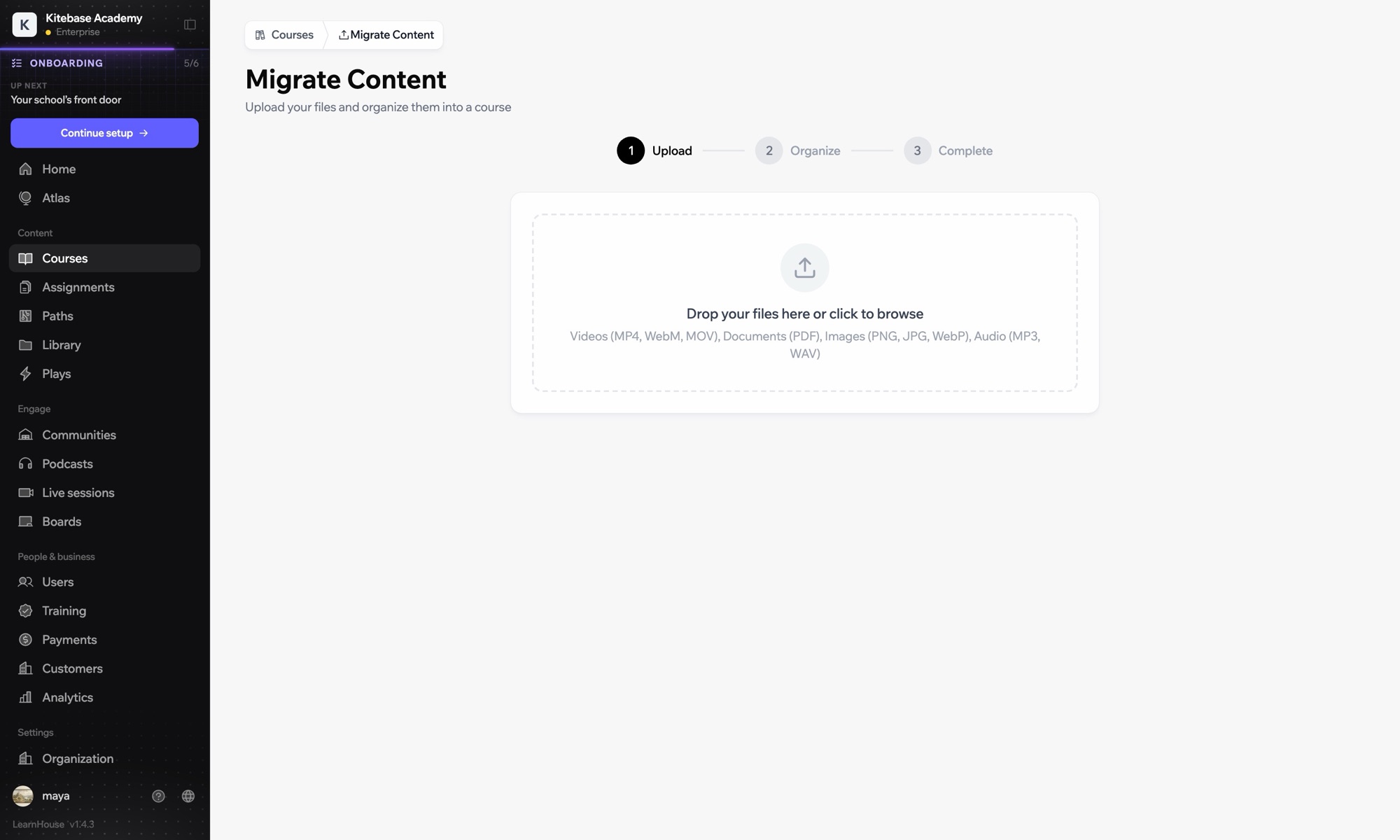
01 / 3
استيراد الدورات من نظام LMS آخر
الأسبوع 1 · البداية
الإعداد

أعدّه في دقائق

  1. 1

    Add LearnHouse manually

    In LearnHouse, open Developers → LTI → Add manually.

  2. 2

    Create the tool

    In OpenOLAT, enable Module LTI 1.3 under Administration → External tools → LTI, then create a new tool with the LearnHouse URLs and keyset URL.

  3. 3

    Turn on deep linking

    Edit the tool, activate deep linking and copy the Client ID, Deployment ID, issuer and endpoint URLs into LearnHouse.

  4. 4

    Add it to a course

    Add an LTI page element, choose LearnHouse, click Select content, enable Transfer score and publish.

مشمول في

Businessمن $319/شهريًا، تُدفع سنويًا

LTI 1.3 is part of Business and Enterprise.

ابدأ تجربة 14 يومًاقارن الخطط
أسئلة شائعة

أسئلة عن OpenOLAT

Do I need to publish the course again?

Yes. OpenOLAT applies the new element after you publish the course.

Can the same tool serve several courses?

Yes. Create the tool once and add as many LTI page elements as you need.

يعمل جيدًا مع

LTI 1.3Launch LearnHouse courses inside any LTI 1.3 LMS, with grades synced back.SakaiAdd LearnHouse content to Sakai sites with LTI 1.3 and dynamic registration.ChamiloOpen LearnHouse content from Chamilo courses through the IMS/LTI plugin.InstructureCanvas LMSImport Canvas courses and launch LearnHouse from Canvas with LTI 1.3.MoodleMoodleImport Moodle courses or launch LearnHouse inside Moodle with LTI 1.3.BlackboardImport Blackboard courses and launch LearnHouse with LTI 1.3.
اربط أدواتك خلال أسبوعك الأول

اربط أدواتك خلال أسبوعك الأول

جرّب أي خطة مجانًا لمدة 14 يومًا. بلا بطاقة ائتمان، وبلا رسوم منصة (0%)، والتكاملات مشمولة.

ابدأ تجربتك المجانية

أو استضِف النسخة مفتوحة المصدر بنفسك مجانًا