LearnHouse
Inizia ora
LearnHouse
IAEnterpriseSviluppatoriMobilePrezzi
GitHub...
AccediInizia ora

La piattaforma di apprendimento open source moderna, di nuova generazione

XGitHubLinkedInDiscord

Prodotto

  • Creator
  • Istruzione
  • Enterprise
  • Sviluppatori
  • App mobile
  • Open source
  • Design
  • Visibilità
  • Prezzi

Funzionalità

  • Corsi
  • IA
  • Pagamenti
  • Community
  • Podcast
  • Boards
  • Plays
  • Codice
  • Analytics
  • Corsi video
  • Newsletter
  • Sessioni dal vivo
  • Percorsi formativi
  • Rilascio graduale
  • Compiti
  • Certificati
  • Scenari
  • Formazione obbligatoria
  • Traduzione dei corsi
  • Integrazioni

Risorse

  • Documentazione
  • Università
  • Blog
  • Changelog
  • Self-hosting
  • Glossario
  • GitHub
  • Confronta le piattaforme

Azienda

  • Contatti
  • Sicurezza
  • Settori

Azienda

  • Contatti
  • Sicurezza
  • Settori

Confronta LearnHouse con

  • Udemy
  • Moodle
  • Teachable
  • Open edX
  • Thinkific
  • Canvas
  • Kajabi
  • Skool
  • Podia
  • Coursera
  • Tutti i confronti

Alternative a

  • Udemy
  • Teachable
  • Thinkific
  • Kajabi
  • Skool
  • Podia
  • Coursera
  • Moodle
  • Open edX
  • Canvas LMS
  • Skillshare
  • Mighty Networks
  • LearnWorlds
  • Circle
Hai trovato un bug o un problema?
Open Source Initiative

Open source

Licenza AGPLv3, self-hosting possibile

Pronto per il GDPR

Conforme alle norme UE sulla protezione dei dati

G2

G2

Recensiscici su G2

© 2026 LearnHouse, Inc.

  • Privacy
  • Termini
  • Politica sui cookie
Tutte le integrazioni

Use Microsoft Teams with LearnHouse: Live ClassesTraining on Teams, tracked like a course

Schedule a live session in LearnHouse, add your Teams meeting link, and keep reminders, attendance and the recording with the course.

Inizia la prova gratuita

14 giorni gratis · Nessuna carta di credito

Microsoft Teams works with LearnHouse live sessions by link or through a connected Microsoft 365 account. Connected, each session is an Outlook event with a Teams meeting, and attendance reports, recordings and transcripts come back.

Come si collega
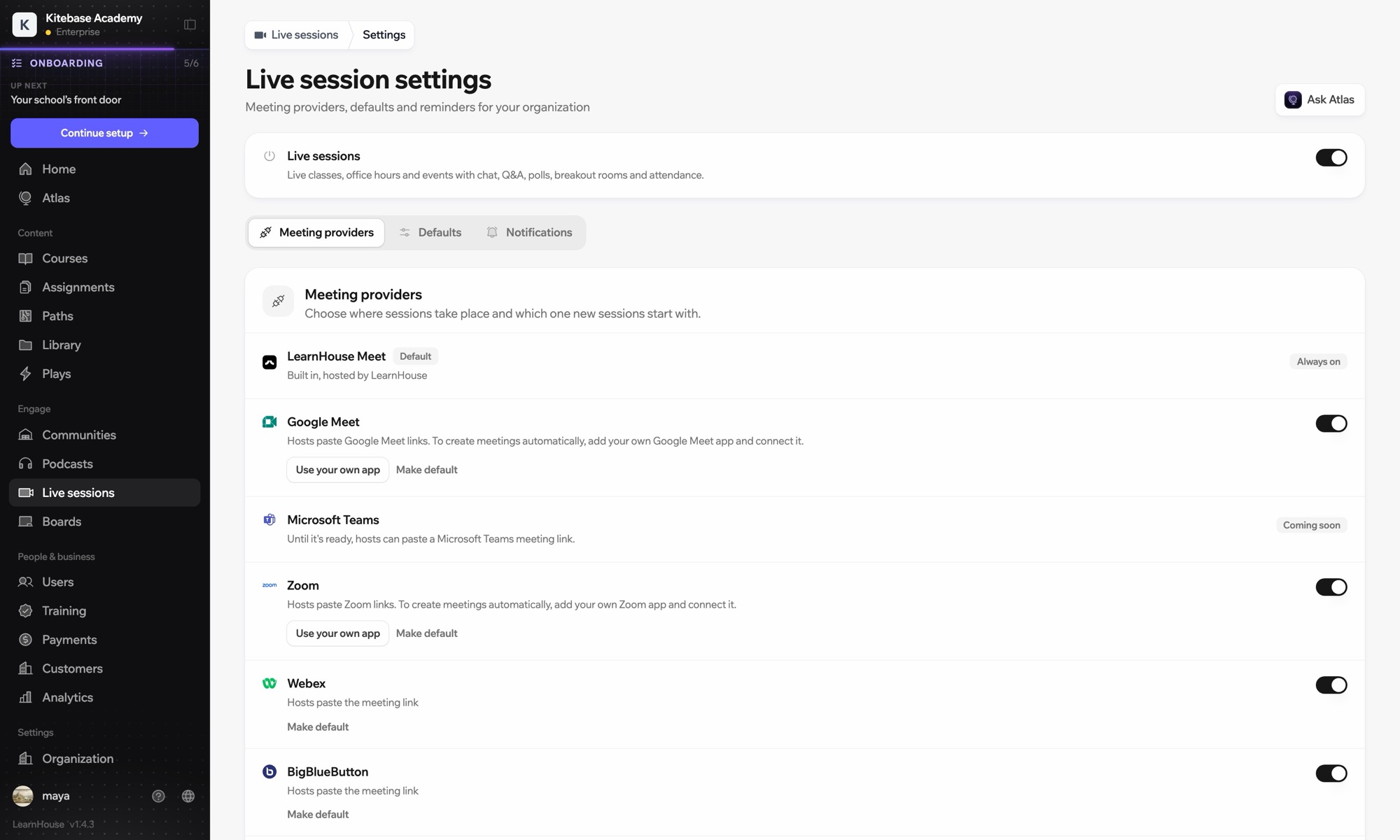
Provider di sessioni live
Piano
Business e superiori
Pagina LearnHouse correlata
Sessioni dal vivo
BusinessProvider di sessioni liveLezioni dal vivoComunicazione
Cosa puoi fare

Cosa ti offre Microsoft Teams

Sessioni dal vivo

Meetings and Outlook invites made for you

Connect a Microsoft 365 account and each session becomes an Outlook event with a Teams meeting. People who RSVP get the invite.
01 / 4
Provider delle sessioni dal vivo: Zoom, Google Meet, Teams
MC
LH
SP
LIVE · Ricevimento24 spettatori
Riepilogo IA della registrazione
Configurazione

Configuralo in pochi minuti

  1. 1

    Connect Microsoft 365

    An admin opens Live sessions → Settings, adds the Microsoft app details and connects the account.

  2. 2

    Schedule a session

    Choose Microsoft Teams; LearnHouse creates the Outlook event with the Teams link.

  3. 3

    Teach

    Learners join from the session page or the invite. Chat, Q&A and polls stay on the session page.

  4. 4

    Review attendance

    Attendance, recordings and transcripts sync back after the meeting.

Incluso in

Businessda $319/mese, fatturato annualmente

Live sessions are included in Business.

Inizia la prova di 14 giorniConfronta i piani
FAQ

Domande su Microsoft Teams

Can hosts just paste a Teams link?

Yes. Without a connected account, paste a teams.microsoft.com link; attendance and recordings then aren't imported automatically.

Can attendees see each other on the invite?

No. Attendees are hidden from each other on the Outlook event.

Can a session move without confusing people?

Yes. Reschedules and cancellations flow through Outlook and Teams to everyone invited.

Si abbina bene a

Microsoft Entra IDSingle sign-on with Microsoft Entra ID (Azure AD) over OpenID Connect.ZoomZoomEmbed Zoom links for live classes and webinars.WebexWebexHost LearnHouse live sessions with Webex links.Google MeetGoogle MeetEmbed Google Meet links for live video sessions.BigBlueButtonBigBlueButtonRun live sessions in BigBlueButton rooms and keep the session page in LearnHouse.Outlook CalendarAdd live sessions to Outlook, or send invites from a connected Microsoft 365 calendar.
Collega i tuoi strumenti già nella prima settimana

Collega i tuoi strumenti già nella prima settimana

Prova qualsiasi piano gratis per 14 giorni. Senza carta di credito, con 0% di commissioni di piattaforma e integrazioni incluse.

Inizia la prova gratuita

Oppure ospita da te l'edizione open source, gratis