LearnHouse
시작하기
LearnHouse
AI엔터프라이즈개발자모바일요금제
GitHub...
로그인시작하기

새로운 세대를 위한 모던 오픈소스 학습 플랫폼

XGitHubLinkedInDiscord

제품

  • 크리에이터
  • 교육기관
  • 엔터프라이즈
  • 개발자
  • 모바일 앱
  • 오픈소스
  • 디자인
  • 검색 노출
  • 요금제

기능

  • 강좌
  • AI
  • 결제
  • 커뮤니티
  • 팟캐스트
  • 보드
  • Plays
  • 코드
  • 분석
  • 동영상 강좌
  • 뉴스레터
  • 라이브 세션
  • 학습 경로
  • 순차 공개
  • 과제
  • 수료증
  • 시나리오
  • 필수 교육
  • 강좌 번역
  • 연동

리소스

  • 문서
  • 유니버시티
  • 블로그
  • 업데이트 내역
  • 셀프 호스팅
  • 용어집
  • GitHub
  • 플랫폼 비교

회사

  • 문의
  • 보안
  • 산업별

회사

  • 문의
  • 보안
  • 산업별

LearnHouse 비교

  • Udemy
  • Moodle
  • Teachable
  • Open edX
  • Thinkific
  • Canvas
  • Kajabi
  • Skool
  • Podia
  • Coursera
  • 전체 비교

대안

  • Udemy
  • Teachable
  • Thinkific
  • Kajabi
  • Skool
  • Podia
  • Coursera
  • Moodle
  • Open edX
  • Canvas LMS
  • Skillshare
  • Mighty Networks
  • LearnWorlds
  • Circle
버그나 문제를 발견하셨나요?
Open Source Initiative

오픈소스

AGPLv3 라이선스, 셀프호스팅 가능

GDPR 대응

EU 데이터 보호 규정 준수

G2

G2

G2에서 리뷰 남기기

© 2026 LearnHouse, Inc.

  • 개인정보처리방침
  • 이용약관
  • 쿠키 정책
전체 연동
Google Slides

Use Google Slides with LearnHouse: DecksDecks that stay up to date

Embed Google Slides presentations in lessons.

무료 체험 시작

14일 무료 · 카드 등록 불필요

Google Slides decks embed in LearnHouse lessons through the link from File → Share → Publish to web; LearnHouse also turns a Slides link into its preview.

연결 방식
레슨 안의 임베드 블록
플랜
Standard 이상
관련 LearnHouse 페이지
강의 에디터
Standard레슨 안의 임베드 블록생산성임베드
할 수 있는 일

Google Slides 활용법

강의 에디터

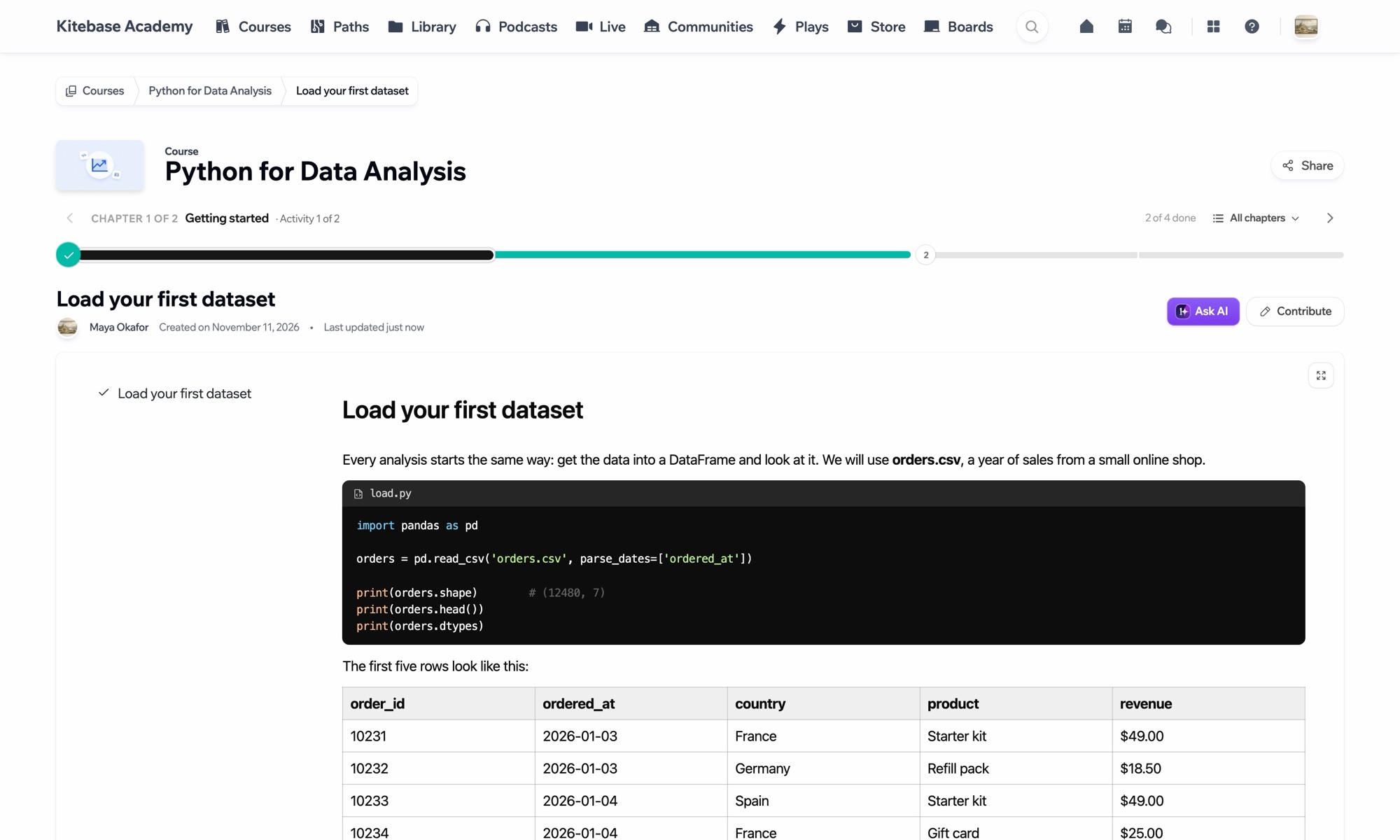
Decks inside lessons

Show the slides you teach from, next to your notes.
01 / 3
코드와 데이터 표가 있는 레슨
1주차 · 시작하기
설정

몇 분이면 설정 끝

  1. 1

    Publish to the web

    In Slides, choose File → Share → Publish to web and copy the embed link.

  2. 2

    Add an Embed block

    Add it to the lesson.

  3. 3

    Paste the link

    The deck shows with its own controls.

포함된 플랜

Standard연간 결제 시 월 $47부터

Embeds work on every plan, starting with Standard.

14일 체험 시작플랜 비교
자주 묻는 질문

Google Slides 관련 질문

Does it update when I edit the deck?

Published decks update after you change them.

Can I set the slide timing?

Yes, in Google's publish options.

함께 쓰기 좋은 도구

NotionNotionEmbed Notion pages and databases for supplemental content.AirtableAirtableEmbed Airtable bases for structured data and trackers.ClickUpClickUpEmbed ClickUp views for project and task management.GitBookGitbookEmbed GitBook documentation and knowledge bases.CalendlyCalendlyEmbed scheduling links for office hours and mentoring sessions.Google CalendarGoogle CalendarEmbed calendars for course schedules and live session planning.
첫 주에 쓰던 도구를 연결하세요

첫 주에 쓰던 도구를 연결하세요

어떤 플랜이든 14일 동안 무료로 써 보세요. 카드 등록 없이, 플랫폼 수수료 0%, 연동도 모두 포함돼요.

무료 체험 시작

또는 오픈소스 에디션을 무료로 셀프호스팅하세요