LearnHouse
Zacznij
LearnHouse
AIEnterpriseProgramiściMobilneCennik
GitHub...
Zaloguj sięZacznij

Platforma edukacyjna open source nowej generacji

XGitHubLinkedInDiscord

Produkt

  • Twórcy
  • Edukacja
  • Enterprise
  • Programiści
  • Aplikacja mobilna
  • Open source
  • Design
  • Widoczność
  • Cennik

Funkcje

  • Kursy
  • AI
  • Płatności
  • Społeczności
  • Podcasty
  • Tablice
  • Plays
  • Kod
  • Analityka
  • Kursy wideo
  • Newsletter
  • Zajęcia na żywo
  • Ścieżki nauki
  • Dawkowanie treści
  • Zadania
  • Certyfikaty
  • Scenariusze
  • Szkolenia obowiązkowe
  • Tłumaczenie kursów
  • Integracje

Zasoby

  • Dokumentacja
  • Uniwersytet
  • Blog
  • Historia zmian
  • Własny hosting
  • Słowniczek
  • GitHub
  • Porównaj platformy

Firma

  • Kontakt
  • Bezpieczeństwo
  • Branże

Firma

  • Kontakt
  • Bezpieczeństwo
  • Branże

Porównaj LearnHouse z

  • Udemy
  • Moodle
  • Teachable
  • Open edX
  • Thinkific
  • Canvas
  • Kajabi
  • Skool
  • Podia
  • Coursera
  • Wszystkie porównania

Alternatywy dla

  • Udemy
  • Teachable
  • Thinkific
  • Kajabi
  • Skool
  • Podia
  • Coursera
  • Moodle
  • Open edX
  • Canvas LMS
  • Skillshare
  • Mighty Networks
  • LearnWorlds
  • Circle
Widzisz błąd lub problem?
Open Source Initiative

Open Source

Licencja AGPLv3, możesz hostować u siebie

Zgodność z RODO

Zgodność z unijnymi przepisami o ochronie danych

G2

G2

Oceń nas na G2

© 2026 LearnHouse, Inc.

  • Prywatność
  • Regulamin
  • Polityka plików cookie
Wszystkie integracje
Figma

Use Figma with LearnHouse: Live Design FilesTeach design on the actual files

Embed Figma files and prototypes in lessons so learners can explore the real work, not screenshots of it.

Zacznij darmowy okres próbny

14 dni za darmo · Bez karty kredytowej

Figma files and prototypes embed in LearnHouse lessons as live viewers. Paste the Figma link and LearnHouse loads it through Figma's embed, so learners can pan, zoom and click through prototypes.

Jak się łączy
Blok osadzenia w lekcji
Plan
Standard i wyższe
Powiązana strona LearnHouse
Edytor kursów
StandardBlok osadzenia w lekcjiDesignOsadzenia
Co możesz zrobić

Co daje Ci Figma

Edytor kursów

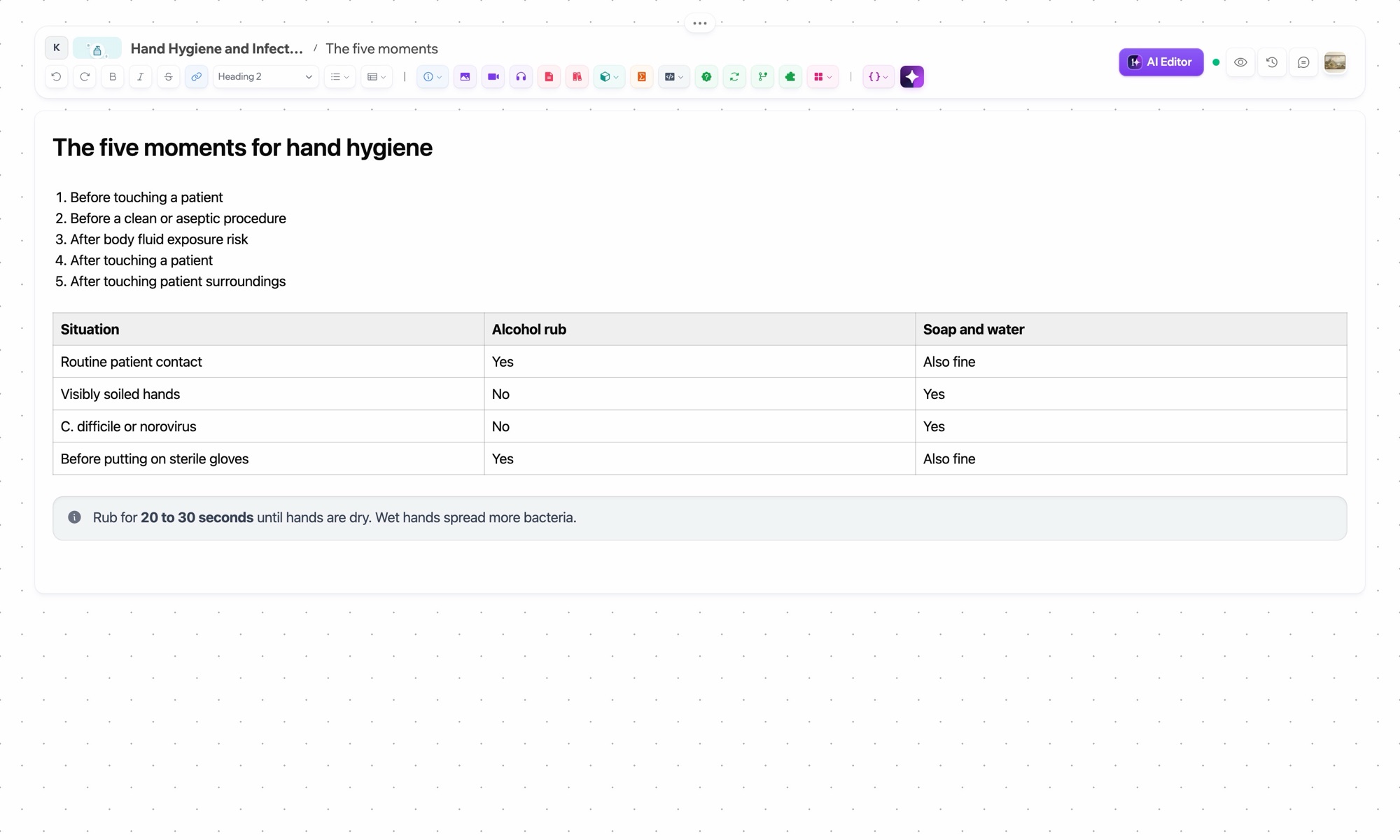
Live files in lessons

Embed a file or prototype and learners pan, zoom and click through it.
01 / 4
Edytor lekcji
Tydzień 1 · Pierwsze kroki
Konfiguracja

Skonfiguruj w kilka minut

  1. 1

    Share the file

    In Figma, set sharing to anyone with the link can view.

  2. 2

    Copy the link

    Copy the file or prototype URL.

  3. 3

    Add an embed block

    Paste it in the lesson.

  4. 4

    Teach

    Learners interact with the file inline.

W planie

Standardod $47/mies., płatne rocznie

Figma embeds work on every plan.

Zacznij 14-dniowy okres próbnyPorównaj plany
FAQ

Pytania o Figma

Can learners edit my Figma file?

Only if your Figma sharing settings allow it. Most teachers share view-only.

Do prototypes work?

Yes. Prototypes are interactive inside the lesson.

Can learners submit Figma work?

Yes, as file links in an assignment.

Do learners need a Figma account?

Not to view public or link-shared files.

Can I embed FigJam?

Yes, FigJam boards embed the same way.

Is this good for UX bootcamps?

Yes, see our design schools page for a full setup.

Dobrze współpracuje z

MiroMiroEmbed collaborative Miro whiteboards into your lessons.CanvaCanvaEmbed Canva designs, presentations, and infographics.ExcalidrawExcalidrawEmbed hand-drawn style diagrams and sketches.SketchSketchEmbed Sketch prototypes and design files.WebflowWebflowEmbed Webflow sites and showcase web design projects.FramerFramerEmbed Framer prototypes and interactive design demos.
Połącz swoje narzędzia już w pierwszym tygodniu

Połącz swoje narzędzia już w pierwszym tygodniu

Wypróbuj dowolny plan przez 14 dni za darmo. Bez karty kredytowej, 0% prowizji platformy, a integracje w cenie.

Zacznij darmowy okres próbny

Albo hostuj wersję open source u siebie, za darmo