LearnHouse
Zacznij
LearnHouse
AIEnterpriseProgramiściMobilneCennik
GitHub...
Zaloguj sięZacznij

Platforma edukacyjna open source nowej generacji

XGitHubLinkedInDiscord

Produkt

  • Twórcy
  • Edukacja
  • Enterprise
  • Programiści
  • Aplikacja mobilna
  • Open source
  • Design
  • Widoczność
  • Cennik

Funkcje

  • Kursy
  • AI
  • Płatności
  • Społeczności
  • Podcasty
  • Tablice
  • Plays
  • Kod
  • Analityka
  • Kursy wideo
  • Newsletter
  • Zajęcia na żywo
  • Ścieżki nauki
  • Dawkowanie treści
  • Zadania
  • Certyfikaty
  • Scenariusze
  • Szkolenia obowiązkowe
  • Tłumaczenie kursów
  • Integracje

Zasoby

  • Dokumentacja
  • Uniwersytet
  • Blog
  • Historia zmian
  • Własny hosting
  • Słowniczek
  • GitHub
  • Porównaj platformy

Firma

  • Kontakt
  • Bezpieczeństwo
  • Branże

Firma

  • Kontakt
  • Bezpieczeństwo
  • Branże

Porównaj LearnHouse z

  • Udemy
  • Moodle
  • Teachable
  • Open edX
  • Thinkific
  • Canvas
  • Kajabi
  • Skool
  • Podia
  • Coursera
  • Wszystkie porównania

Alternatywy dla

  • Udemy
  • Teachable
  • Thinkific
  • Kajabi
  • Skool
  • Podia
  • Coursera
  • Moodle
  • Open edX
  • Canvas LMS
  • Skillshare
  • Mighty Networks
  • LearnWorlds
  • Circle
Widzisz błąd lub problem?
Open Source Initiative

Open Source

Licencja AGPLv3, możesz hostować u siebie

Zgodność z RODO

Zgodność z unijnymi przepisami o ochronie danych

G2

G2

Oceń nas na G2

© 2026 LearnHouse, Inc.

  • Prywatność
  • Regulamin
  • Polityka plików cookie
Wszystkie integracje
Resend

Use Resend with Self-Hosted LearnHouseTransactional email with one API key

Set the email provider to Resend, add the key, and LearnHouse sends its emails through it.

Przeczytaj przewodnik self-hosting

Resend is one of the two email providers a self-hosted LearnHouse supports, next to SMTP. You set LEARNHOUSE_EMAIL_PROVIDER=resend and your Resend API key in .env, and LearnHouse sends its transactional emails, such as invitations and password resets, through Resend.

Jak się łączy
Konfiguracja self-hosted
Plan
Każda edycja self-hosted, także darmowa Community Edition
Powiązana strona LearnHouse
Self-hosting
Self-hostedKonfiguracja self-hostedKomunikacjaSelf-hosting
Co możesz zrobić

Co daje Ci Resend

Self-hosting

Invites and resets that arrive

Account emails go through Resend's sending infrastructure.
01 / 3
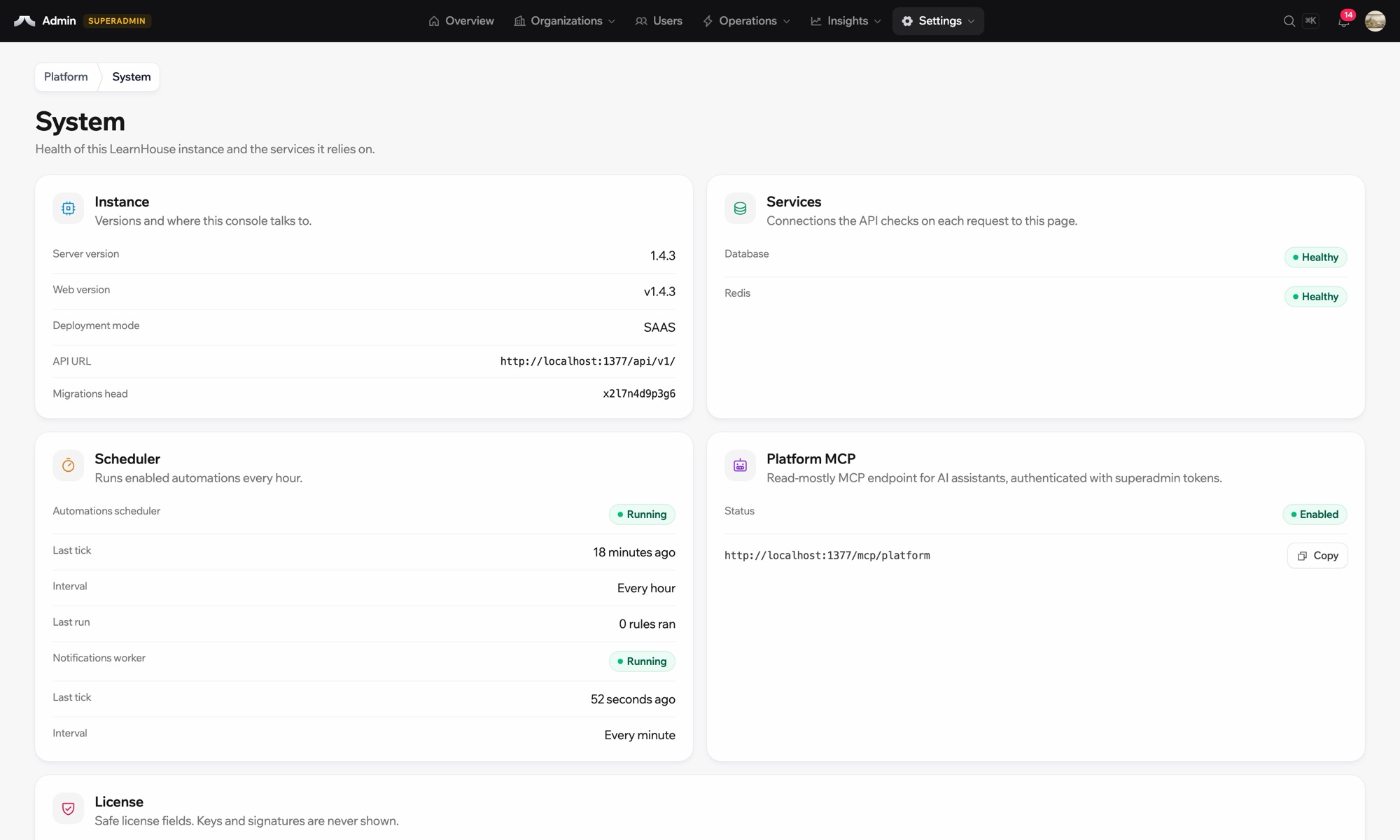
Stan systemu w wersji self-hosted
your-server
$ npx learnhouse setup
✓ database · ✓ storage · ✓ ssl
Academy running on academy.yourdomain.com
Twoje dane, Twoje serwery
Konfiguracja

Skonfiguruj w kilka minut

  1. 1

    Create an API key

    Create a Resend account, verify your domain and generate an API key.

  2. 2

    Set the provider

    In .env, set LEARNHOUSE_EMAIL_PROVIDER=resend and LEARNHOUSE_RESEND_API_KEY.

  3. 3

    Restart

    Restart your instance so the new settings load.

W planie

Self-hosted

This is a setting of self-hosted LearnHouse and works with the free Community Edition. Cloud sends email for you.

Przeczytaj przewodnik self-hostingPorównaj plany
FAQ

Pytania o Resend

Do I need Resend on LearnHouse Cloud?

No. Cloud sends email for you.

Can I switch to SMTP later?

Yes. Change LEARNHOUSE_EMAIL_PROVIDER to smtp and fill in the SMTP settings.

Dobrze współpracuje z

Amazon Simple Email ServiceAmazon SESDeliver a self-hosted LearnHouse’s emails through Amazon SES over SMTP.MailgunMailgunSend a self-hosted LearnHouse’s emails through Mailgun SMTP.Amazon S3Amazon S3Store course files in an Amazon S3 bucket when you self-host LearnHouse.ZendeskZendeskAdd Zendesk support widgets and chat to your platform.LiveChatLiveChatReal-time chat support for your learners.SlackSlackPost course completions and new sign-ups to Slack through the LearnHouse Zapier app.
Połącz swoje narzędzia już w pierwszym tygodniu

Połącz swoje narzędzia już w pierwszym tygodniu

Wypróbuj dowolny plan przez 14 dni za darmo. Bez karty kredytowej, 0% prowizji platformy, a integracje w cenie.

Zacznij darmowy okres próbny

Albo hostuj wersję open source u siebie, za darmo