LearnHouse
เริ่มต้นใช้งาน
LearnHouse
AIEnterpriseนักพัฒนามือถือราคา
GitHub...
เข้าสู่ระบบเริ่มต้นใช้งาน

แพลตฟอร์มการเรียนรู้โอเพนซอร์สยุคใหม่

XGitHubLinkedInDiscord

ผลิตภัณฑ์

  • ครีเอเตอร์
  • สถาบันการศึกษา
  • Enterprise
  • นักพัฒนา
  • แอปมือถือ
  • โอเพนซอร์ส
  • ดีไซน์
  • การถูกค้นพบ
  • ราคา

ฟีเจอร์

  • คอร์ส
  • AI
  • การชำระเงิน
  • ชุมชน
  • พอดแคสต์
  • บอร์ด
  • Plays
  • โค้ด
  • การวิเคราะห์
  • คอร์สวิดีโอ
  • จดหมายข่าว
  • คลาสสด
  • เส้นทางการเรียนรู้
  • ปล่อยเนื้อหาเป็นช่วง
  • งานที่มอบหมาย
  • ใบรับรอง
  • สถานการณ์จำลอง
  • การอบรมภาคบังคับ
  • แปลคอร์ส
  • การเชื่อมต่อ

แหล่งข้อมูล

  • เอกสาร
  • มหาวิทยาลัย
  • บล็อก
  • บันทึกการเปลี่ยนแปลง
  • โฮสต์เอง
  • อภิธานศัพท์
  • GitHub
  • เปรียบเทียบแพลตฟอร์ม

บริษัท

  • ติดต่อ
  • ความปลอดภัย
  • อุตสาหกรรม

บริษัท

  • ติดต่อ
  • ความปลอดภัย
  • อุตสาหกรรม

เปรียบเทียบ LearnHouse กับ

  • Udemy
  • Moodle
  • Teachable
  • Open edX
  • Thinkific
  • Canvas
  • Kajabi
  • Skool
  • Podia
  • Coursera
  • เปรียบเทียบทั้งหมด

ทางเลือกแทน

  • Udemy
  • Teachable
  • Thinkific
  • Kajabi
  • Skool
  • Podia
  • Coursera
  • Moodle
  • Open edX
  • Canvas LMS
  • Skillshare
  • Mighty Networks
  • LearnWorlds
  • Circle
เจอบั๊กหรือปัญหาใช่ไหม?
Open Source Initiative

โอเพนซอร์ส

ใช้สัญญาอนุญาต AGPLv3 โฮสต์เองได้

พร้อมรองรับ GDPR

สอดคล้องกับกฎหมายคุ้มครองข้อมูลของสหภาพยุโรป

G2

G2

รีวิวเราบน G2

© 2026 LearnHouse, Inc.

  • ความเป็นส่วนตัว
  • ข้อกำหนด
  • นโยบายคุกกี้
การเชื่อมต่อทั้งหมด

Use OpenOLAT with LearnHouse: LTI Page ElementLearnHouse lessons as OpenOLAT course elements

Add LearnHouse as an LTI 1.3 tool once, then teachers drop an LTI page into any course and pick the content.

ทดลองใช้ฟรี

ฟรี 14 วัน · ไม่ต้องใช้บัตรเครดิต

LearnHouse connects to OpenOLAT through LTI 1.3. An administrator enables Module LTI 1.3 and creates LearnHouse as an external tool. Teachers add an LTI page element to a course, select content with deep linking and can turn on score transfer.

วิธีเชื่อมต่อ
LTI 1.3
แพ็กเกจ
Business ขึ้นไป
หน้า LearnHouse ที่เกี่ยวข้อง
SSO และ LTI
BusinessLTI 1.3LMS และมาตรฐาน
คุณทำอะไรได้บ้าง

OpenOLAT ช่วยอะไรคุณได้

เครื่องมือสร้างคอร์ส

One element, any content

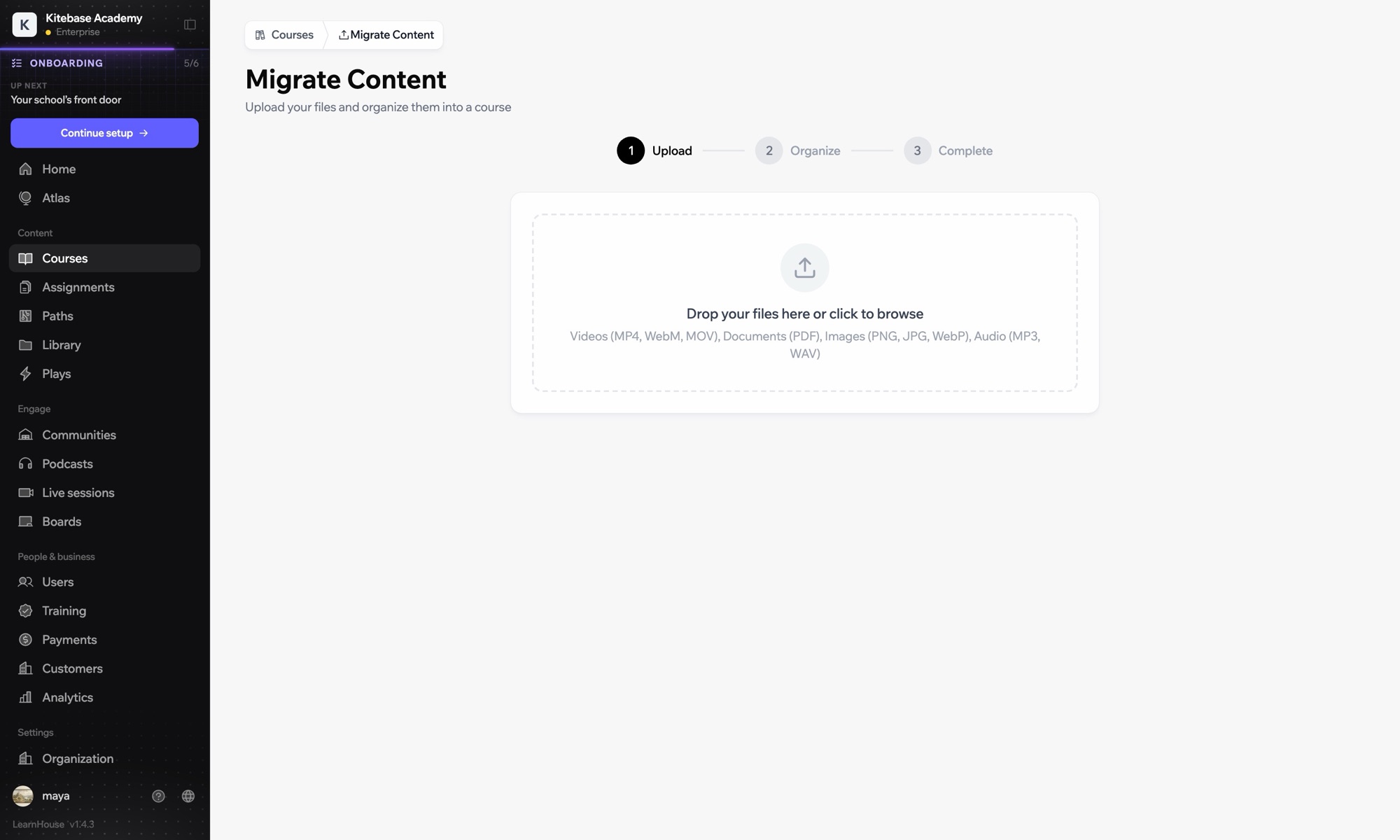
An LTI page element can open a full course, a single activity or a board.
01 / 3
นำเข้าคอร์สจาก LMS อื่น
สัปดาห์ที่ 1 · เริ่มต้น
การตั้งค่า

ตั้งค่าเสร็จในไม่กี่นาที

  1. 1

    Add LearnHouse manually

    In LearnHouse, open Developers → LTI → Add manually.

  2. 2

    Create the tool

    In OpenOLAT, enable Module LTI 1.3 under Administration → External tools → LTI, then create a new tool with the LearnHouse URLs and keyset URL.

  3. 3

    Turn on deep linking

    Edit the tool, activate deep linking and copy the Client ID, Deployment ID, issuer and endpoint URLs into LearnHouse.

  4. 4

    Add it to a course

    Add an LTI page element, choose LearnHouse, click Select content, enable Transfer score and publish.

รวมอยู่ในแผน

Businessเริ่มต้น $319/เดือน ชำระรายปี

LTI 1.3 is part of Business and Enterprise.

เริ่มทดลองใช้ 14 วันเปรียบเทียบแผน
คำถามที่พบบ่อย

คำถามเกี่ยวกับ OpenOLAT

Do I need to publish the course again?

Yes. OpenOLAT applies the new element after you publish the course.

Can the same tool serve several courses?

Yes. Create the tool once and add as many LTI page elements as you need.

ใช้ร่วมกับ

LTI 1.3Launch LearnHouse courses inside any LTI 1.3 LMS, with grades synced back.SakaiAdd LearnHouse content to Sakai sites with LTI 1.3 and dynamic registration.ChamiloOpen LearnHouse content from Chamilo courses through the IMS/LTI plugin.InstructureCanvas LMSImport Canvas courses and launch LearnHouse from Canvas with LTI 1.3.MoodleMoodleImport Moodle courses or launch LearnHouse inside Moodle with LTI 1.3.BlackboardImport Blackboard courses and launch LearnHouse with LTI 1.3.
เชื่อมต่อเครื่องมือของคุณได้ภายในสัปดาห์แรก

เชื่อมต่อเครื่องมือของคุณได้ภายในสัปดาห์แรก

ลองแผนไหนก็ได้ฟรี 14 วัน ไม่ต้องใช้บัตรเครดิต ค่าธรรมเนียมแพลตฟอร์ม 0% และมีการเชื่อมต่อให้ครบ

ทดลองใช้ฟรี

หรือโฮสต์เอดิชันโอเพนซอร์สเองได้ฟรี