LearnHouse
เริ่มต้นใช้งาน
LearnHouse
AIEnterpriseนักพัฒนามือถือราคา
GitHub...
เข้าสู่ระบบเริ่มต้นใช้งาน

แพลตฟอร์มการเรียนรู้โอเพนซอร์สยุคใหม่

XGitHubLinkedInDiscord

ผลิตภัณฑ์

  • ครีเอเตอร์
  • สถาบันการศึกษา
  • Enterprise
  • นักพัฒนา
  • แอปมือถือ
  • โอเพนซอร์ส
  • ดีไซน์
  • การถูกค้นพบ
  • ราคา

ฟีเจอร์

  • คอร์ส
  • AI
  • การชำระเงิน
  • ชุมชน
  • พอดแคสต์
  • บอร์ด
  • Plays
  • โค้ด
  • การวิเคราะห์
  • คอร์สวิดีโอ
  • จดหมายข่าว
  • คลาสสด
  • เส้นทางการเรียนรู้
  • ปล่อยเนื้อหาเป็นช่วง
  • งานที่มอบหมาย
  • ใบรับรอง
  • สถานการณ์จำลอง
  • การอบรมภาคบังคับ
  • แปลคอร์ส
  • การเชื่อมต่อ

แหล่งข้อมูล

  • เอกสาร
  • มหาวิทยาลัย
  • บล็อก
  • บันทึกการเปลี่ยนแปลง
  • โฮสต์เอง
  • อภิธานศัพท์
  • GitHub
  • เปรียบเทียบแพลตฟอร์ม

บริษัท

  • ติดต่อ
  • ความปลอดภัย
  • อุตสาหกรรม

บริษัท

  • ติดต่อ
  • ความปลอดภัย
  • อุตสาหกรรม

เปรียบเทียบ LearnHouse กับ

  • Udemy
  • Moodle
  • Teachable
  • Open edX
  • Thinkific
  • Canvas
  • Kajabi
  • Skool
  • Podia
  • Coursera
  • เปรียบเทียบทั้งหมด

ทางเลือกแทน

  • Udemy
  • Teachable
  • Thinkific
  • Kajabi
  • Skool
  • Podia
  • Coursera
  • Moodle
  • Open edX
  • Canvas LMS
  • Skillshare
  • Mighty Networks
  • LearnWorlds
  • Circle
เจอบั๊กหรือปัญหาใช่ไหม?
Open Source Initiative

โอเพนซอร์ส

ใช้สัญญาอนุญาต AGPLv3 โฮสต์เองได้

พร้อมรองรับ GDPR

สอดคล้องกับกฎหมายคุ้มครองข้อมูลของสหภาพยุโรป

G2

G2

รีวิวเราบน G2

© 2026 LearnHouse, Inc.

  • ความเป็นส่วนตัว
  • ข้อกำหนด
  • นโยบายคุกกี้
การเชื่อมต่อทั้งหมด
SurveyMonkey

Use SurveyMonkey with LearnHouse: EvaluationsCourse evaluations in the lesson

Embed SurveyMonkey surveys in lessons.

ทดลองใช้ฟรี

ฟรี 14 วัน · ไม่ต้องใช้บัตรเครดิต

SurveyMonkey surveys appear in LearnHouse lessons through a web link or SurveyMonkey's embed code in an Embed block.

วิธีเชื่อมต่อ
บล็อกฝังในบทเรียน
แพ็กเกจ
Standard ขึ้นไป
หน้า LearnHouse ที่เกี่ยวข้อง
เครื่องมือสร้างคอร์ส
Standardบล็อกฝังในบทเรียนการตลาดเนื้อหาฝัง
คุณทำอะไรได้บ้าง

SurveyMonkey ช่วยอะไรคุณได้

สถิติ

Longer research surveys

Run detailed surveys with SurveyMonkey's question types and reports.
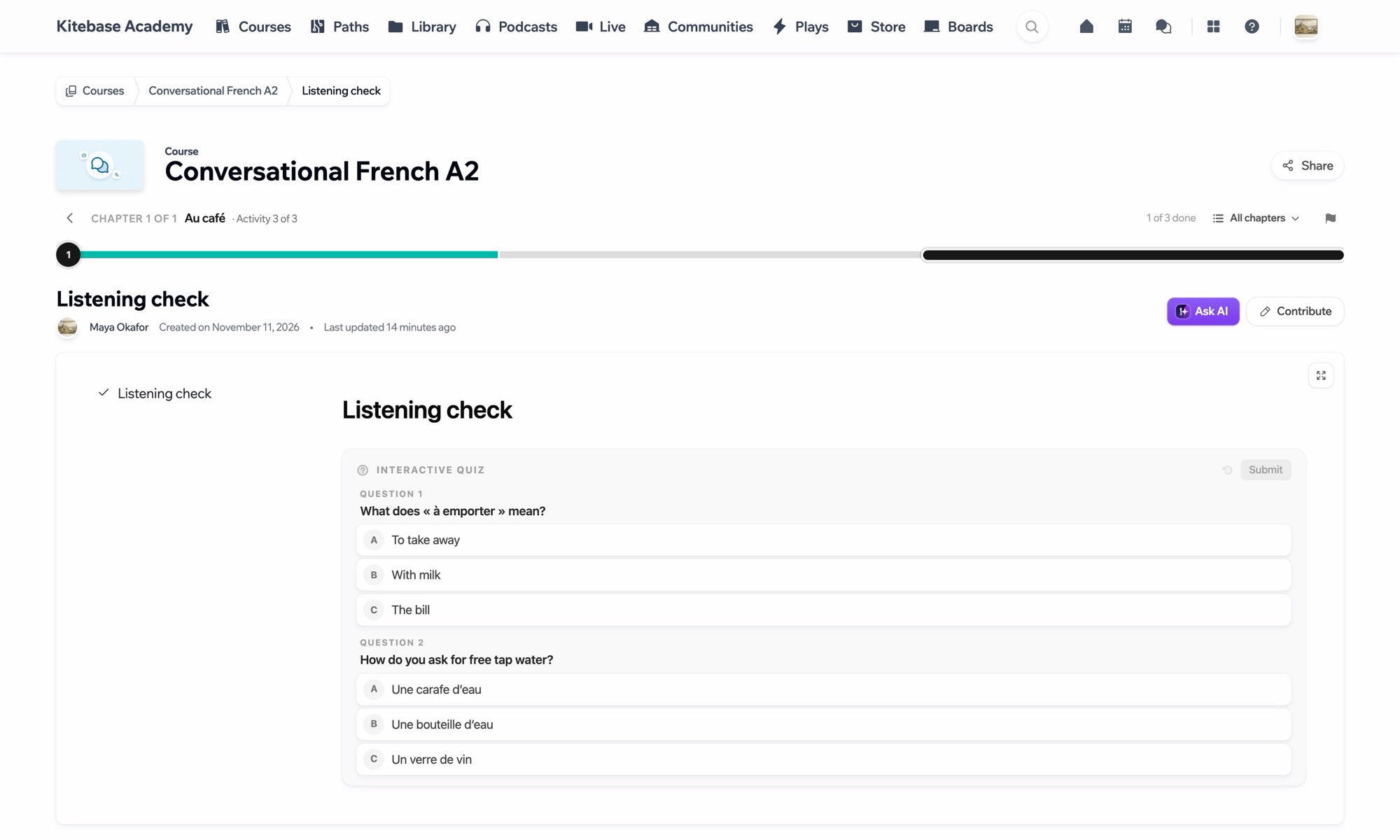
01 / 3
แบบทดสอบความเข้าใจในการฟัง
ใช้งานอยู่
412
การเรียนจบ
68%
มีความเสี่ยง
9
การตั้งค่า

ตั้งค่าเสร็จในไม่กี่นาที

  1. 1

    Create a web link

    In SurveyMonkey, choose Send → Get web link.

  2. 2

    Embed or link

    Paste the link into an Embed block, or use the website embed code.

  3. 3

    Check it

    Preview the lesson to confirm the survey loads.

รวมอยู่ในแผน

Standardเริ่มต้น $47/เดือน ชำระรายปี

Embeds work on every plan, starting with Standard.

เริ่มทดลองใช้ 14 วันเปรียบเทียบแผน
คำถามที่พบบ่อย

คำถามเกี่ยวกับ SurveyMonkey

Do all plans allow embedding?

Embedding options depend on your SurveyMonkey plan.

Can responses mark the lesson complete?

No. Completion is tracked by LearnHouse, not by the survey.

ใช้ร่วมกับ

IntercomIntercomAdd live chat and support messaging to your learning platform.TypeformTypeformEmbed Typeform surveys and quizzes for learner feedback.HubSpotHubSpotCreate or update HubSpot contacts from LearnHouse sign-ups through Zapier.MailChimpMailchimpTag Mailchimp contacts when learners earn a certificate, through Zapier.SubstackSubstackPut your Substack subscribe form in a lesson and link your posts.Google FormsGoogle FormsEmbed forms for surveys, quizzes, and course feedback.
เชื่อมต่อเครื่องมือของคุณได้ภายในสัปดาห์แรก

เชื่อมต่อเครื่องมือของคุณได้ภายในสัปดาห์แรก

ลองแผนไหนก็ได้ฟรี 14 วัน ไม่ต้องใช้บัตรเครดิต ค่าธรรมเนียมแพลตฟอร์ม 0% และมีการเชื่อมต่อให้ครบ

ทดลองใช้ฟรี

หรือโฮสต์เอดิชันโอเพนซอร์สเองได้ฟรี