Developers can connect Cursor to LearnHouse over MCP to bulk-edit content, generate lessons from docs in the repo and check data, all from Cursor.
14 gün ücretsiz · Kredi kartı gerekmez
Cursor adds LearnHouse as a streamable HTTP MCP server. That lets its agent read and change courses while you work on code, for example to keep a tutorial course in line with the project it teaches.
Point Cursor at the docs in your repository and ask it to create matching lessons in LearnHouse.
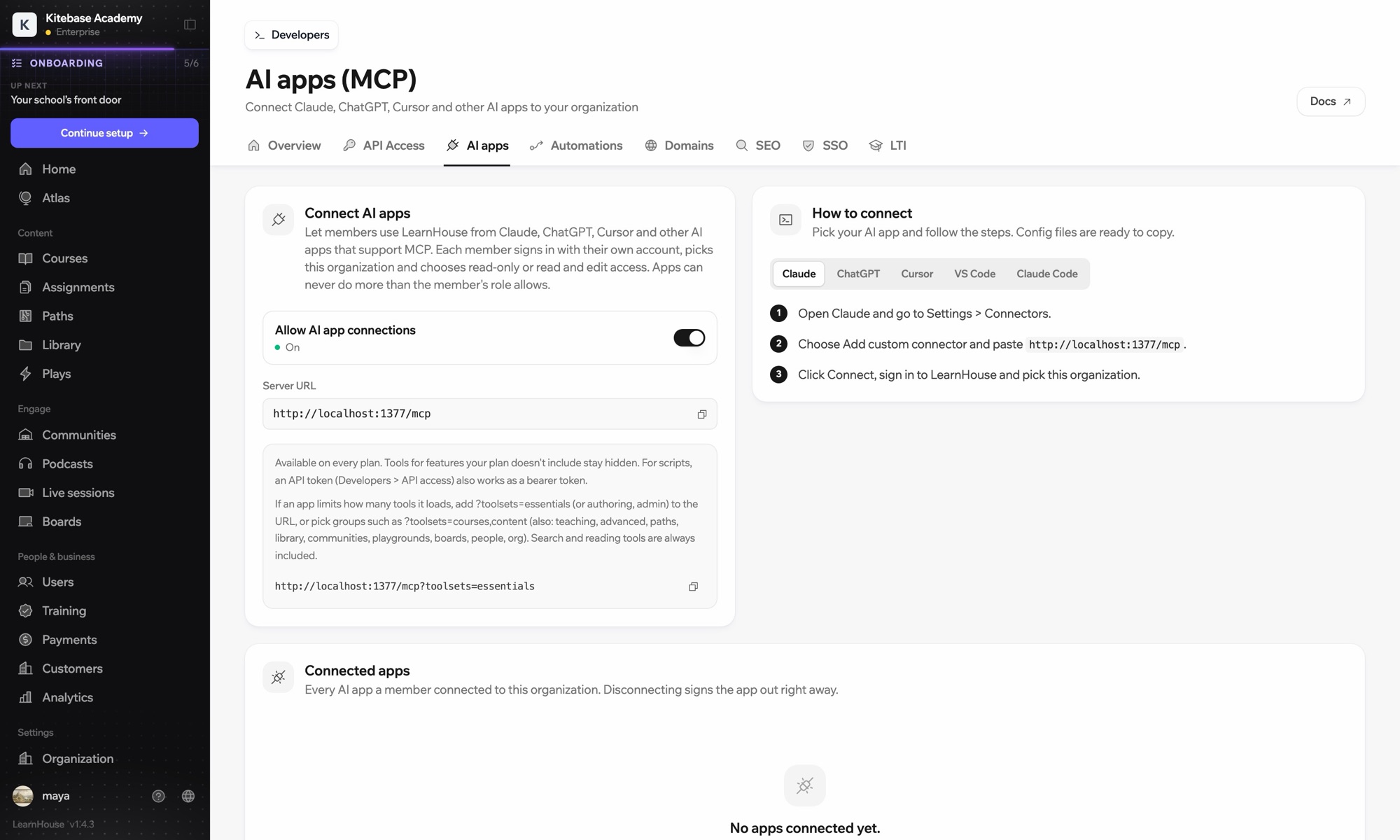
Open Connect AI apps in your dashboard and copy the URL.
In Cursor Settings → MCP, add a new server and use the URL as a streamable HTTP server.
Cursor opens LearnHouse so you can sign in.
Dahil olduğu plan
MCP and the API are included in Pro.
No. MCP sits on top of the same permissions. Use the REST API and webhooks for production integrations, and MCP for working interactively.
Any client that supports remote MCP servers, such as Claude, ChatGPT and other editors.
It can only do what your account is allowed to do. Ask it to save changes as drafts if you want to review first.
Yes. The MCP server is part of LearnHouse, so a self-hosted install exposes its own endpoint.
The connector signs you in with your account. API tokens are for scripts and servers.
Content imports, bulk edits, reporting scripts and checks for your own integration.

Her planı 14 gün ücretsiz deneyin. Kredi kartı yok, %0 platform komisyonu, entegrasyonlar dahil.
Ya da açık kaynak sürümü kendi sunucunuzda ücretsiz barındırın
