LearnHouse
Bắt đầu
LearnHouse
AIEnterpriseNhà phát triểnDi độngBảng giá
GitHub...
Đăng nhậpBắt đầu

Nền tảng học tập mã nguồn mở hiện đại, thế hệ mới

XGitHubLinkedInDiscord

Sản phẩm

  • Nhà sáng tạo
  • Giáo dục
  • Enterprise
  • Nhà phát triển
  • Ứng dụng di động
  • Mã nguồn mở
  • Thiết kế
  • Khả năng được tìm thấy
  • Bảng giá

Tính năng

  • Khóa học
  • AI
  • Thanh toán
  • Cộng đồng
  • Podcast
  • Bảng trắng
  • Plays
  • Code
  • Phân tích
  • Khóa học video
  • Bản tin
  • Lớp trực tiếp
  • Lộ trình học
  • Mở bài theo lịch
  • Bài tập
  • Chứng chỉ
  • Kịch bản
  • Đào tạo bắt buộc
  • Dịch khóa học
  • Tích hợp

Tài nguyên

  • Tài liệu
  • Học viện
  • Blog
  • Nhật ký thay đổi
  • Tự lưu trữ
  • Thuật ngữ
  • GitHub
  • So sánh các nền tảng

Công ty

  • Liên hệ
  • Bảo mật
  • Ngành nghề

Công ty

  • Liên hệ
  • Bảo mật
  • Ngành nghề

So sánh LearnHouse với

  • Udemy
  • Moodle
  • Teachable
  • Open edX
  • Thinkific
  • Canvas
  • Kajabi
  • Skool
  • Podia
  • Coursera
  • Tất cả so sánh

Lựa chọn thay thế cho

  • Udemy
  • Teachable
  • Thinkific
  • Kajabi
  • Skool
  • Podia
  • Coursera
  • Moodle
  • Open edX
  • Canvas LMS
  • Skillshare
  • Mighty Networks
  • LearnWorlds
  • Circle
Bạn gặp lỗi hoặc sự cố?
Open Source Initiative

Mã nguồn mở

Giấy phép AGPLv3, có thể tự lưu trữ

Sẵn sàng GDPR

Tuân thủ quy định bảo vệ dữ liệu của EU

G2

G2

Đánh giá chúng tôi trên G2

© 2026 LearnHouse, Inc.

  • Quyền riêng tư
  • Điều khoản
  • Chính sách cookie
Tất cả tích hợp
Figma

Use Figma with LearnHouse: Live Design FilesTeach design on the actual files

Embed Figma files and prototypes in lessons so learners can explore the real work, not screenshots of it.

Dùng thử miễn phí

Miễn phí 14 ngày · Không cần thẻ tín dụng

Figma files and prototypes embed in LearnHouse lessons as live viewers. Paste the Figma link and LearnHouse loads it through Figma's embed, so learners can pan, zoom and click through prototypes.

Cách kết nối
Khối nhúng trong bài học
Gói
Standard trở lên
Trang LearnHouse liên quan
Trình soạn khóa học
StandardKhối nhúng trong bài họcThiết kếNhúng
Bạn làm được gì

Figma giúp bạn làm gì

Trình soạn khóa học

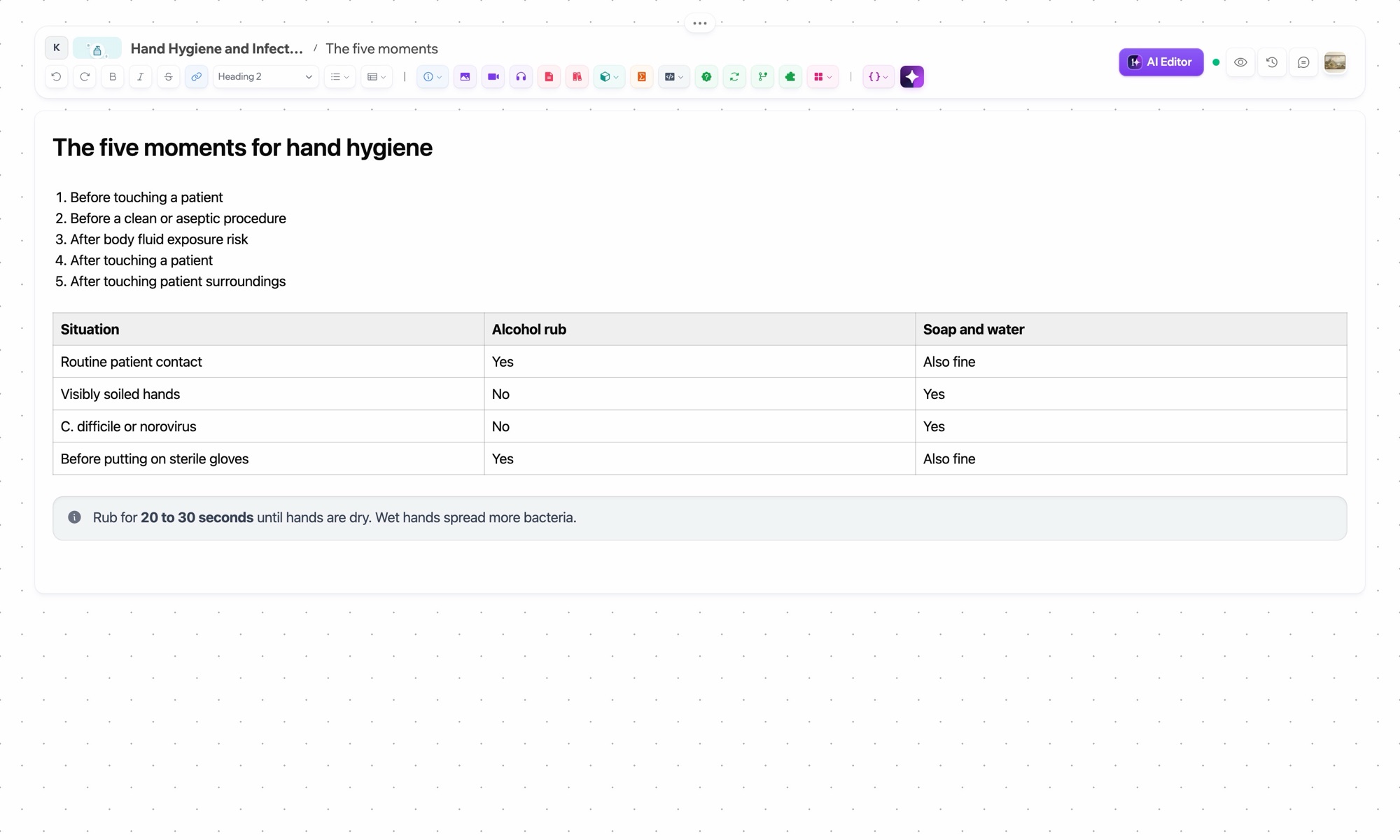
Live files in lessons

Embed a file or prototype and learners pan, zoom and click through it.
01 / 4
Trình soạn bài học
Tuần 1 · Bắt đầu
Cài đặt

Cài đặt trong vài phút

  1. 1

    Share the file

    In Figma, set sharing to anyone with the link can view.

  2. 2

    Copy the link

    Copy the file or prototype URL.

  3. 3

    Add an embed block

    Paste it in the lesson.

  4. 4

    Teach

    Learners interact with the file inline.

Có trong gói

Standardtừ $47/tháng khi thanh toán theo năm

Figma embeds work on every plan.

Dùng thử 14 ngàySo sánh các gói
Câu hỏi thường gặp

Giải đáp về Figma

Can learners edit my Figma file?

Only if your Figma sharing settings allow it. Most teachers share view-only.

Do prototypes work?

Yes. Prototypes are interactive inside the lesson.

Can learners submit Figma work?

Yes, as file links in an assignment.

Do learners need a Figma account?

Not to view public or link-shared files.

Can I embed FigJam?

Yes, FigJam boards embed the same way.

Is this good for UX bootcamps?

Yes, see our design schools page for a full setup.

Kết hợp tốt với

MiroMiroEmbed collaborative Miro whiteboards into your lessons.CanvaCanvaEmbed Canva designs, presentations, and infographics.ExcalidrawExcalidrawEmbed hand-drawn style diagrams and sketches.SketchSketchEmbed Sketch prototypes and design files.WebflowWebflowEmbed Webflow sites and showcase web design projects.FramerFramerEmbed Framer prototypes and interactive design demos.
Kết nối các công cụ của bạn ngay trong tuần đầu

Kết nối các công cụ của bạn ngay trong tuần đầu

Dùng thử bất kỳ gói nào miễn phí 14 ngày. Không cần thẻ tín dụng, phí nền tảng 0% và đã gồm các tích hợp.

Dùng thử miễn phí

Hoặc tự lưu trữ bản mã nguồn mở miễn phí