
Running compliance training well comes down to five things: know exactly which training each role must complete, assign it with a deadline, remind people before the deadline, keep a record of who finished and when, and repeat it when it expires. The course content matters, but most programmes fail on the administration around it.
This guide covers the process. It is not legal advice. What your organisation is required to train on depends on your country, your industry and your contracts, so confirm the list with whoever is responsible for legal and regulatory matters.
What counts as compliance training
Compliance training is training people have to complete, as opposed to training they choose. The obligation can come from a law or regulator, from a customer contract, from an insurer, or from your own policy.
Common areas include workplace health and safety, data protection and information security, anti-harassment and conduct, anti-bribery, and rules specific to an industry such as food handling, financial services or healthcare. Your own list will be different. The point is that someone outside the training team can ask "has everyone done it?" and expect a precise answer.
Step 1: build the requirements list
Before choosing courses or software, write a table with one row per requirement:
| Requirement | Who must complete it | When | How often | Evidence needed |
|---|---|---|---|---|
| Information security basics | All staff | Within 30 days of joining | Every year | Completion date and score |
| Food safety level 2 | Kitchen staff | Before first shift | Every 3 years | Certificate |
| Anti-bribery policy | Sales and procurement | Within 14 days of joining | Every 2 years | Signed acknowledgement |
An example of the format. Replace the rows with your own obligations.
Each column forces a decision. "Who" should be a role, department or location that your HR system knows about, so that assignments can follow people when they move. "How often" decides when training expires. "Evidence" tells you what the record has to contain.
Give each requirement an owner. When a regulation changes, someone has to notice and update the course.
Step 2: choose or create the courses
For widely shared topics, buying content is usually faster than writing it. Off-the-shelf compliance courses are commonly delivered as SCORM packages, which you upload to your LMS. If that term is new, SCORM vs xAPI vs LTI explains it.
For anything specific to your organisation, such as your own procedures, your incident reporting process or your site rules, write it yourself. It is the part employees most need and the part no vendor can supply.
Whichever route you take, a few things make the training work:
- Keep it short. People retain one clear procedure better than an hour of slides.
- Use situations from your workplace. "A customer emails asking for another customer's order history" teaches more than a paragraph of policy.
- Check understanding with questions that require a decision, and avoid questions that only test recall of a definition.
- Offer it in the languages your staff work in.
Scenario exercises, where the learner chooses what to do and sees the consequence, suit this kind of content well.
Step 3: assign it with a deadline
A course in a catalogue is optional. Training becomes mandatory when it is assigned to named people with a due date.
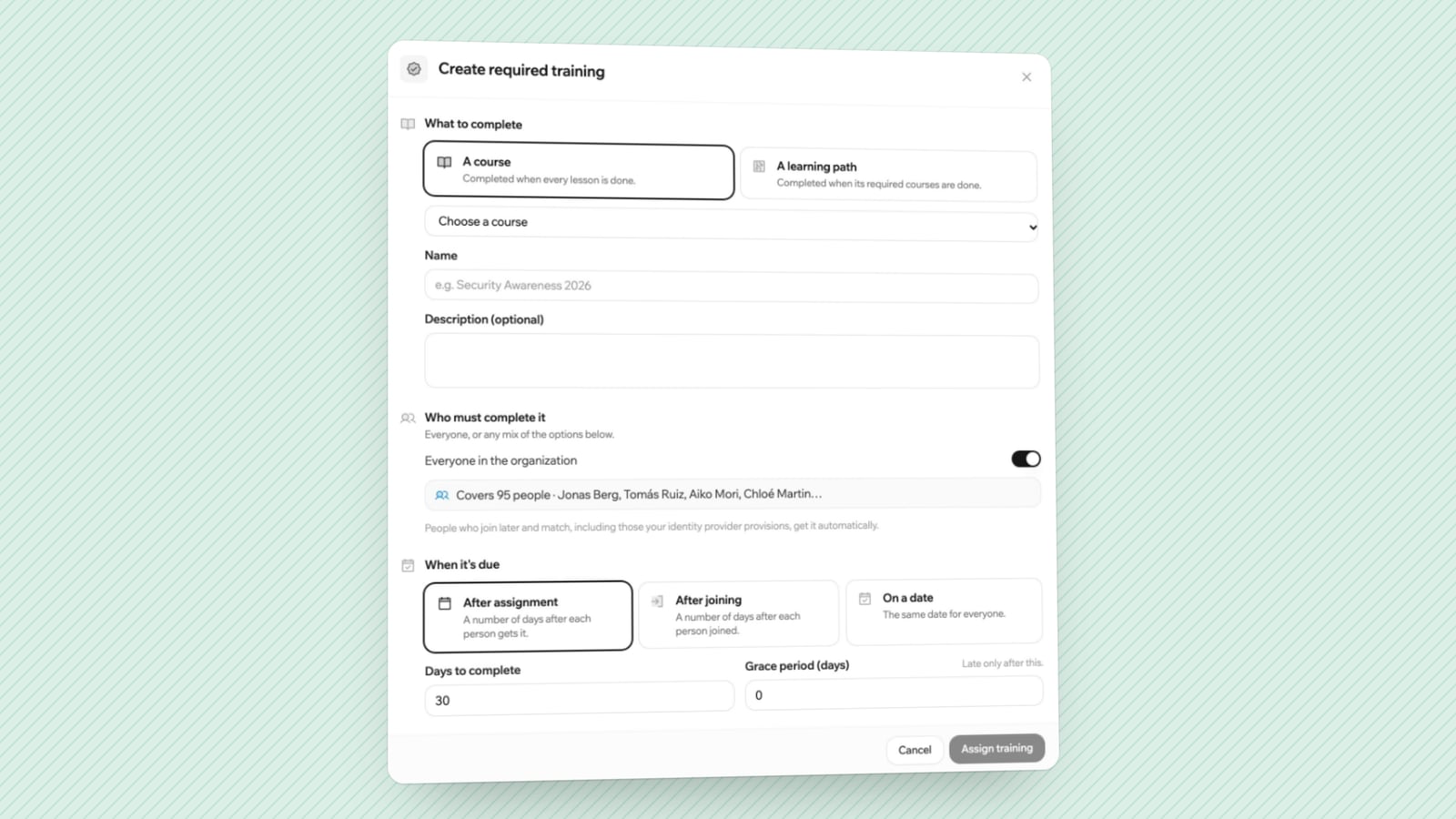
Assign by rule wherever you can. "Everyone in the Warehouse group must complete Manual Handling within 14 days of joining the group" keeps working when people are hired or change role. Assigning by hand works for ten people and breaks at a hundred.
Decide how the deadline is counted. There are three common options:
- A fixed date, for a company-wide campaign.
- A number of days after the person joins the organisation, for onboarding.
- A number of days after the training is assigned to them, for role changes.
Tell people why they have been assigned the course and how long it takes. A one-line explanation from a manager helps more than an automated message alone.
Step 4: remind and escalate
People tend to leave mandatory training until the deadline is close, and some will miss it. Plan the reminders in advance:
- A notice when the training is assigned.
- A reminder about a week before the due date.
- A reminder on the due date.
- An overdue notice to the employee and their manager.
Managers are the escalation path. Give them a view of their own team's status so they can follow up without asking the training team for a spreadsheet. A weekly list of who is overdue, sent to each manager, does more than repeated emails to the employee.
Decide beforehand what happens when someone stays overdue. For some training the consequence is real, such as not being scheduled for a shift or losing access to a system until it is done.
Step 5: keep records you can hand over
When an auditor, a customer or a regulator asks, you need to show for each person: which training was required, which version they completed, on what date, with what result, and when it expires.
A good record has these properties:
- It is tied to an individual account, not a shared login.
- It includes the date and, where relevant, the score.
- It notes which version of the course was taken, because content changes.
- It can be exported, typically as a spreadsheet or PDF.
- It is kept for as long as your rules require, including for people who have left.
Certificates help when an employee needs to show completion to a third party. A certificate with a verification page is harder to fake than a PDF.
Test the report before you need it. Pick one requirement and try to produce the list of everyone who is compliant, overdue and not yet due. If that takes more than a few minutes, fix the process now.
Step 6: handle renewals
Much compliance training expires. Without a renewal process, your completion rate decays quietly until the next audit.
Set an expiry period on each requirement and have the system reassign the course before it lapses. Use the renewal to update the content. A shorter refresher that focuses on what changed and on common mistakes is more respectful of people's time than repeating the full course every year.
Review the requirements list itself at least once a year. Roles change, new sites open and regulations are updated.
What to look for in software
You can run a small programme on a spreadsheet and calendar reminders. Past a few dozen people, a learning management system saves a lot of chasing. For compliance, check that it can:
- Assign training to groups by rule, with due dates.
- Send reminders automatically and notify managers.
- Show status per person, per team and per requirement.
- Handle expiry and reassignment.
- Import SCORM packages if you buy content.
- Connect to your identity provider, so accounts follow joiners and leavers.
- Export records and keep an audit log of administrative changes.
If you are new to the category, what is an LMS covers the basics.
For readers considering LearnHouse: required training with due dates and manager reports, SSO, SCIM, SCORM import and audit logs are on the Business plan and above, at $399 a month or $319 billed yearly, and in the Enterprise Edition when self-hosted. The lower plans and the free edition do not include them. Certificates are on Pro and above.
Mistakes to avoid
Treating completion as the goal. A 100% completion rate on a course nobody understood protects no one. Check that people can apply it, with scenario questions or a short practical sign-off.
One long annual course for everyone. Split it by role. An accountant and a forklift driver have different risks.
No owner. Requirements without an owner go out of date.
Records in someone's inbox. If proof of completion lives in emails and screenshots, you will not find it when asked.
Starting with the tool. Build the requirements table first. It will tell you what the tool needs to do.
Frequently asked questions
What is compliance training?
Training that employees are required to complete because of a law, a regulation, a contract or company policy. It usually has a deadline and a record of completion.
How often should compliance training be repeated?
It depends on the requirement. Some rules set an interval, and some leave it to the employer. Record the interval for each requirement and confirm it with the person responsible for regulatory matters in your organisation.
How do I prove employees completed their training?
Keep a dated record per person showing which course and version they completed, the result, and when it expires. An LMS produces this as a report. A certificate with a verification link helps when the proof has to go outside the company.
Can I run compliance training without an LMS?
For a small team, yes, with a spreadsheet, calendar reminders and signed acknowledgements. It becomes hard to maintain as headcount grows or when training expires on different dates for different people.
Should compliance courses be bought or built?
Buy content for general topics where a specialist provider keeps it current. Build the parts that are specific to your organisation, such as your own procedures and reporting lines.
