
If you run Moodle on your own server, the biggest cost is usually not the software. It is keeping it current. Moodle ships a major release every April and October, each one can raise the PHP and database versions it needs, and every plugin on your site has to be checked against the new version before you upgrade. Most lists of Moodle alternatives answer this by suggesting a hosted LMS. If you would rather keep running the platform yourself, LearnHouse is also open source, updates with one command, and has the features many Moodle sites add as plugins built into the core.
LearnHouse publishes this blog and makes the platform we compare against. We say below where Moodle is still the better choice. Facts about Moodle come from its own documentation, release notes and forums, checked on 16 November 2026, and are listed at the end.
Why upgrades are the real question
Search for Moodle alternatives and most of the top results are lists written by companies that sell a hosted LMS. They mention that self-hosting Moodle takes work, then recommend moving to a cloud product. That is a fair option, but it changes more than the software. If your team chose Moodle so it could decide where the data lives and run the platform on its own servers, a hosted product gives that up.
So this article takes one narrower question: if you want to keep self-hosting, what does keeping Moodle up to date involve, and what would that look like on LearnHouse?
What keeping Moodle current involves
Moodle's release policy is clear and predictable. Major versions come out every six months, in April and October, with smaller point releases every two months. A standard release gets bug fixes for 12 months and security fixes for 18 months. A long-term support (LTS) release gets security fixes for 36 months.
That gives you a choice. You can upgrade every six months and stay on the newest features, or stay on an LTS release and make a bigger jump every few years. Either way, the requirements move under you:
| Version | Released | What changed for administrators |
|---|---|---|
| Moodle 5.0 | 14 April 2025 | Minimum PHP raised to 8.2. Oracle Database no longer supported. |
| Moodle 5.1 | 6 October 2025 | New /public directory: the web server's document root must point to it, and plugins installed before the upgrade have to be moved into it by hand. PostgreSQL 15 minimum. |
| Moodle 5.3 (LTS) | 5 October 2026 | Minimum PHP 8.3 with the sodium extension. PostgreSQL 17, MariaDB 11.4 and SQL Server 2019 minimum. The Classic theme removed from core. |
From Moodle's release notes for each version.
On top of the core, there are the plugins. Moodle's upgrade guide asks you to back up the code, the uploaded files and the database, to check that each plugin has a version made for the release you are moving to, and to test the upgrade on a copy of your site first. That is sound advice, and on a site with dozens of plugins it is also a real project.
In 2026 the plugin source changed too. On 21 July 2026, the new Moodle Marketplace replaced the old Plugins Directory as the official place to get add-ons. An audit by a Moodle consultancy counted 76 plugins that had not moved to the Marketplace and would drop out of the update API after 31 August 2026. Installed copies keep working, but they no longer show up in update checks or scripted installs.
What administrators are asking about right now
Moodle's "Installing and upgrading help" forum is a good place to see this in practice. Of the 100 most recent discussions there on 16 November 2026, 36 had a title about upgrading or updating, and 15 mentioned Moodle 5.3. A few examples:
- An administrator moving a test site from 4.5 to 5.3 hit "unavailable missing dependencies" at the plugin check (11 November 2026).
- After going from 5.1 to 5.2, new users on one site could no longer register, because a file the sign-up page needed was not found (15 September 2026).
- A site installed with git stopped working after moving to the 5.2 branch and setting up the new web server routing (30 September 2026).
- After a 4.5 to 5.1 upgrade with git, one admin found their plugins missing. The reply explained that the new folder layout meant moving them by hand (20 February 2026).
- An administrator asked for a simpler way to check plugin compatibility before a major upgrade, because today it means checking each one (18 December 2025).
To be fair to Moodle, many of these threads end with a fix, often within hours, from experienced volunteers. The documentation covers most of the causes. They still show where an administrator's week goes, and most of it is keeping the platform running.
What the same job looks like on LearnHouse
LearnHouse runs as Docker containers, so the language runtimes and libraries it needs ship inside the image rather than being installed on your server. Updating is one command:
npx learnhouse updateAccording to the LearnHouse documentation, that command backs up the database first, pulls the new image, restarts the services, waits until the app reports it is healthy, and then runs the database migrations. You can pin a version with --to 1.4.2, and npx learnhouse doctor checks that everything came back up. Every release and what changed in it is listed on the changelog.
There is also no third-party plugin layer to keep in step. Learning paths, drip schedules, certificates, communities, AI tools and the course importer ship in the core, so an update does not break an add-on written by someone else. The trade-off is real: you cannot install a plugin for a niche activity type the way you can on Moodle. To connect other systems you use the API, SDK, webhooks and MCP server instead.
The self-hosting guides cover the install on one server with Docker, on Kubernetes, and on AWS, Google Cloud or Azure.
Features Moodle sites often add, side by side
Moodle does a lot in its core, and its plugins cover almost anything else. This table only compares what each project documents. Where a LearnHouse feature needs a paid edition, we say so.
| Moodle | LearnHouse | |
|---|---|---|
| Licence | GPL-3.0 or later | Community Edition under AGPL-3.0, free |
| Updating a self-hosted site | Replace the code, check each plugin, run the upgrade, follow requirement changes | npx learnhouse update with an automatic database backup |
| Add-ons | Moodle Marketplace, about 1,570 plugins shown by default in August 2026 | No plugin marketplace. Features are in the core, plus API, webhooks and MCP |
| Selling courses | PayPal included as standard, other gateways through plugins | Payments with a 0% platform fee on every Cloud plan and with the Enterprise Edition |
| Live classes | BigBlueButton activity, enabled by default on new 5.3 sites once you add a server | Live sessions with recordings, on the Business plan and the Enterprise Edition |
| AI | AI subsystem since 4.5, with providers such as OpenAI, Azure AI, Ollama and, in 5.3, Claude | Atlas, an AI agent that builds courses, translates and helps grade. Every Cloud plan, and in the Enterprise Edition |
| Mobile app | The official Moodle app | iOS and Android app on every plan |
Moodle facts from docs.moodle.org, moodledev.io and the Marketplace count in the Mindfield Consulting audit. LearnHouse plans from the pricing page.
A few other things LearnHouse includes that people often ask about: learning paths with a certificate at the end, course translation with Atlas, a newsletter next to your courses, drip content, branching scenarios, communities and boards. On speed, measured on our own servers in November 2026, a lesson opens in 173 ms for a signed-out visitor and 407 ms for a signed-in learner. The design page explains how that was measured. Your numbers will depend on where you run it.
Where Moodle is still the better choice
Moodle is the right call for many teams, and we would tell a customer so in these cases:
- If your courses depend on an activity or question type that only exists as a Moodle plugin, such as STACK for maths, moving means losing it.
- A university with Moodle administrators, a tested upgrade routine and staff who know it gains little by switching.
- If you lean heavily on the gradebook, question bank and course formats, Moodle has refined them over many years of university use.
- For a small hosted site, MoodleCloud starts at AUD 230 a year for 50 users, with a 28-day free trial.
- If all you have is ordinary PHP hosting, Moodle runs there. LearnHouse needs Docker.
Moving a Moodle course to LearnHouse
You do not have to rebuild courses by hand. In Moodle, open the course and go to Course navigation, then More, then Course reuse, and choose Backup. Moodle saves a .mbz file.
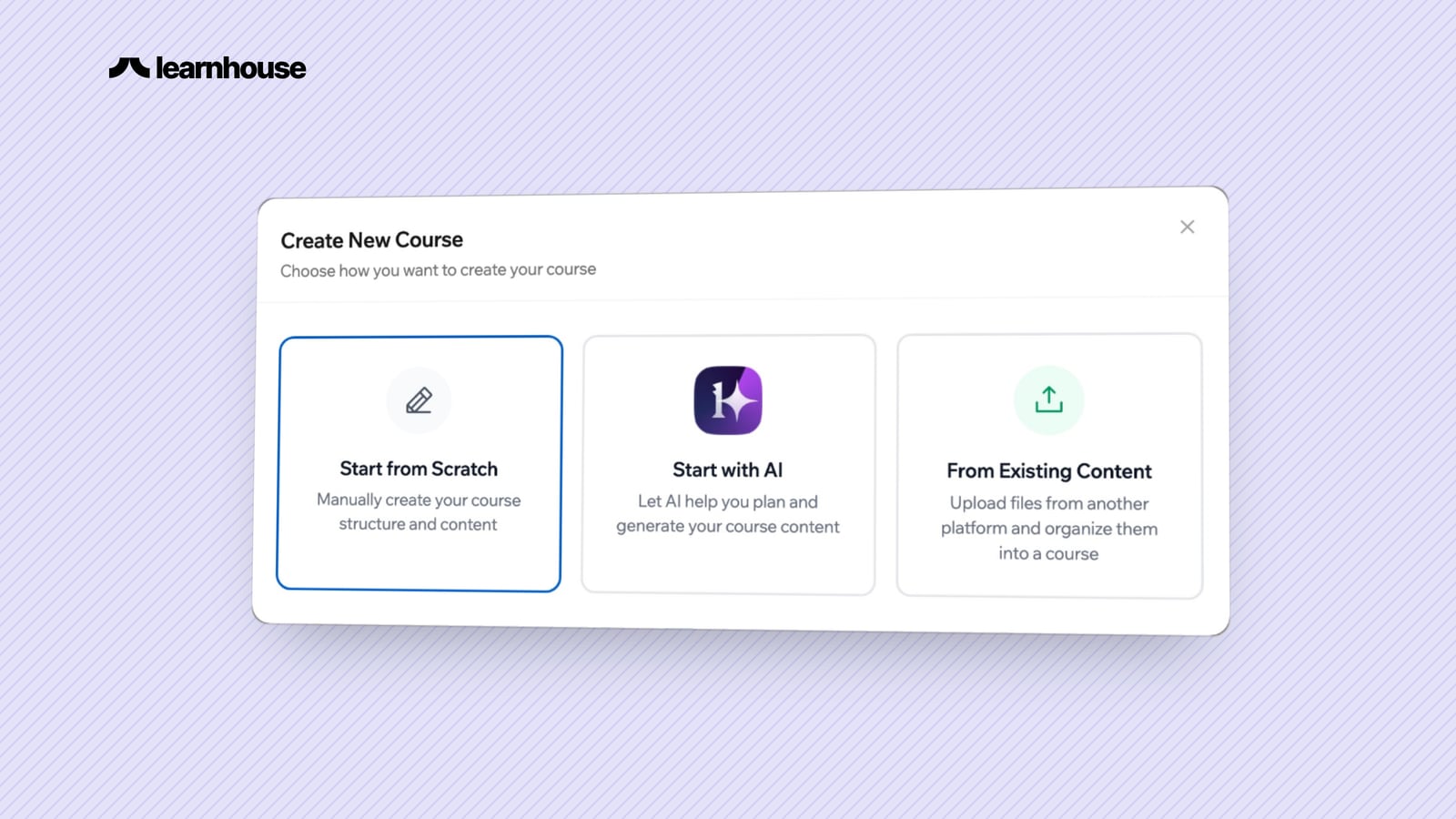
In LearnHouse, create a new course from existing content and upload that file. The importer is part of the open source code, so it works on a self-hosted install as well as on every Cloud plan. It converts:
- sections, labels and pages
- files, folders and links
- books and lessons
- quizzes, including multiple choice, short answer, numerical, matching, essay, cloze and calculated questions
- glossaries, assignments, polls and SCORM packages
Some things do not come across, and the importer lists each one with the reason: forum discussions, H5P content, BigBlueButton sessions, external LTI tools, certificates, attendance, and drag-and-drop or STACK questions. Learner data and grades stay in Moodle.
A sensible order is to import one course, check it side by side with the Moodle version, then move the rest. If you need both platforms for a while, LearnHouse supports LTI 1.3 on the Business plan and the Enterprise Edition, so a LearnHouse course can open inside your Moodle site. The Moodle migration page walks through the export, and the LearnHouse vs Moodle comparison covers the wider differences. For a broader look at open source options, see the best open source LMS in 2026 and Moodle vs Canvas vs Open edX.
Frequently asked questions
Is LearnHouse free like Moodle?
The Community Edition is free and open source under AGPL-3.0, with unlimited courses and members. Selling courses, live sessions, Atlas and company sign-in need the Enterprise Edition licence when you self-host, or a Cloud plan.
Will my Moodle plugins work in LearnHouse?
No. LearnHouse is a different platform and does not run Moodle plugins. Most common needs, such as paths, certificates, drip schedules and payments, are built in, and anything else connects through the API, webhooks or MCP.
How often does LearnHouse release updates?
Often, and every release is listed on the changelog. Updating a self-hosted install is one command, which backs up the database before it changes anything.
Can I import quizzes from Moodle?
Yes. The importer converts most question types, including multiple choice, short answer, numerical, matching, essay, cloze and calculated questions. Drag-and-drop, STACK and formulas questions are listed as not converted.
Do I have to move everything at once?
No. You can import one course at a time and keep Moodle running. With LTI 1.3 on the Business plan or Enterprise Edition, LearnHouse courses can also open inside Moodle during the move.
