LearnHouse
시작하기
LearnHouse
AI엔터프라이즈개발자모바일요금제
GitHub...
로그인시작하기

새로운 세대를 위한 모던 오픈소스 학습 플랫폼

XGitHubLinkedInDiscord

제품

  • 크리에이터
  • 교육기관
  • 엔터프라이즈
  • 개발자
  • 모바일 앱
  • 오픈소스
  • 디자인
  • 검색 노출
  • 요금제

기능

  • 강좌
  • AI
  • 결제
  • 커뮤니티
  • 팟캐스트
  • 보드
  • Plays
  • 코드
  • 분석
  • 동영상 강좌
  • 뉴스레터
  • 라이브 세션
  • 학습 경로
  • 순차 공개
  • 과제
  • 수료증
  • 시나리오
  • 필수 교육
  • 강좌 번역
  • 연동

리소스

  • 문서
  • 유니버시티
  • 블로그
  • 업데이트 내역
  • 셀프 호스팅
  • 용어집
  • GitHub
  • 플랫폼 비교

회사

  • 문의
  • 보안
  • 산업별

회사

  • 문의
  • 보안
  • 산업별

LearnHouse 비교

  • Udemy
  • Moodle
  • Teachable
  • Open edX
  • Thinkific
  • Canvas
  • Kajabi
  • Skool
  • Podia
  • Coursera
  • 전체 비교

대안

  • Udemy
  • Teachable
  • Thinkific
  • Kajabi
  • Skool
  • Podia
  • Coursera
  • Moodle
  • Open edX
  • Canvas LMS
  • Skillshare
  • Mighty Networks
  • LearnWorlds
  • Circle
버그나 문제를 발견하셨나요?
Open Source Initiative

오픈소스

AGPLv3 라이선스, 셀프호스팅 가능

GDPR 대응

EU 데이터 보호 규정 준수

G2

G2

G2에서 리뷰 남기기

© 2026 LearnHouse, Inc.

  • 개인정보처리방침
  • 이용약관
  • 쿠키 정책
전체 연동

Use Open edX with LearnHouse: Import or LTIAll the courses, none of the Open edX upkeep

Move Open edX courses into LearnHouse with the importer, or connect the two with LTI 1.3 while you transition.

무료 체험 시작

14일 무료 · 카드 등록 불필요

Open edX adds LearnHouse as an LTI 1.3 component, so a unit in an Open edX course can open LearnHouse content. Open edX course exports can also be imported into LearnHouse.

연결 방식
LTI 1.3
플랜
Business 이상
관련 LearnHouse 페이지
SSO 및 LTI
BusinessLTI 1.3LMS 및 표준
할 수 있는 일

Open edX 활용법

LMS 가져오기

Import from Studio

Bring Open edX course exports into LearnHouse as editable courses.
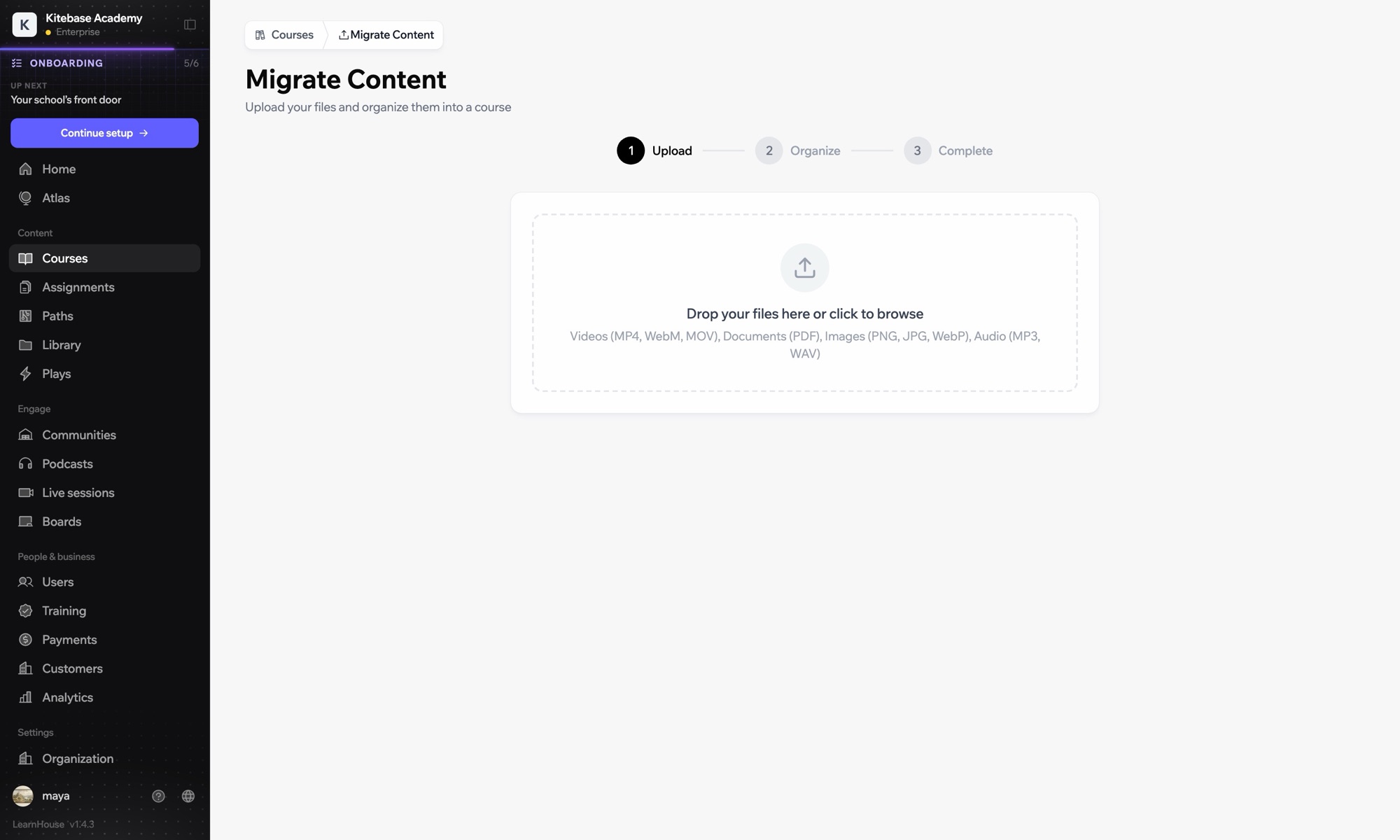
01 / 3
다른 LMS에서 강의 가져오기
Moodle
Canvas
Blackboard
Open edX
0
강의 가져옴
설정

몇 분이면 설정 끝

  1. 1

    Export from Studio

    Export your course from Open edX Studio.

  2. 2

    Import

    Upload it under Courses → Import in LearnHouse.

  3. 3

    Or connect LTI

    Register Open edX in Developers → LTI.

  4. 4

    Review and publish

    Check the imported course and publish.

포함된 플랜

Business연간 결제 시 월 $319부터

Import is on every plan; LTI 1.3 is in Business.

14일 체험 시작플랜 비교
자주 묻는 질문

Open edX 관련 질문

What does the import cover?

Course structure, content and problems where the export includes them. Custom XBlocks need rebuilding.

Is there an Open edX setup guide?

Yes, the LTI setup guides cover Open edX alongside Moodle and Canvas.

Can LearnHouse be self-hosted like Open edX?

Yes. The Community Edition is open source and runs with one setup command.

함께 쓰기 좋은 도구

MoodleMoodleImport Moodle courses or launch LearnHouse inside Moodle with LTI 1.3.LTI 1.3Launch LearnHouse courses inside any LTI 1.3 LMS, with grades synced back.Common CartridgeImport IMS Common Cartridge packages into LearnHouse courses.SCORMUpload SCORM packages and track score and completion.H5PEmbed H5P interactive content from H5P.com, Lumi or your own host.SakaiAdd LearnHouse content to Sakai sites with LTI 1.3 and dynamic registration.
첫 주에 쓰던 도구를 연결하세요

첫 주에 쓰던 도구를 연결하세요

어떤 플랜이든 14일 동안 무료로 써 보세요. 카드 등록 없이, 플랫폼 수수료 0%, 연동도 모두 포함돼요.

무료 체험 시작

또는 오픈소스 에디션을 무료로 셀프호스팅하세요