
LearnHouse V2 is out, and it touches almost every screen. Some of it is new, like learning paths, live sessions and an AI agent that works inside your academy. Some of it is old work done again with more care, like the dashboard, the lesson pages and the way you sell a course. Each section below links to that feature's own page if you want more detail.
A dashboard that is easier to read
The first thing you will notice is the interface. The whole dashboard is now drawn from one set of cards, tabs, status chips and buttons, so a screen you have never opened already feels familiar. A new academy gets a six-step launch plan at the top of the home screen, with one button that picks up where you stopped.
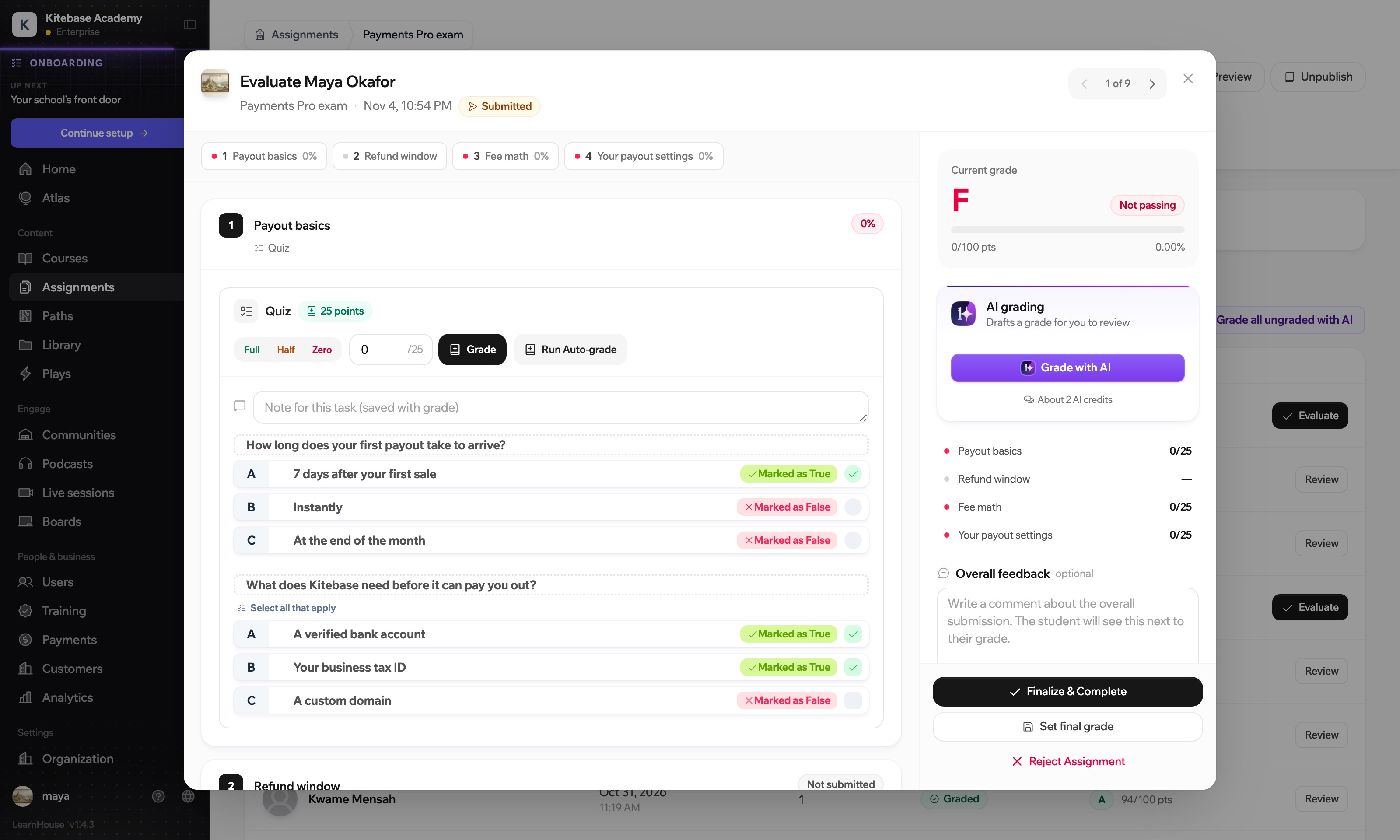
The jobs you do every week got shorter. You start a course from one dialog: by hand, drafted by AI, or from files you already have. All ten activity types share one picker. Grading happens on one screen, with the answers on the left and the grade on the right.
On the learner side the interface steps back. A lesson is a progress line, a title and the content at a reading width.
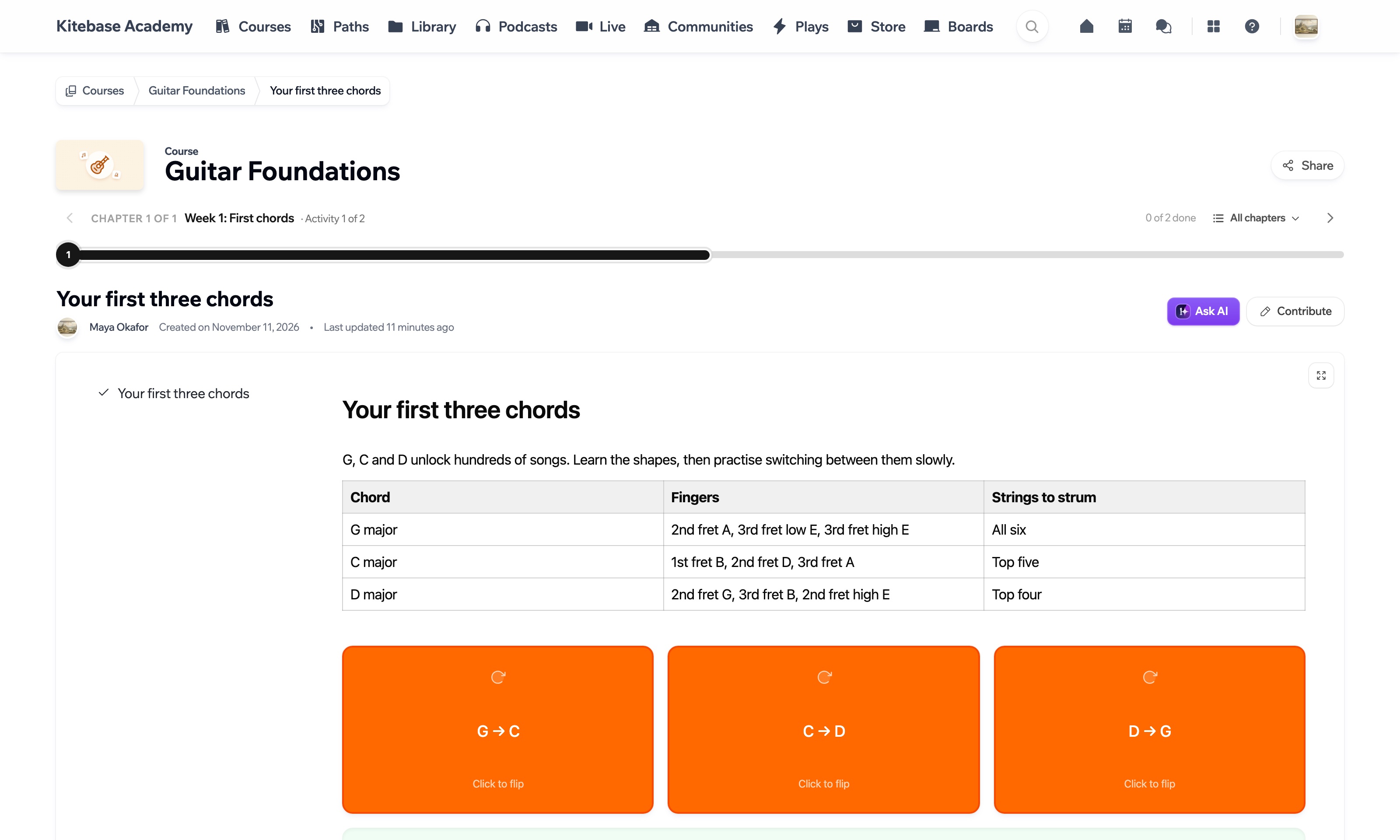
It is fast, too. Measured on our own cluster in November 2026, the server answers in 173 ms when a signed-out visitor opens a lesson, 186 ms for a course's chapter list, and 407 ms for a signed-in lesson. In the interface, buttons and tabs respond within 150 ms, and loading states show the shape of the content instead of a spinner.
The interface is translated into 22 languages, mirrors properly for Arabic and Persian, works at phone width, and has a dark mode you switch on yourself. The design page shows all of this screen by screen.
Atlas, an AI agent inside your academy
Atlas is the biggest new piece. It reads your academy's own data, so you can ask it which learners went quiet this week or which submissions are waiting for a grade, and get back a table you can export. Describe a course and it drafts the outline, ready to open in the course builder.
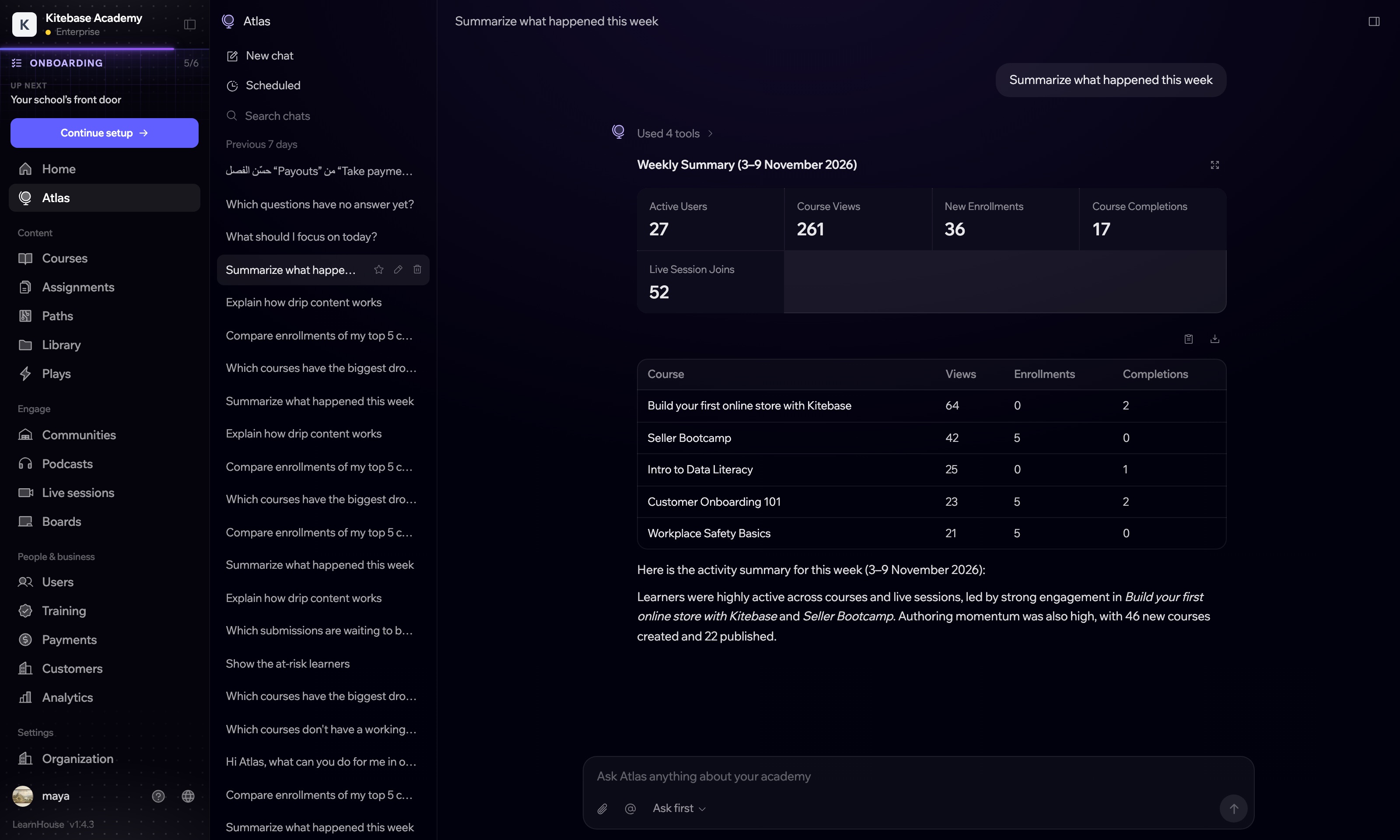
You decide how much it may do. In ask-first mode, each change waits as a card with the before and after, and you approve it. In autonomous mode it edits straight away and every change has an Undo. Either way, deleting things, sending emails, changing a URL and bulk changes always wait for you, and Atlas can never read or change anything your own role can't.
Atlas also works on a schedule. Give it a task and a time, once, daily, weekly or monthly, and it emails you what it did. Scheduled tasks are on the Business and Enterprise plans. In the editor it rewrites a section, or drafts a quiz, an assignment or a scenario from the lesson you are writing. Atlas itself is on every plan and uses your monthly AI credits.
Turn courses into a program
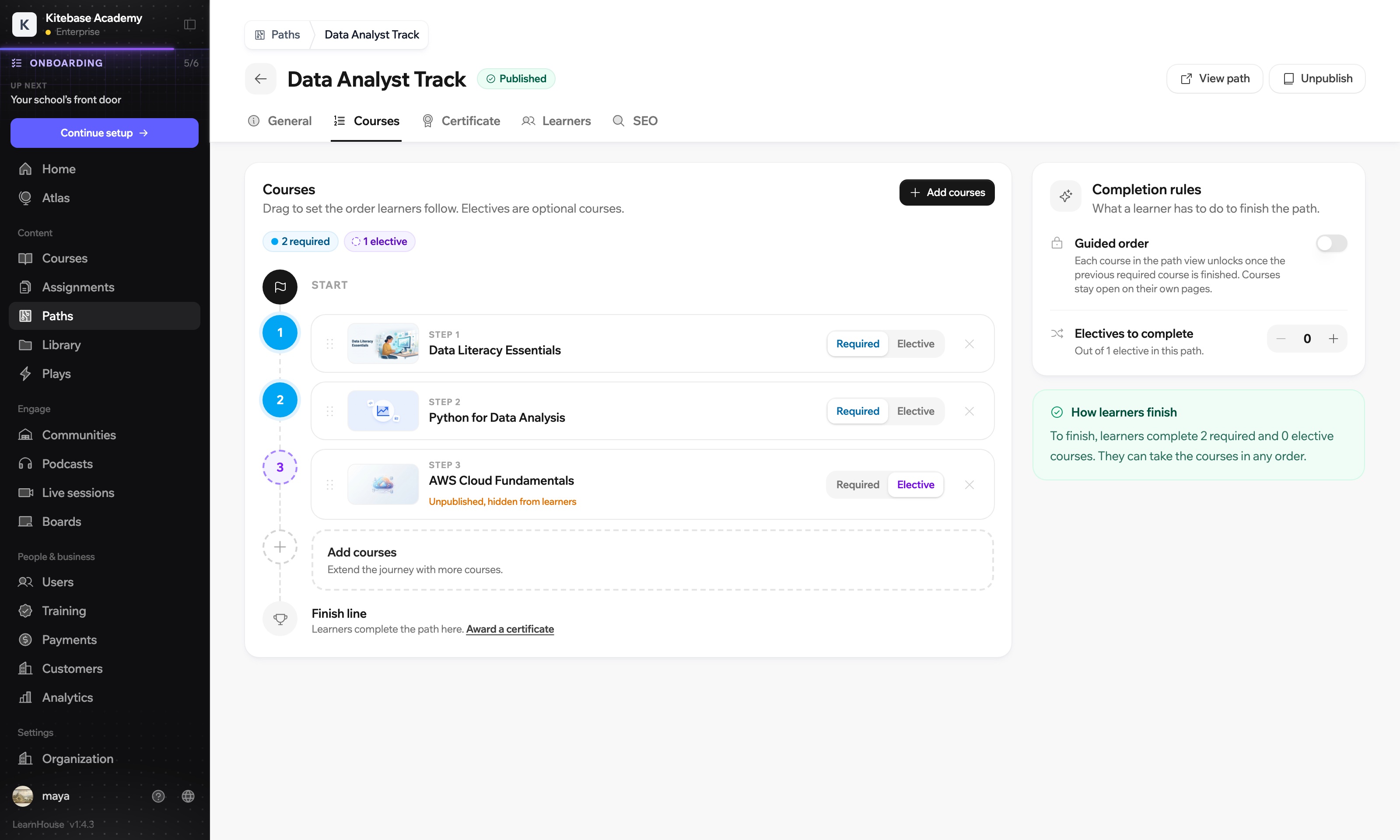
Learning paths chain several courses into one program. You mark each course as required or elective, choose whether they unlock in order, and award a certificate at the end. A cooking school could run one path for home cooks and another for bakers, with both starting from the same basics course.
Certificates now come with a public page anyone can use to check them, a credential ID, a PDF and an Add to LinkedIn button. A path certificate is awarded on top of the certificates for the courses in it.
Release a course over time
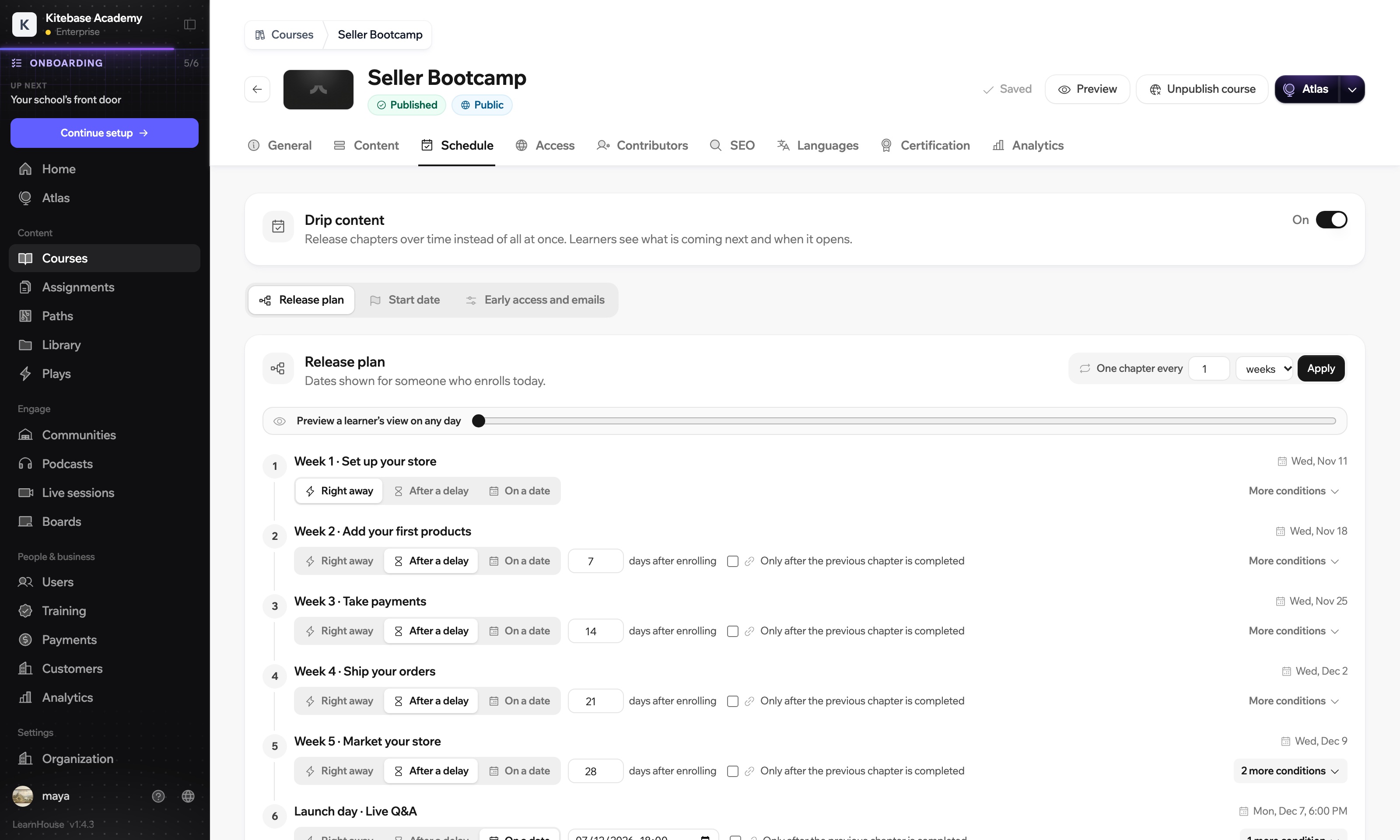
Drip content opens chapters on a schedule. A chapter can open on a date, a set number of days after each learner enrols, or when the previous chapter is finished. It can also close again a week later, which suits a replay. A slider lets you preview what a learner who enrolled today would have open on any day.
Teach live
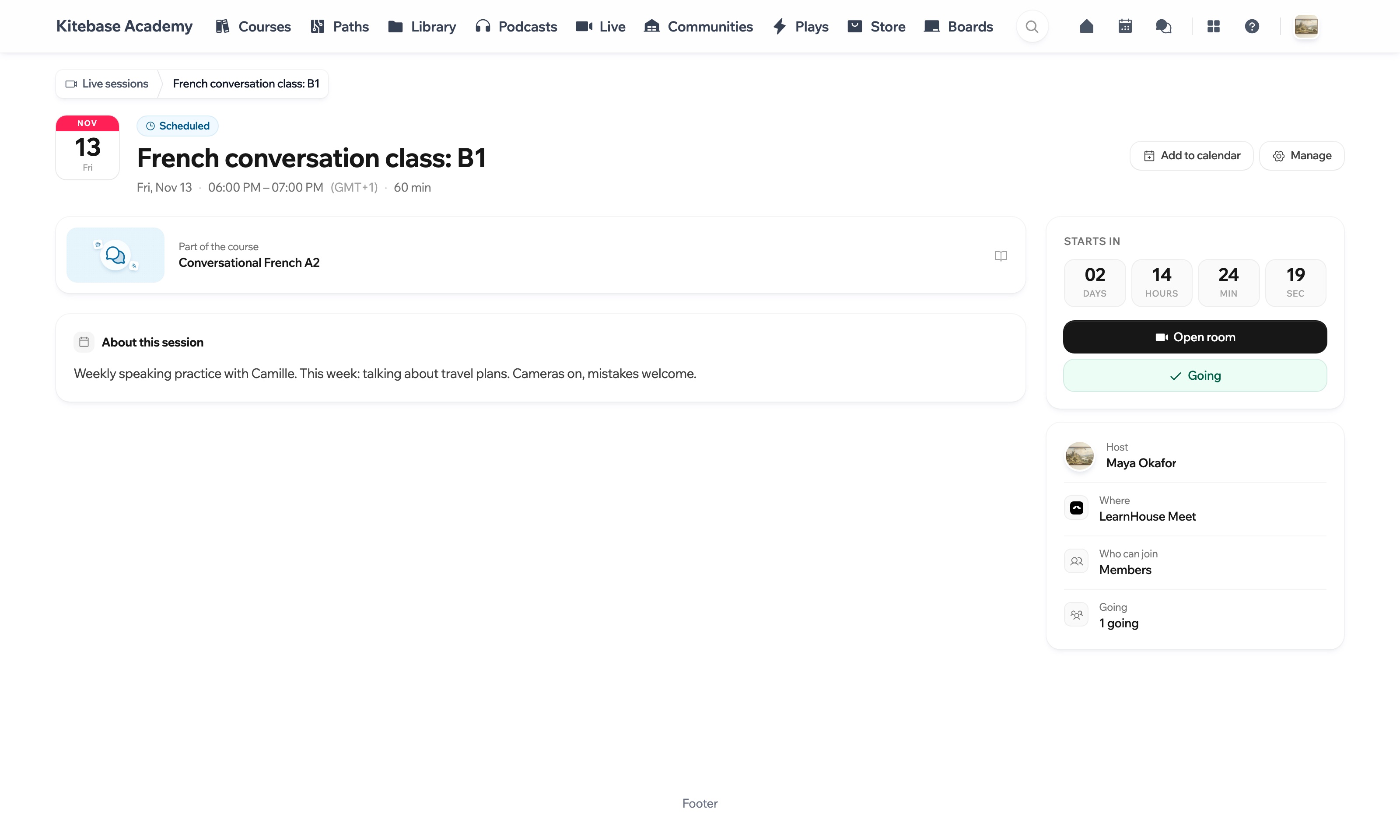
Live sessions put classes, office hours and events inside your academy. Use the built-in LearnHouse Meet room, or Zoom, Google Meet, Webex or BigBlueButton. Sessions have chat, Q&A, polls and breakout rooms. Attendance is recorded for you, and recordings stay with the session afterwards. Everyone sees the start time in their own time zone.
Boards are shared whiteboards where everyone works on the same canvas at once, with a call built in. You can give each student their own copy of a board, watch the copies fill in and send each one back with feedback.
New ways to practise
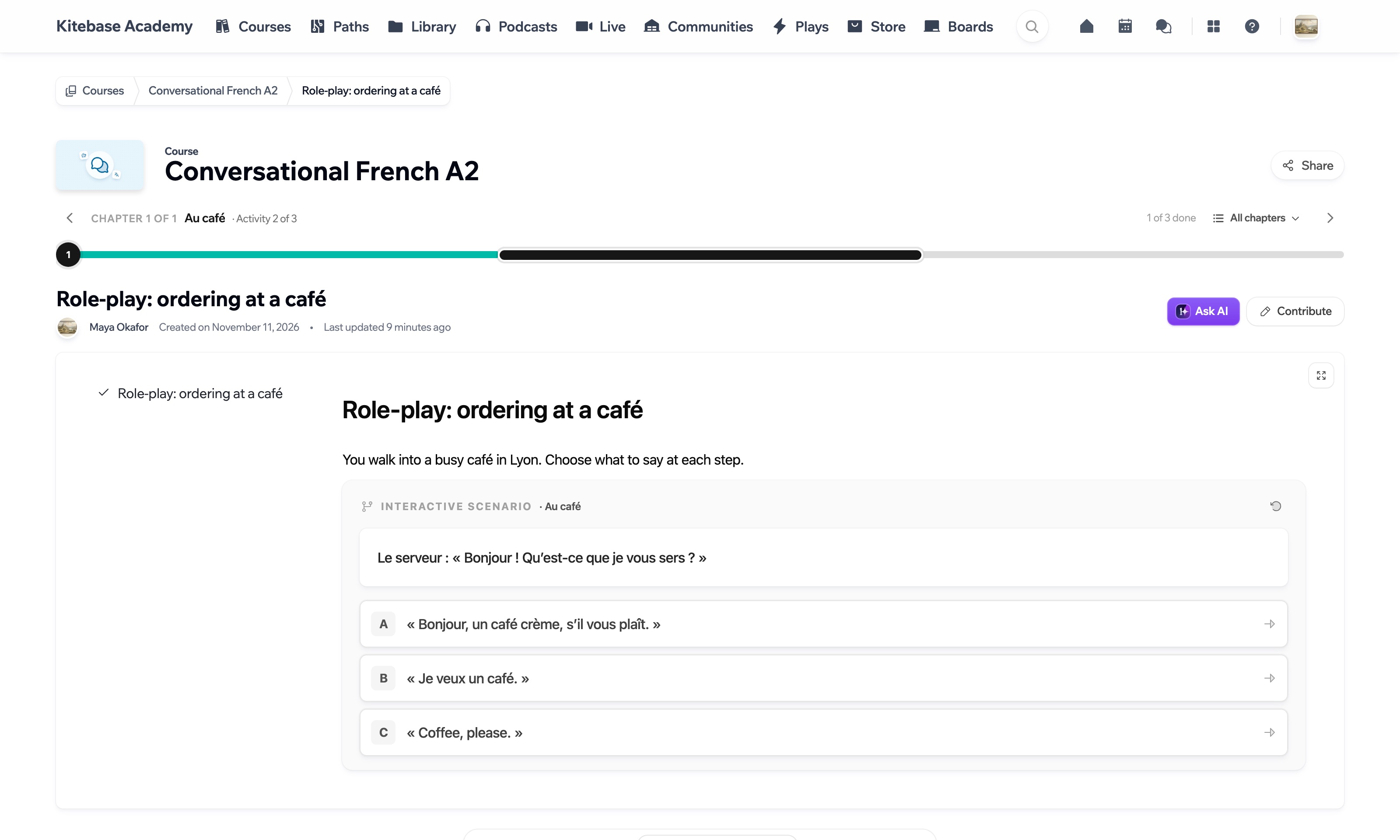
Scenarios are branching stories inside a lesson. A learner reads a situation, picks what to do and follows the story from that choice. Ordering at a café in French, or spotting a phishing email, are good fits. You write them by hand or let AI draft one from your lesson, and the editor checks every path for you.
Plays are short lessons people play through in a minute or two, with streaks, XP and badges to bring them back the next day. There are 28 kinds of step to build them from.
Code playgrounds let learners write code on the lesson page, run it and see which of your tests pass, without installing anything.
Grade in one place
Assignments collect quizzes, short answers, file uploads and code tasks in one list of submissions. Questions with an answer key grade themselves. For open answers, AI drafts a score and you check it before it counts.
One course, several languages
Course translation keeps one course with several language versions. Enrolments, progress and certificates are shared, and only the text changes. You can translate it yourself or let Atlas do it with your glossary, and when the original changes you see which parts of each translation fell behind. Each language gets its own page for search engines.
Training your team has to take
Required training assigns courses or whole paths to the people who must complete them, with due dates, reminders and re-certification. Managers see their own team's status, and you can filter the results by training, department or manager and export them for an audit.
Selling, in more depth
Payments go much further now. A product is now a price and everything it unlocks: one course, several courses, a single chapter, a community, a podcast or a board. It can be a one-time payment, a subscription with a free trial, or free to claim. Discount codes can take off a percentage or a fixed amount and expire on a date. Partners can earn a commission on the sales they bring in, and companies can buy a pack of seats for their staff.
Money goes straight to your own Stripe account. LearnHouse takes 0% of each sale.
A newsletter next to your courses
The newsletter lets you email learners from the same place you teach them. You write a campaign, pick who gets it and send it, and the subscribers, signup pages and results sit next to your courses, so there is no second list to keep in sync.
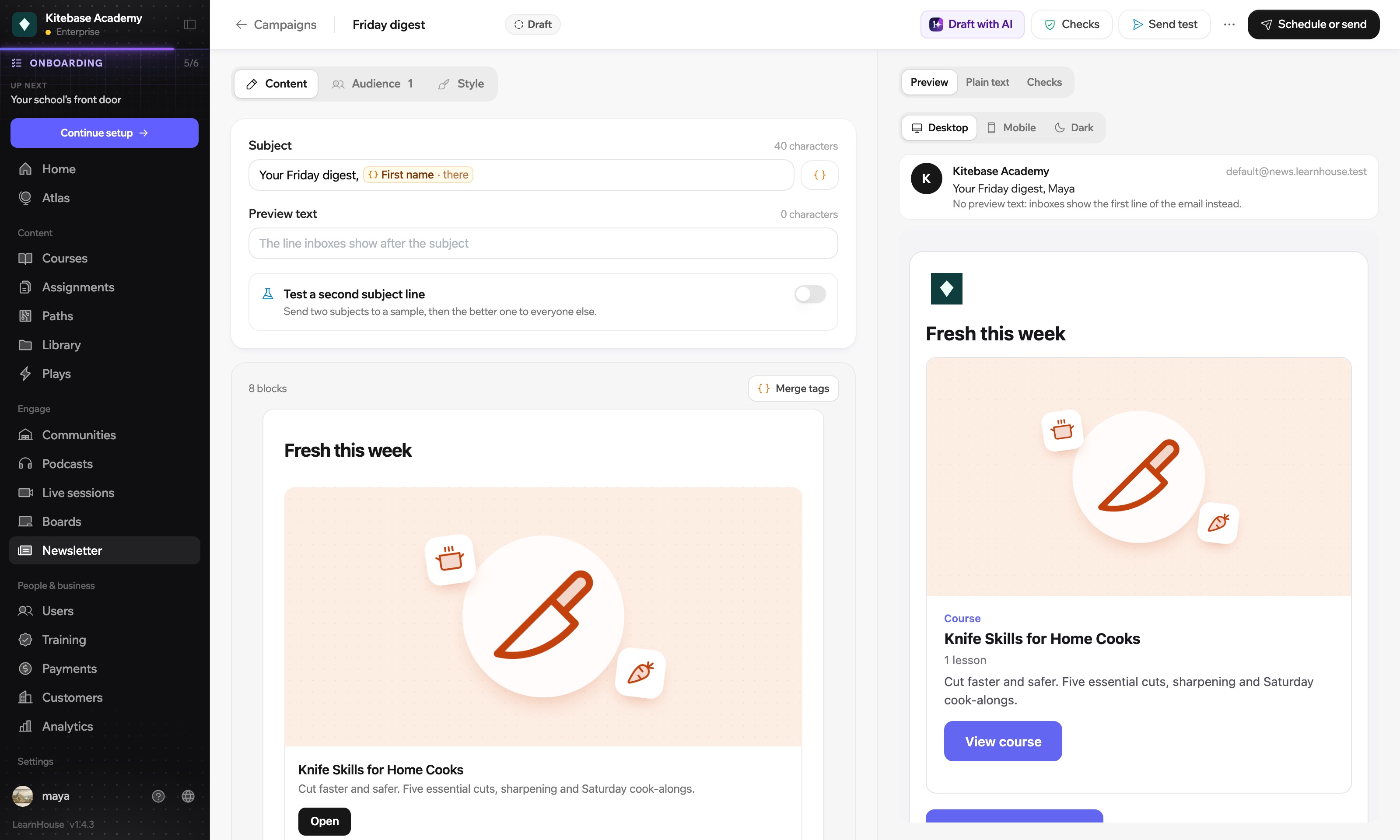
Starter templates cover a course launch, a weekly digest, a new lesson, a live session reminder and a welcome email. The routine emails can send themselves: a welcome for new subscribers, a note when a lesson goes up, a follow-up after a course and a recurring digest. Each campaign has its own report, and open rates are marked as approximate, because some mail apps load images on their own. A new sender warms up gradually, and you can add your own domain when you want mail to come from it.
The mobile app
There is now a native app for iPhone, iPad and Android. Learners find your school by scanning a QR code, opening a link or typing its address, and they see your logo, colours and fonts. Every lesson block works, including quizzes, scenarios and code playgrounds, and a whole course can be downloaded for a train or a plane. The app is included in every plan and also works with self-hosted schools.
For admins and course teams, Atlas is in the app too, so you can check on a course or approve a change without opening a laptop.
Building blocks for developers
If you want your own learning site with your courses in it, the developers page shows the building blocks: a TypeScript SDK and React and Vue components for lists of courses, lessons, quizzes, progress, sign-in and more. You don't need to be a developer to use them. Describe the page to Claude and it writes the code with the same blocks.
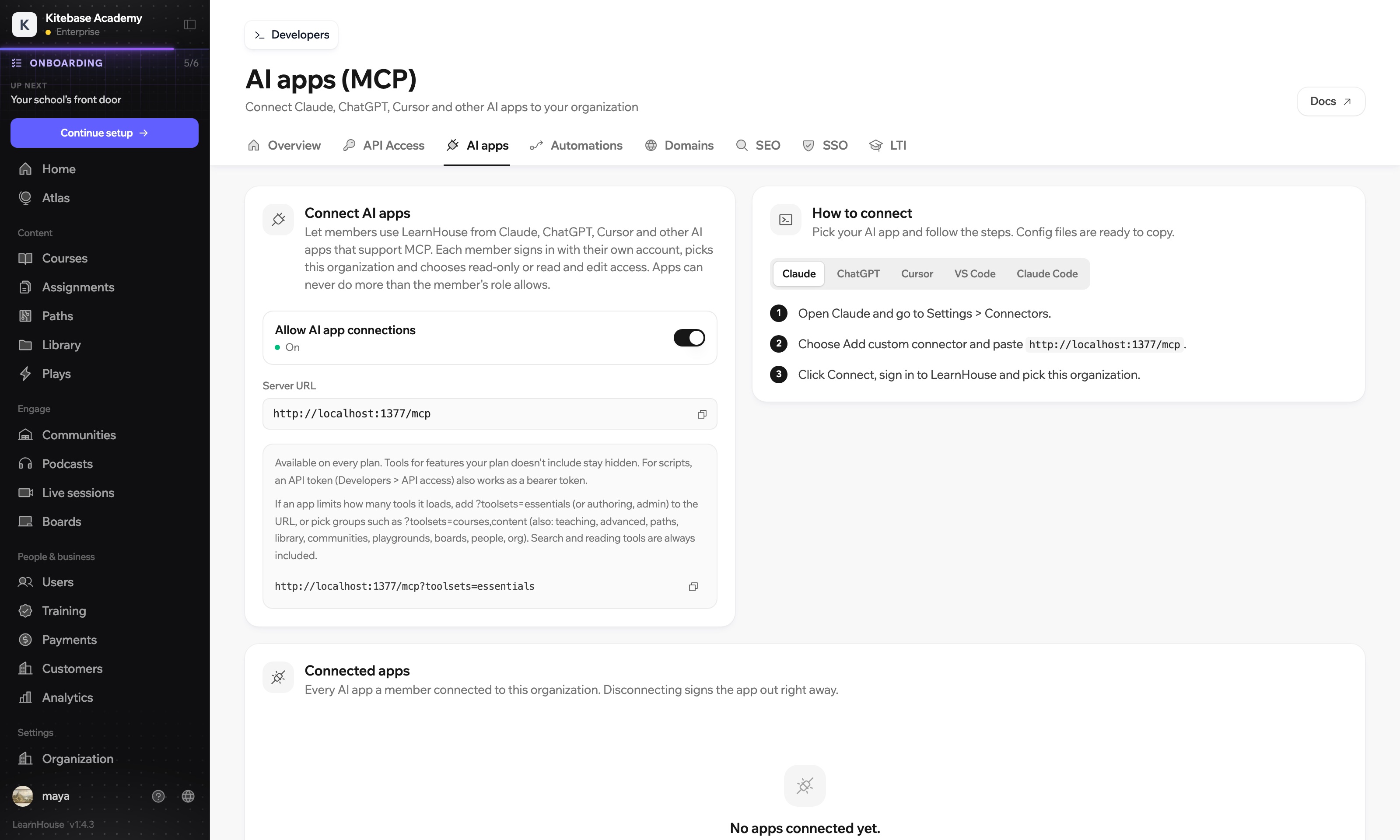
LearnHouse also has an MCP server built in. Claude, ChatGPT, Cursor, VS Code and Claude Code can connect to it, each member signs in with their own account, and risky calls still need a person to approve them.
Still open source
All of this sits on the same open source core, free under the AGPL-3.0 licence with no limits on courses or members. One command sets up a server:
npx learnhouse@latest setupThe open source page explains what that installs and which features are part of the paid Enterprise Edition.
Frequently asked questions
Is Atlas included in my plan?
Yes. Atlas, course translation and localized SEO are on every plan and use your monthly AI credits.
Is the mobile app a paid extra?
No. The iOS and Android app is included in every plan, with no add-on or per-app fee.
Where can I see which plan includes what?
On the pricing page. Each feature page also says which plans include it.
