Schedule live sessions in LearnHouse with your Webex link, so reminders, attendance and recordings sit with the course.
14 дней бесплатно · Без банковской карты
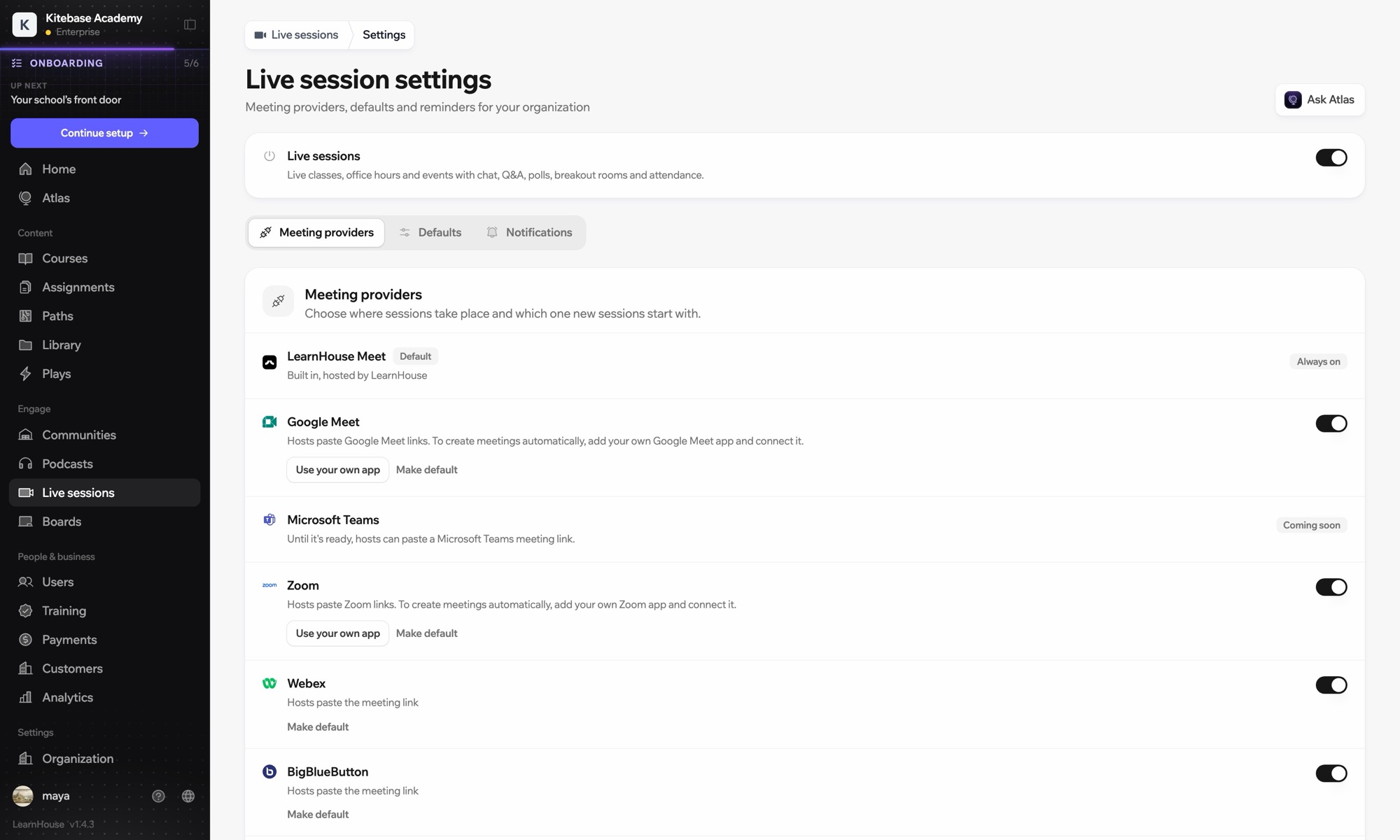
Webex works with LearnHouse live sessions in link mode. The host pastes the Webex link, and LearnHouse provides the session page with reminders, chat, Q&A, polls and attendance around it.
Webex works in link mode: paste the meeting link and learners join from the session page.
Schedule the meeting in Webex and copy its link.
Create a live session, choose Webex and paste the link. No account connection is needed.
Learners get reminders, and you add the recording to the session after class.
Входит в
Live sessions are included in Business.
No. Webex is link mode only; Zoom, Google Meet and Teams can create meetings when connected.
Yes. Each session picks its own: LearnHouse Meet, Zoom, Google Meet, Teams, Webex, BigBlueButton or a custom link.

Попробуйте любой тариф бесплатно 14 дней. Без банковской карты, 0% комиссии платформы, интеграции включены.
Или бесплатно разверните версию с открытым кодом у себя
