LearnHouse
Bắt đầu
LearnHouse
AIEnterpriseNhà phát triểnDi độngBảng giá
GitHub...
Đăng nhậpBắt đầu

Nền tảng học tập mã nguồn mở hiện đại, thế hệ mới

XGitHubLinkedInDiscord

Sản phẩm

  • Nhà sáng tạo
  • Giáo dục
  • Enterprise
  • Nhà phát triển
  • Ứng dụng di động
  • Mã nguồn mở
  • Thiết kế
  • Khả năng được tìm thấy
  • Bảng giá

Tính năng

  • Khóa học
  • AI
  • Thanh toán
  • Cộng đồng
  • Podcast
  • Bảng trắng
  • Plays
  • Code
  • Phân tích
  • Khóa học video
  • Bản tin
  • Lớp trực tiếp
  • Lộ trình học
  • Mở bài theo lịch
  • Bài tập
  • Chứng chỉ
  • Kịch bản
  • Đào tạo bắt buộc
  • Dịch khóa học
  • Tích hợp

Tài nguyên

  • Tài liệu
  • Học viện
  • Blog
  • Nhật ký thay đổi
  • Tự lưu trữ
  • Thuật ngữ
  • GitHub
  • So sánh các nền tảng

Công ty

  • Liên hệ
  • Bảo mật
  • Ngành nghề

Công ty

  • Liên hệ
  • Bảo mật
  • Ngành nghề

So sánh LearnHouse với

  • Udemy
  • Moodle
  • Teachable
  • Open edX
  • Thinkific
  • Canvas
  • Kajabi
  • Skool
  • Podia
  • Coursera
  • Tất cả so sánh

Lựa chọn thay thế cho

  • Udemy
  • Teachable
  • Thinkific
  • Kajabi
  • Skool
  • Podia
  • Coursera
  • Moodle
  • Open edX
  • Canvas LMS
  • Skillshare
  • Mighty Networks
  • LearnWorlds
  • Circle
Bạn gặp lỗi hoặc sự cố?
Open Source Initiative

Mã nguồn mở

Giấy phép AGPLv3, có thể tự lưu trữ

Sẵn sàng GDPR

Tuân thủ quy định bảo vệ dữ liệu của EU

G2

G2

Đánh giá chúng tôi trên G2

© 2026 LearnHouse, Inc.

  • Quyền riêng tư
  • Điều khoản
  • Chính sách cookie
Tất cả tích hợp

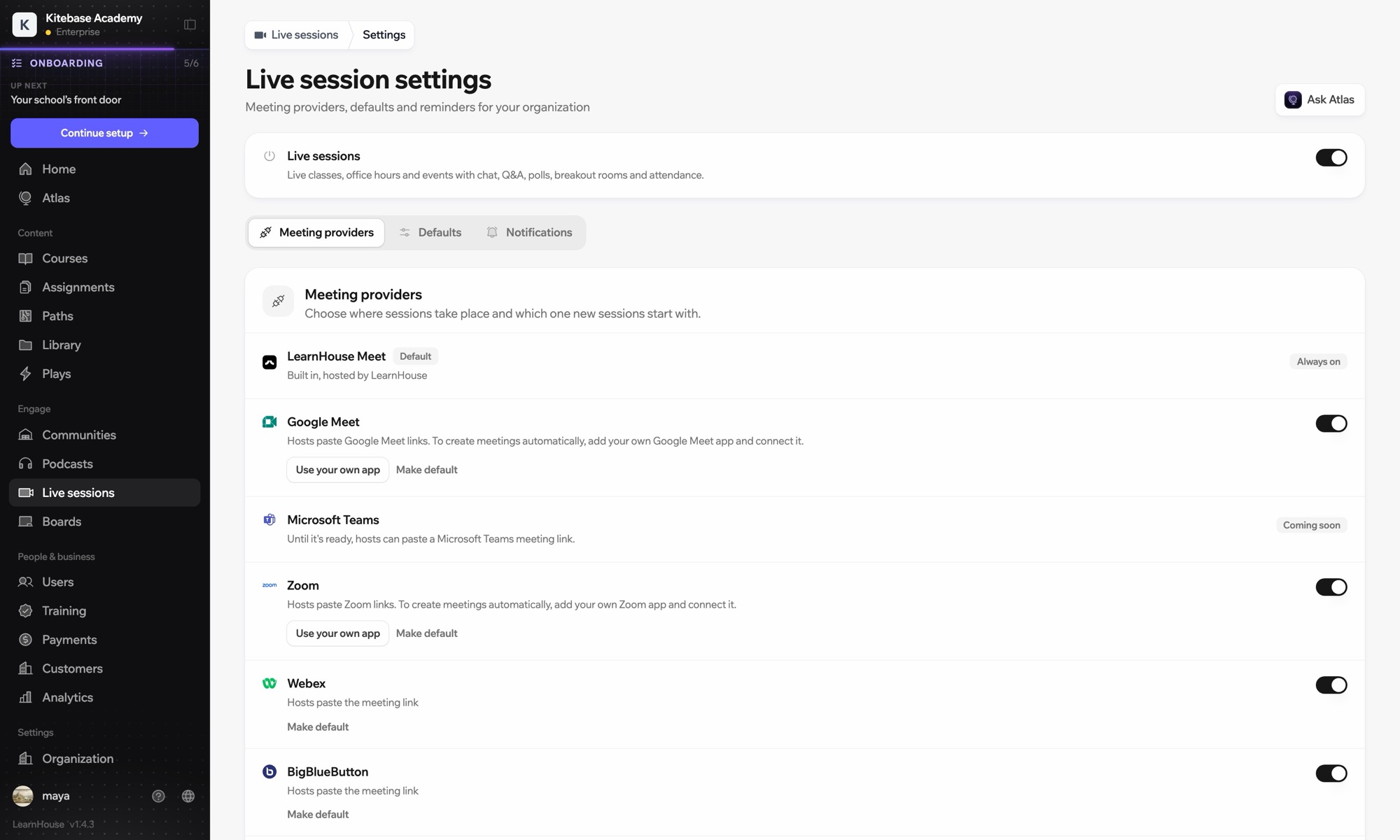
Use Microsoft Teams with LearnHouse: Live ClassesTraining on Teams, tracked like a course

Schedule a live session in LearnHouse, add your Teams meeting link, and keep reminders, attendance and the recording with the course.

Dùng thử miễn phí

Miễn phí 14 ngày · Không cần thẻ tín dụng

Microsoft Teams works with LearnHouse live sessions by link or through a connected Microsoft 365 account. Connected, each session is an Outlook event with a Teams meeting, and attendance reports, recordings and transcripts come back.

Cách kết nối
Nhà cung cấp buổi học trực tiếp
Gói
Business trở lên
Trang LearnHouse liên quan
Lớp trực tiếp
BusinessNhà cung cấp buổi học trực tiếpLớp học trực tiếpGiao tiếp
Bạn làm được gì

Microsoft Teams giúp bạn làm gì

Lớp trực tiếp

Meetings and Outlook invites made for you

Connect a Microsoft 365 account and each session becomes an Outlook event with a Teams meeting. People who RSVP get the invite.
01 / 4
Nhà cung cấp buổi học trực tiếp: Zoom, Google Meet, Teams
MC
LH
SP
TRỰC TIẾP · Giờ hỏi đáp24 người đang xem
Tóm tắt bản ghi bằng AI
Cài đặt

Cài đặt trong vài phút

  1. 1

    Connect Microsoft 365

    An admin opens Live sessions → Settings, adds the Microsoft app details and connects the account.

  2. 2

    Schedule a session

    Choose Microsoft Teams; LearnHouse creates the Outlook event with the Teams link.

  3. 3

    Teach

    Learners join from the session page or the invite. Chat, Q&A and polls stay on the session page.

  4. 4

    Review attendance

    Attendance, recordings and transcripts sync back after the meeting.

Có trong gói

Businesstừ $319/tháng khi thanh toán theo năm

Live sessions are included in Business.

Dùng thử 14 ngàySo sánh các gói
Câu hỏi thường gặp

Giải đáp về Microsoft Teams

Can hosts just paste a Teams link?

Yes. Without a connected account, paste a teams.microsoft.com link; attendance and recordings then aren't imported automatically.

Can attendees see each other on the invite?

No. Attendees are hidden from each other on the Outlook event.

Can a session move without confusing people?

Yes. Reschedules and cancellations flow through Outlook and Teams to everyone invited.

Kết hợp tốt với

Microsoft Entra IDSingle sign-on with Microsoft Entra ID (Azure AD) over OpenID Connect.ZoomZoomEmbed Zoom links for live classes and webinars.WebexWebexHost LearnHouse live sessions with Webex links.Google MeetGoogle MeetEmbed Google Meet links for live video sessions.BigBlueButtonBigBlueButtonRun live sessions in BigBlueButton rooms and keep the session page in LearnHouse.Outlook CalendarAdd live sessions to Outlook, or send invites from a connected Microsoft 365 calendar.
Kết nối các công cụ của bạn ngay trong tuần đầu

Kết nối các công cụ của bạn ngay trong tuần đầu

Dùng thử bất kỳ gói nào miễn phí 14 ngày. Không cần thẻ tín dụng, phí nền tảng 0% và đã gồm các tích hợp.

Dùng thử miễn phí

Hoặc tự lưu trữ bản mã nguồn mở miễn phí