LearnHouse
Aan de slag
LearnHouse
AIEnterpriseOntwikkelaarsMobielPrijzen
GitHub...
InloggenAan de slag

Het moderne open-source leerplatform

XGitHubLinkedInDiscord

Product

  • Makers
  • Onderwijs
  • Enterprise
  • Ontwikkelaars
  • Mobiele app
  • Open source
  • Ontwerp
  • Vindbaarheid
  • Prijzen

Functies

  • Cursussen
  • AI
  • Betalingen
  • Community's
  • Podcasts
  • Borden
  • Plays
  • Code
  • Analyses
  • Videocursussen
  • Nieuwsbrief
  • Livesessies
  • Leerpaden
  • Gefaseerde content
  • Opdrachten
  • Certificaten
  • Scenario's
  • Verplichte trainingen
  • Cursusvertaling
  • Integraties

Hulpbronnen

  • Documentatie
  • Universiteit
  • Blog
  • Changelog
  • Zelf hosten
  • Woordenlijst
  • GitHub
  • Platforms vergelijken

Bedrijf

  • Contact
  • Beveiliging
  • Branches

Bedrijf

  • Contact
  • Beveiliging
  • Branches

Vergelijk LearnHouse met

  • Udemy
  • Moodle
  • Teachable
  • Open edX
  • Thinkific
  • Canvas
  • Kajabi
  • Skool
  • Podia
  • Coursera
  • Alle vergelijkingen

Alternatieven voor

  • Udemy
  • Teachable
  • Thinkific
  • Kajabi
  • Skool
  • Podia
  • Coursera
  • Moodle
  • Open edX
  • Canvas LMS
  • Skillshare
  • Mighty Networks
  • LearnWorlds
  • Circle
Een bug of probleem gevonden?
Open Source Initiative

Open source

AGPLv3-licentie, zelf te hosten

AVG-proof

Voldoet aan de EU-regels voor gegevensbescherming

G2

G2

Beoordeel ons op G2

© 2026 LearnHouse, Inc.

  • Privacy
  • Voorwaarden
  • Cookiebeleid
Alle integraties

Use Outlook with LearnHouse: Session InvitesSessions that land in Outlook

Every live session has an Outlook link, and a connected Microsoft 365 account sends real invites that update when you move a class.

Start gratis proefperiode

14 dagen gratis · Geen creditcard

LearnHouse connects to Outlook in two ways. Every live session offers Add to calendar links for Outlook.com and Office 365. When an admin connects a Microsoft 365 account for Teams, each session becomes an Outlook event, so people who RSVP get invites that follow reschedules and cancellations.

Hoe het koppelt
Agendalinks en uitnodigingen
Abonnement
Business en hoger
Bijbehorende LearnHouse-pagina
Live sessies
BusinessAgendalinks en uitnodigingenLive lessenProductiviteit
Wat je ermee kunt doen

Wat Outlook Calendar voor jou doet

Live sessies

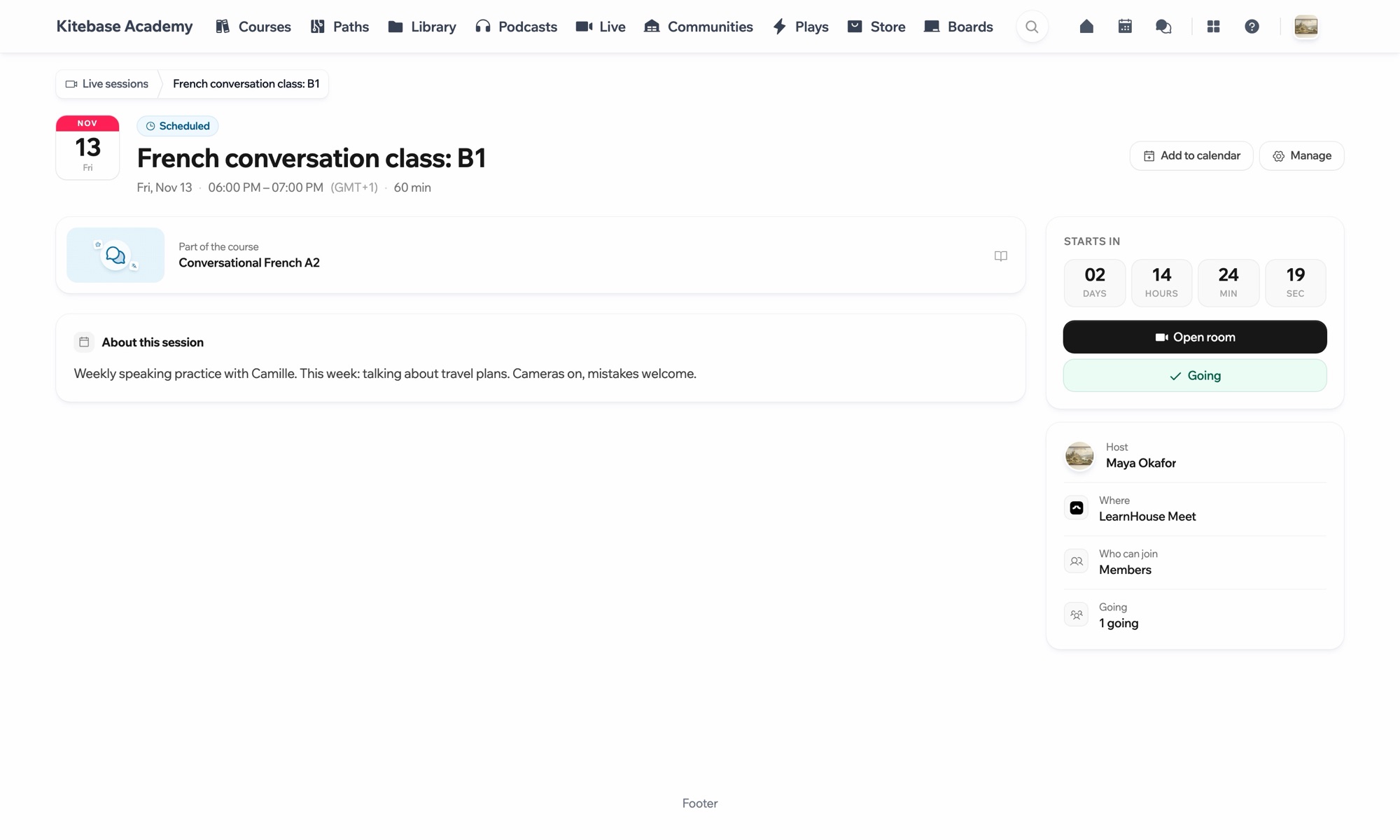
One click to add a class

Learners choose Add to calendar, then Outlook or Office 365, and the event opens with the time and link filled in.
01 / 3
Pagina van een live conversatieles Frans met agenda
MC
LH
SP
LIVE · Spreekuur24 kijkers
AI-samenvatting van de opname
Instellen

In een paar minuten ingesteld

  1. 1

    Open a session

    Go to a scheduled live session.

  2. 2

    Add it to Outlook

    Choose Add to calendar, then Outlook or Office 365.

  3. 3

    Or connect Microsoft 365

    An admin connects Microsoft Teams under Live sessions → Settings to send invites from Outlook.

Inbegrepen bij

Businessvanaf $319/mnd, jaarlijks gefactureerd

Live sessions are part of Business and Enterprise.

Start de proefperiode van 14 dagenAbonnementen vergelijken
Veelgestelde vragen

Vragen over Outlook Calendar

Do learners need Microsoft 365?

No. The Outlook.com link works with a free Outlook account, and the .ics file works with any calendar app.

Who sends the invite when Teams is connected?

The connected Microsoft 365 account, through Outlook.

Past goed bij

Microsoft TeamsRun LearnHouse live sessions on Microsoft Teams.AppleApple CalendarDownload live sessions as .ics files that open in Apple Calendar.Google CalendarGoogle CalendarEmbed calendars for course schedules and live session planning.WebexWebexHost LearnHouse live sessions with Webex links.ZoomZoomEmbed Zoom links for live classes and webinars.Google MeetGoogle MeetEmbed Google Meet links for live video sessions.
Koppel je tools in je eerste week

Koppel je tools in je eerste week

Probeer elk abonnement 14 dagen gratis. Geen creditcard, 0% platformkosten en integraties inbegrepen.

Start gratis proefperiode

Of host de open-source editie gratis zelf