LearnHouse
はじめる
LearnHouse
AIエンタープライズ開発者モバイル料金
GitHub...
ログインはじめる

これからの学びのためのオープンソース学習プラットフォーム

XGitHubLinkedInDiscord

製品

  • クリエイター
  • 教育機関
  • エンタープライズ
  • 開発者
  • モバイルアプリ
  • オープンソース
  • デザイン
  • 検索での見つけやすさ
  • 料金

機能

  • コース
  • AI
  • 決済
  • コミュニティ
  • ポッドキャスト
  • ボード
  • Plays
  • コード
  • 分析
  • 動画コース
  • ニュースレター
  • ライブセッション
  • ラーニングパス
  • ドリップ配信
  • 課題
  • 修了証
  • シナリオ
  • 必須研修
  • コース翻訳
  • 連携

リソース

  • ドキュメント
  • ユニバーシティ
  • ブログ
  • 変更履歴
  • セルフホスト
  • 用語集
  • GitHub
  • プラットフォームを比較

会社情報

  • お問い合わせ
  • セキュリティ
  • 業界

会社情報

  • お問い合わせ
  • セキュリティ
  • 業界

LearnHouseと比較

  • Udemy
  • Moodle
  • Teachable
  • Open edX
  • Thinkific
  • Canvas
  • Kajabi
  • Skool
  • Podia
  • Coursera
  • すべての比較

他サービスからの乗り換え

  • Udemy
  • Teachable
  • Thinkific
  • Kajabi
  • Skool
  • Podia
  • Coursera
  • Moodle
  • Open edX
  • Canvas LMS
  • Skillshare
  • Mighty Networks
  • LearnWorlds
  • Circle
バグや不具合を見つけたら
Open Source Initiative

オープンソース

AGPLv3ライセンス、セルフホスト可能

GDPR対応

EUのデータ保護規則に準拠

G2

G2

G2でレビューする

© 2026 LearnHouse, Inc.

  • プライバシー
  • 利用規約
  • Cookieポリシー
すべての連携

Use VS Code with LearnHouse: Edit Courses in ChatEdit your courses without leaving the editor

VS Code talks to LearnHouse over MCP, so the chat panel can read and change your academy while you work on code next to it.

無料トライアルを始める

14日間無料・クレジットカード不要

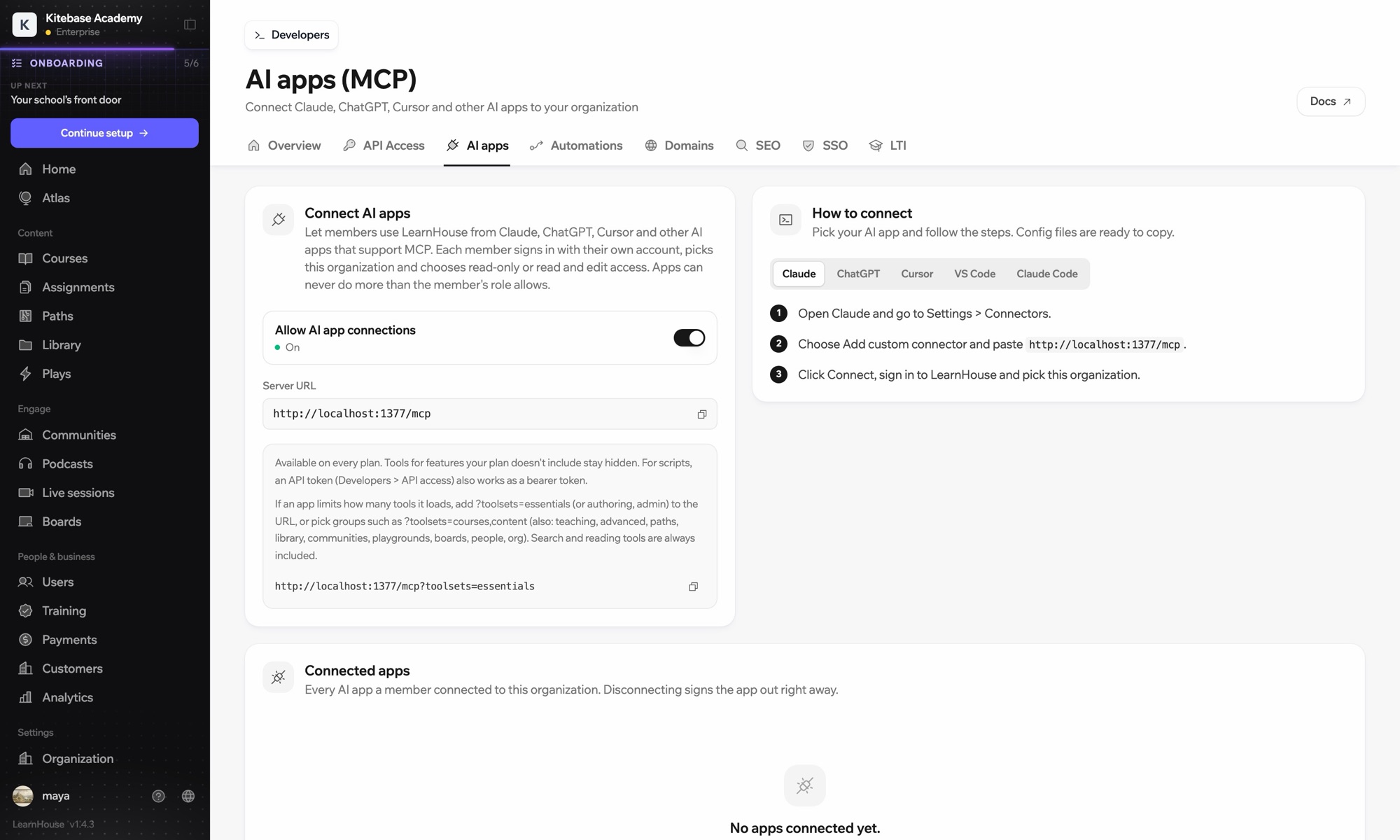
LearnHouse connects to VS Code through its MCP server, added in VS Code as an HTTP server. Once you sign in, the AI chat in VS Code can look up courses, edit lessons and read learner progress, limited to what your LearnHouse role allows.

接続方法
LearnHouse MCP サーバー
プラン
Pro 以上
関連する LearnHouse のページ
Atlasに質問
ProLearnHouse MCP サーバーAIアプリ自動化
できること

VS Codeでできること

MCPサーバー

Keep docs and lessons in step

Ask the chat to update the lesson that explains a function you just changed in the code beside it.
01 / 3
MCPでClaudeやChatGPTを接続
Claude · LearnHouse 接続済み
Seller Bootcampでつまずいているのは誰?
learnhouse · list_learners
3人の受講者が14日間、第2章を開いていません。リマインドを送りましょうか?
はい、送ってください。
セットアップ

数分で設定できます

  1. 1

    Add the server

    Run the command MCP: Add Server and choose HTTP.

  2. 2

    Paste the URL

    Use the server URL shown under Connect AI apps in your LearnHouse dashboard and give it a name.

  3. 3

    Sign in

    Start the server. VS Code opens LearnHouse so you can sign in and pick the organization.

対象プラン

Pro年払いで月額$143から

The API and MCP server come with Pro on LearnHouse Cloud.

14日間のトライアルを始めるプランを比較
よくある質問

VS Codeについてのよくある質問

Does VS Code need an API token?

No. It signs in through your browser. An API token also works as a bearer token if you prefer scripts.

Can it delete courses?

It can only do what your LearnHouse role allows, and you choose read-only or read and edit access when you connect.

My app loads too many tools. What can I do?

Add ?toolsets=essentials to the server URL, or name the groups you need, such as ?toolsets=courses,content.

相性のよいツール

Claude CodeConnect Claude Code to your academy with one terminal command.CursorUse LearnHouse from Cursor and other MCP clients.AnthropicClaudeRun your academy from Claude with the LearnHouse MCP server.OpenAIChatGPTBuild and manage courses from ChatGPT through MCP.Google GeminiGoogle GeminiThe AI behind LearnHouse AI, already powering your platform.SlackSlackPost course completions and new sign-ups to Slack through the LearnHouse Zapier app.
最初の1週間で、ツールをつなげましょう

最初の1週間で、ツールをつなげましょう

どのプランも14日間無料でお試しいただけます。クレジットカード不要、プラットフォーム手数料0%、連携機能も含まれます。

無料トライアルを始める

オープンソース版を無料でセルフホストすることもできます