Claude Code adds the LearnHouse MCP server from the command line and signs you in with /mcp.
14일 무료 · 카드 등록 불필요
LearnHouse connects to Claude Code through its MCP server over HTTP. After one command and a sign-in, Claude Code can create and edit courses, look up learners and run bulk changes in your organization, within your role's permissions.
Ask it to add a short recap to the end of every lesson in a course, then review the changes in LearnHouse.
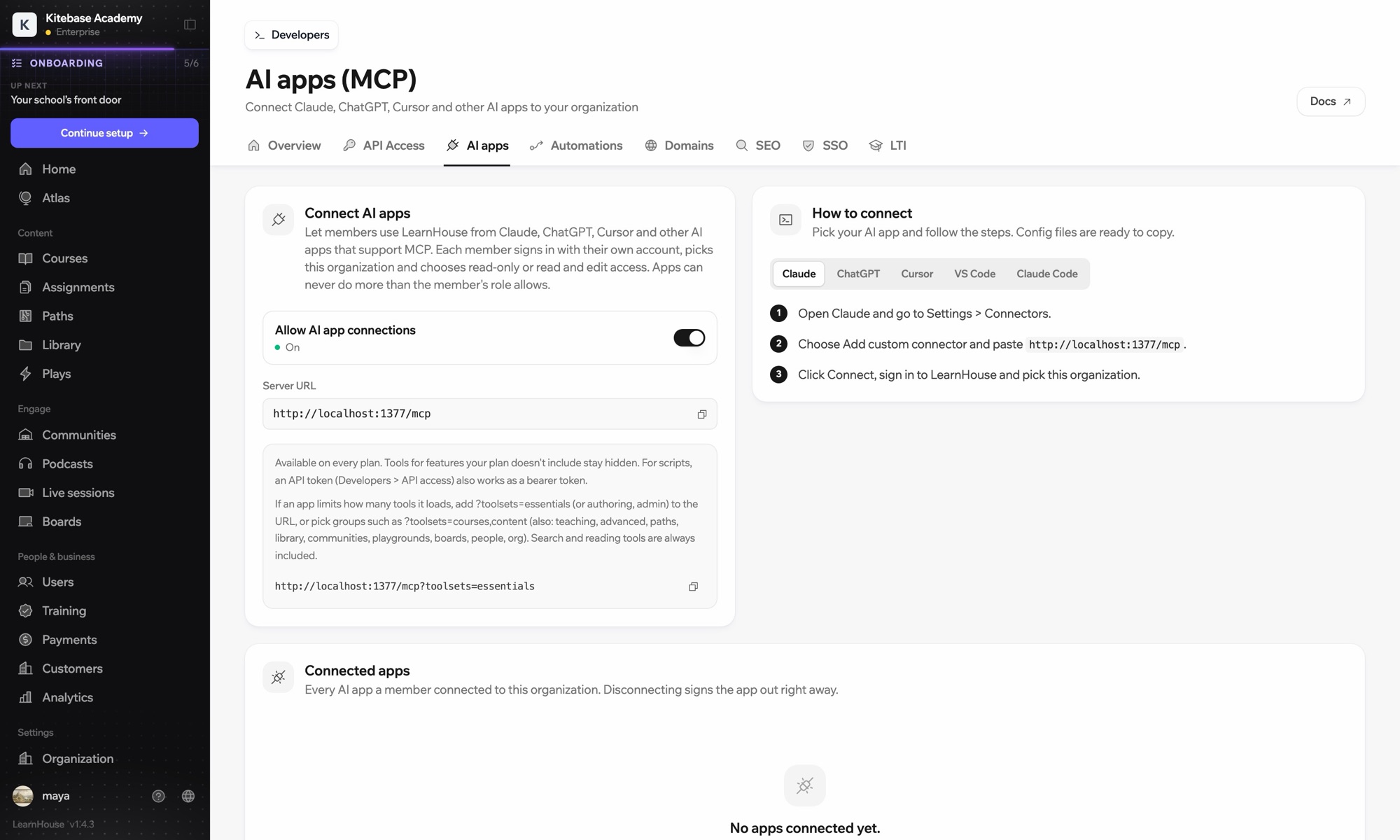
Run claude mcp add --transport http learnhouse followed by your LearnHouse server URL.
Inside Claude Code, run /mcp, choose learnhouse and sign in to your organization in the browser.
In your dashboard under Connect AI apps. It is the same URL for every MCP client.
No. Each person signs in with their own account, and admins can disconnect any app from the same page.
Yes. Pick read-only access when you connect, or add a toolsets parameter to load fewer tools.

어떤 플랜이든 14일 동안 무료로 써 보세요. 카드 등록 없이, 플랫폼 수수료 0%, 연동도 모두 포함돼요.
또는 오픈소스 에디션을 무료로 셀프호스팅하세요
