VS Code talks to LearnHouse over MCP, so the chat panel can read and change your academy while you work on code next to it.
14일 무료 · 카드 등록 불필요
LearnHouse connects to VS Code through its MCP server, added in VS Code as an HTTP server. Once you sign in, the AI chat in VS Code can look up courses, edit lessons and read learner progress, limited to what your LearnHouse role allows.
Ask the chat to update the lesson that explains a function you just changed in the code beside it.
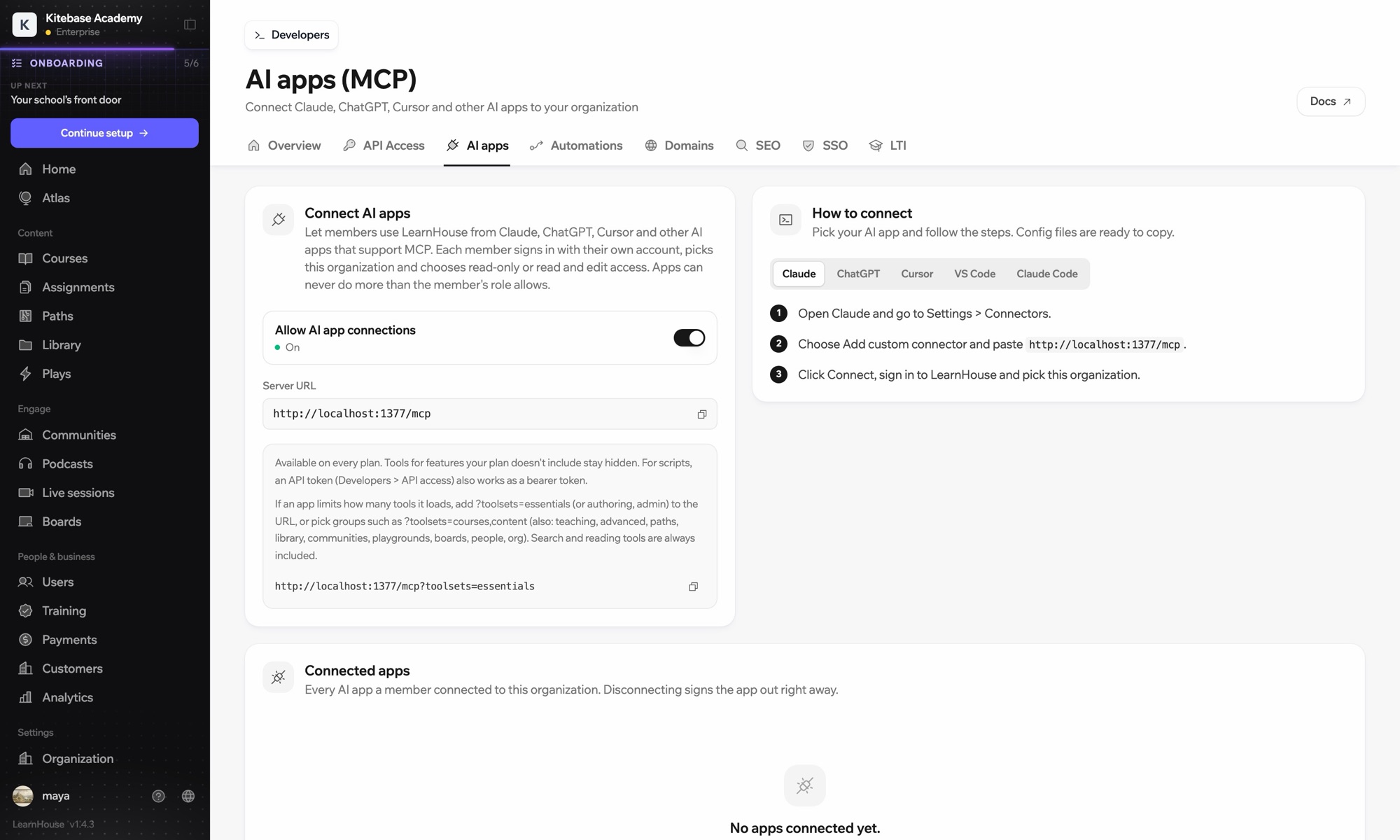
Run the command MCP: Add Server and choose HTTP.
Use the server URL shown under Connect AI apps in your LearnHouse dashboard and give it a name.
Start the server. VS Code opens LearnHouse so you can sign in and pick the organization.
No. It signs in through your browser. An API token also works as a bearer token if you prefer scripts.
It can only do what your LearnHouse role allows, and you choose read-only or read and edit access when you connect.
Add ?toolsets=essentials to the server URL, or name the groups you need, such as ?toolsets=courses,content.

어떤 플랜이든 14일 동안 무료로 써 보세요. 카드 등록 없이, 플랫폼 수수료 0%, 연동도 모두 포함돼요.
또는 오픈소스 에디션을 무료로 셀프호스팅하세요
