Use the LearnHouse MCP connector in ChatGPT to go from brainstorm to real chapters, lessons and quizzes in your academy, without copy and paste.
ฟรี 14 วัน · ไม่ต้องใช้บัตรเครดิต
ChatGPT connects to LearnHouse as a custom connector pointing at the LearnHouse MCP server. Each person signs in with their own account and picks read-only or read and edit access, then asks ChatGPT to draft, edit or look things up.
Brainstorm a course in ChatGPT, then ask it to create the course in LearnHouse with the outline you agreed on.
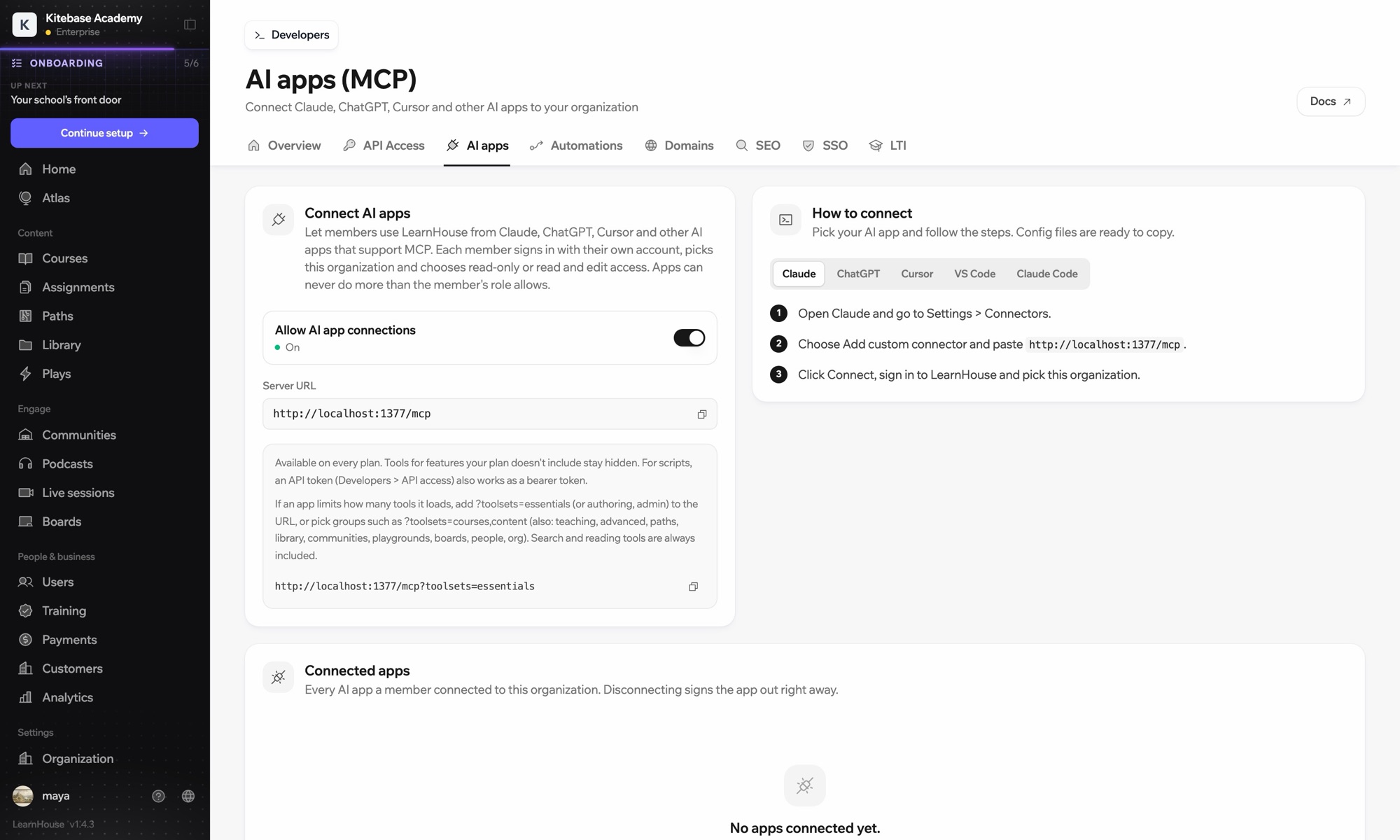
In your dashboard, open Connect AI apps and copy the server URL.
In ChatGPT, go to Settings → Apps and connectors and add a custom connector. Developer mode may need to be on.
Sign in to LearnHouse when asked and pick your organization.
รวมอยู่ในแผน
MCP and API access are part of the Pro plan.
You need a ChatGPT plan that allows custom connectors. Check OpenAI's current plan details.
It only acts when you ask, and you can ask it to keep new courses as drafts so you review them first.
Yes. Atlas, the AI inside LearnHouse, works without any setup. The ChatGPT connector is for people who prefer to work in ChatGPT.
Access follows the LearnHouse account you sign in with, so it can only do what that account's role allows.
Yes. ChatGPT can read and edit any course your account can access.
The connector is included with Pro. Your ChatGPT plan is billed by OpenAI as usual.

ลองแผนไหนก็ได้ฟรี 14 วัน ไม่ต้องใช้บัตรเครดิต ค่าธรรมเนียมแพลตฟอร์ม 0% และมีการเชื่อมต่อให้ครบ
หรือโฮสต์เอดิชันโอเพนซอร์สเองได้ฟรี
