Claude Code adds the LearnHouse MCP server from the command line and signs you in with /mcp.
ฟรี 14 วัน · ไม่ต้องใช้บัตรเครดิต
LearnHouse connects to Claude Code through its MCP server over HTTP. After one command and a sign-in, Claude Code can create and edit courses, look up learners and run bulk changes in your organization, within your role's permissions.
Ask it to add a short recap to the end of every lesson in a course, then review the changes in LearnHouse.
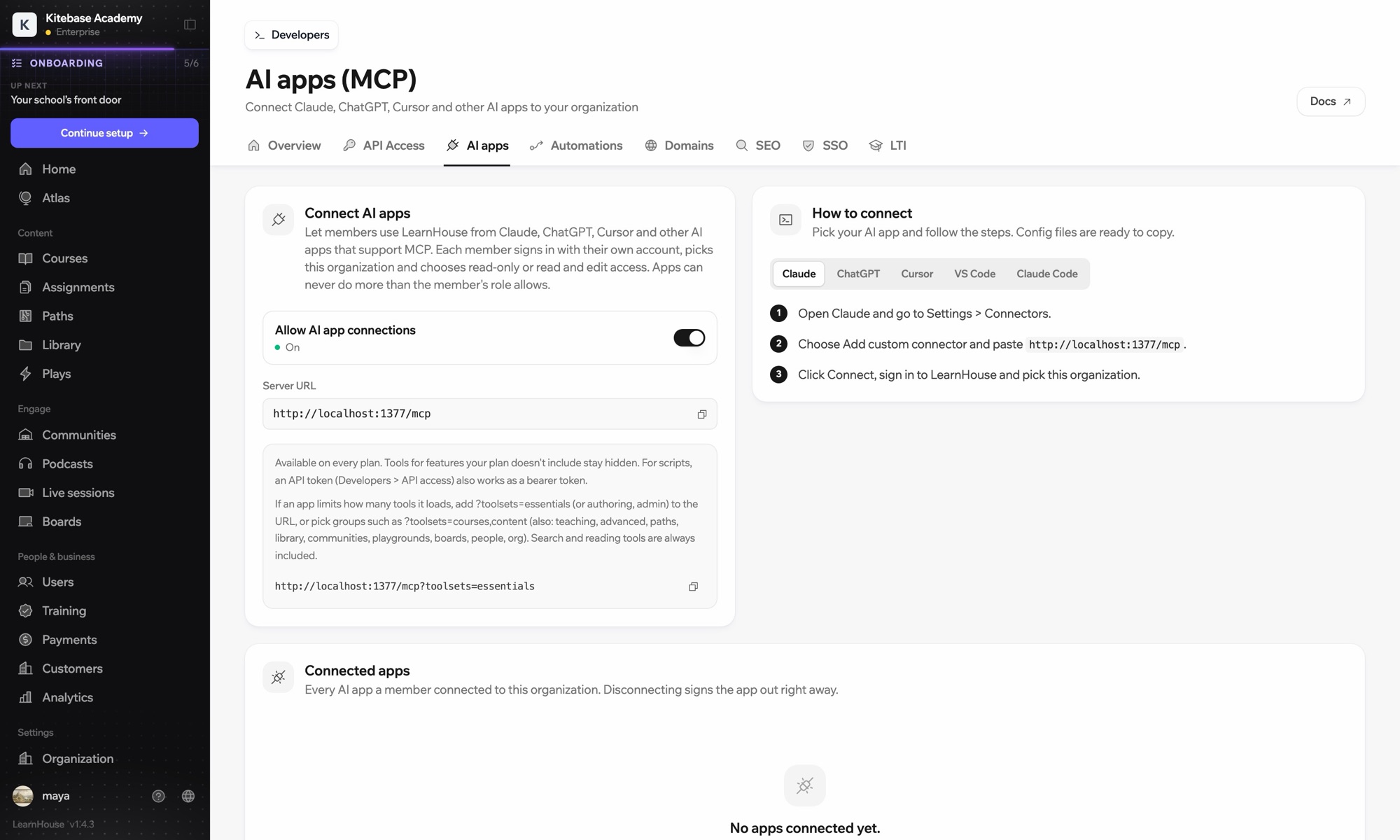
Run claude mcp add --transport http learnhouse followed by your LearnHouse server URL.
Inside Claude Code, run /mcp, choose learnhouse and sign in to your organization in the browser.
รวมอยู่ในแผน
The API and MCP server come with Pro on LearnHouse Cloud.
In your dashboard under Connect AI apps. It is the same URL for every MCP client.
No. Each person signs in with their own account, and admins can disconnect any app from the same page.
Yes. Pick read-only access when you connect, or add a toolsets parameter to load fewer tools.

ลองแผนไหนก็ได้ฟรี 14 วัน ไม่ต้องใช้บัตรเครดิต ค่าธรรมเนียมแพลตฟอร์ม 0% และมีการเชื่อมต่อให้ครบ
หรือโฮสต์เอดิชันโอเพนซอร์สเองได้ฟรี
