Every live session has an Outlook link, and a connected Microsoft 365 account sends real invites that update when you move a class.
14日間無料・クレジットカード不要
LearnHouse connects to Outlook in two ways. Every live session offers Add to calendar links for Outlook.com and Office 365. When an admin connects a Microsoft 365 account for Teams, each session becomes an Outlook event, so people who RSVP get invites that follow reschedules and cancellations.
Learners choose Add to calendar, then Outlook or Office 365, and the event opens with the time and link filled in.
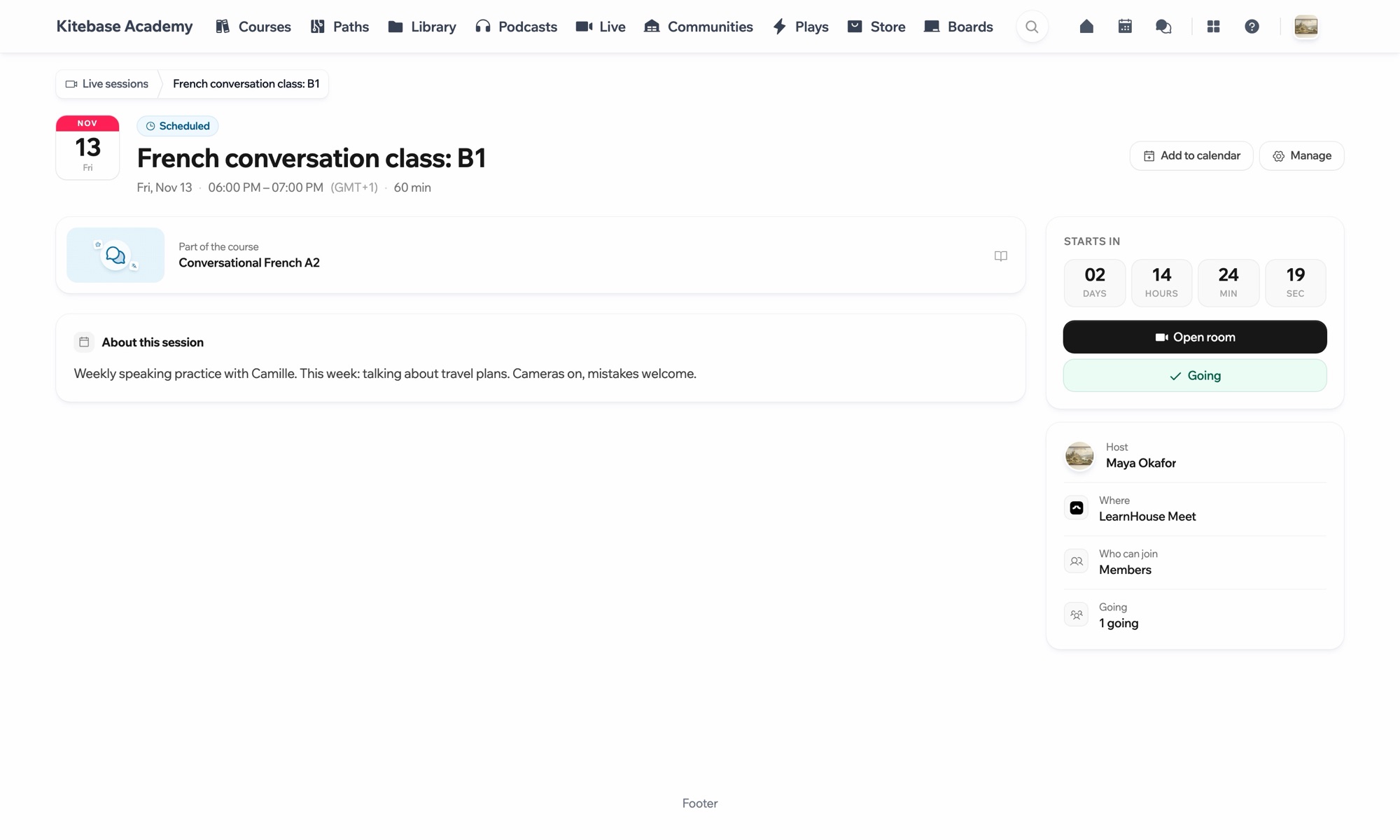
Go to a scheduled live session.
Choose Add to calendar, then Outlook or Office 365.
An admin connects Microsoft Teams under Live sessions → Settings to send invites from Outlook.
対象プラン
Live sessions are part of Business and Enterprise.
No. The Outlook.com link works with a free Outlook account, and the .ics file works with any calendar app.
The connected Microsoft 365 account, through Outlook.

どのプランも14日間無料でお試しいただけます。クレジットカード不要、プラットフォーム手数料0%、連携機能も含まれます。
オープンソース版を無料でセルフホストすることもできます
