Open chapters on a date, a number of days after someone enrols, or when they finish the one before. Learners see what is coming next and when it opens.
14 days free, no card needed.
Day 0
Wed, Nov 11Enrolled Wed, Nov 11
1 of 6 chapters open
Drag the day. This is what someone who enrolled on November 11 has open.
Give each chapter its own rule, or fill the whole course in one go with one chapter every week. Then drag the preview to any day and see what a learner would have open.
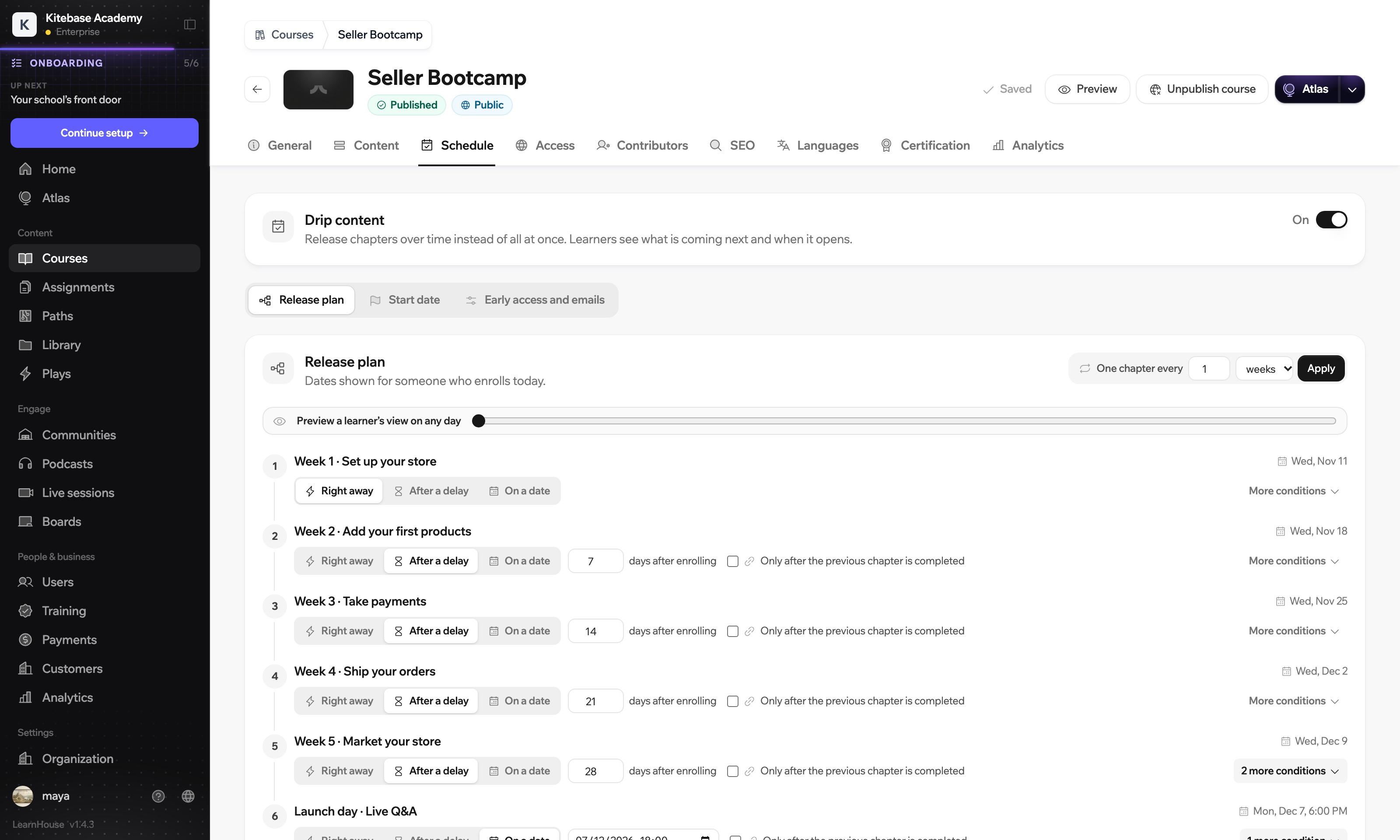
Right away
Open from the first day.
After a delay
A number of days after the learner enrols.
On a date
The same day and hour for everyone.
After the one before
Only once the previous chapter is finished.
A chapter can wait for the one before it, and it can close again after a few days. Try it on week three.
Week 3: Strumming
Opens
For a learner, that means
Strumming opens 14 days after they enrol. A week after it opens, it closes again.
A chapter that is not open yet shows when it opens, with a button to put the date in their calendar. When the day comes, they get a short email with a link back to the course.
New chapters are released over time
Next up: Strumming. Opens Wed, Nov 25
Learn Guitar in 6 Weeks
The course outline and the email are drawn here. The email's exact wording in the app may differ.
Count every release from the day a learner enrols, which suits a self-paced course. Or set one start date for everyone, for a live launch or a bootcamp.
Ana
enrolled Nov 2
Ben
enrolled Nov 5
Chloé
enrolled Nov 10
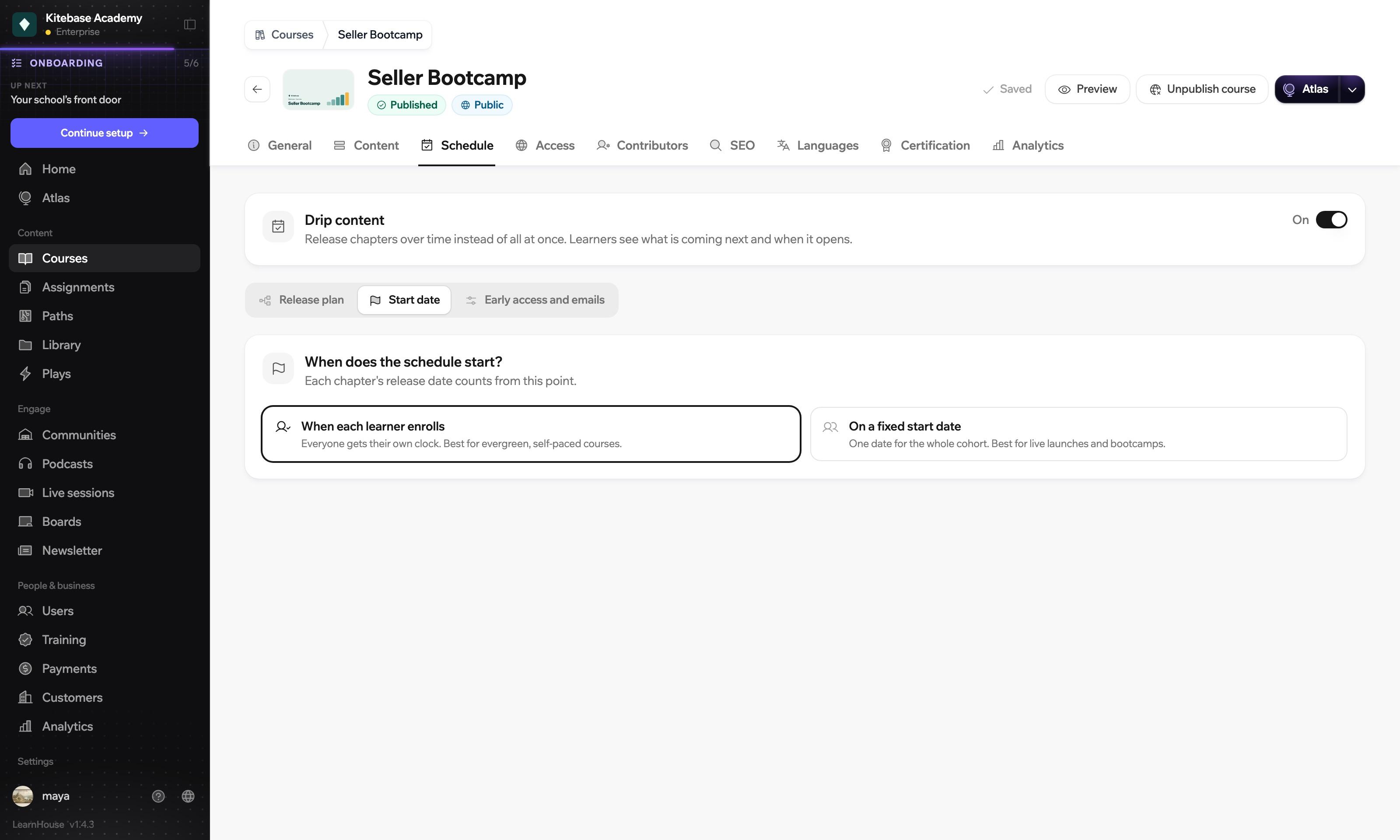
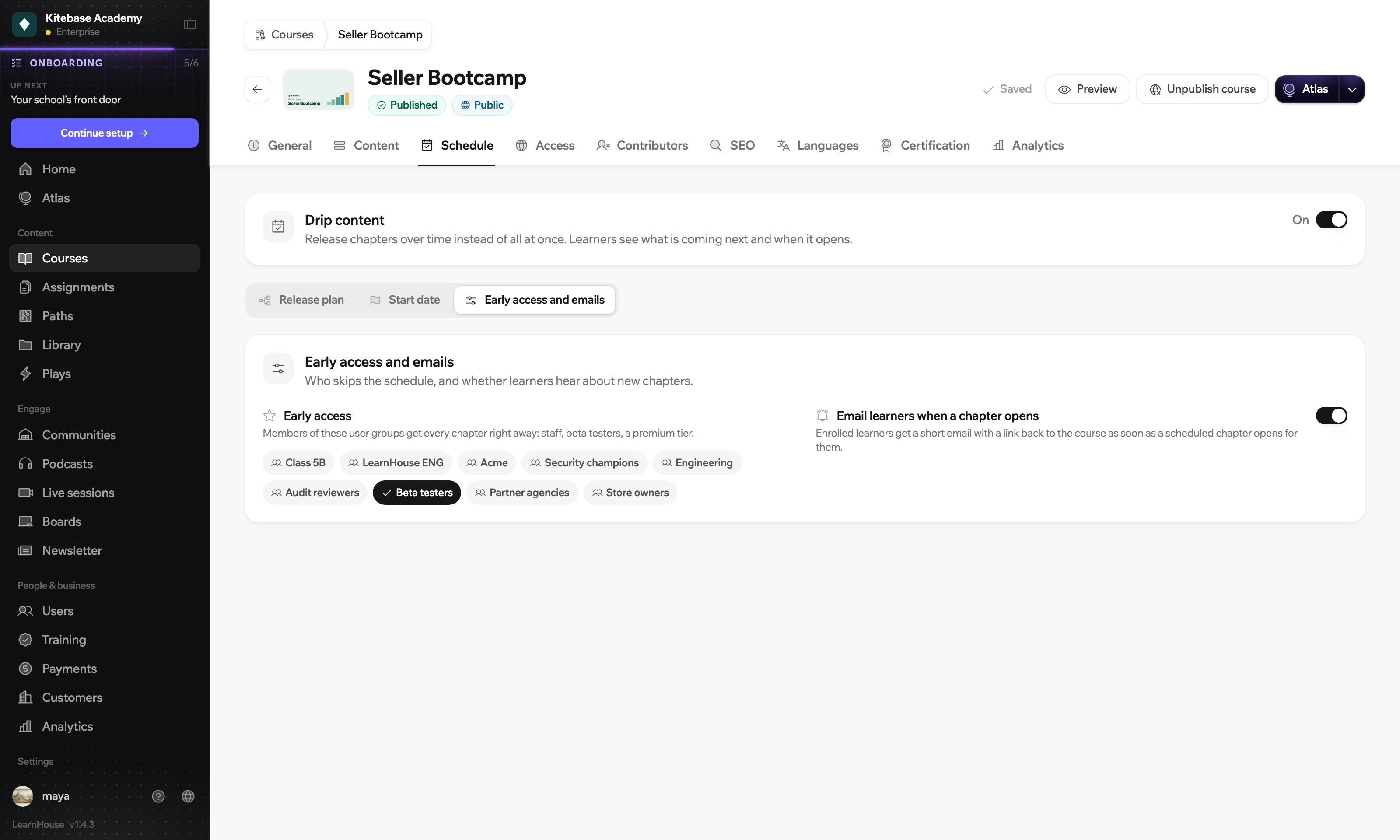
Give user groups such as staff or beta testers every chapter right away. Everyone else can get a short email with a link back to the course when a chapter opens for them.
Beta testers
Everyone else
Illustration of early access on the six-week course above.
Drip content is on the Standard plan and every plan above it. When you self-host, it is in the open source edition.
Compare plansThat depends on the rule. A fixed date is the same for everyone. A delay counts from the day each learner enrols, so people move at their own pace.
Yes. Drag the preview slider to any day and see which chapters a learner who enrolled today would have open.
They see the chapter with the date or the condition that opens it, and they can add the date to their calendar.
Yes. A chapter can require earlier chapters to be finished, and it can close a set number of days after it opens, for limited-time content like a replay.

Start a 14-day trial and set your first release plan.
14 days free, no card needed.
