Write a campaign, choose who gets it and send it from your academy. Subscribers, signup pages and results sit next to your courses, so there is no list to keep in sync with another tool.
14 days free, no card needed.
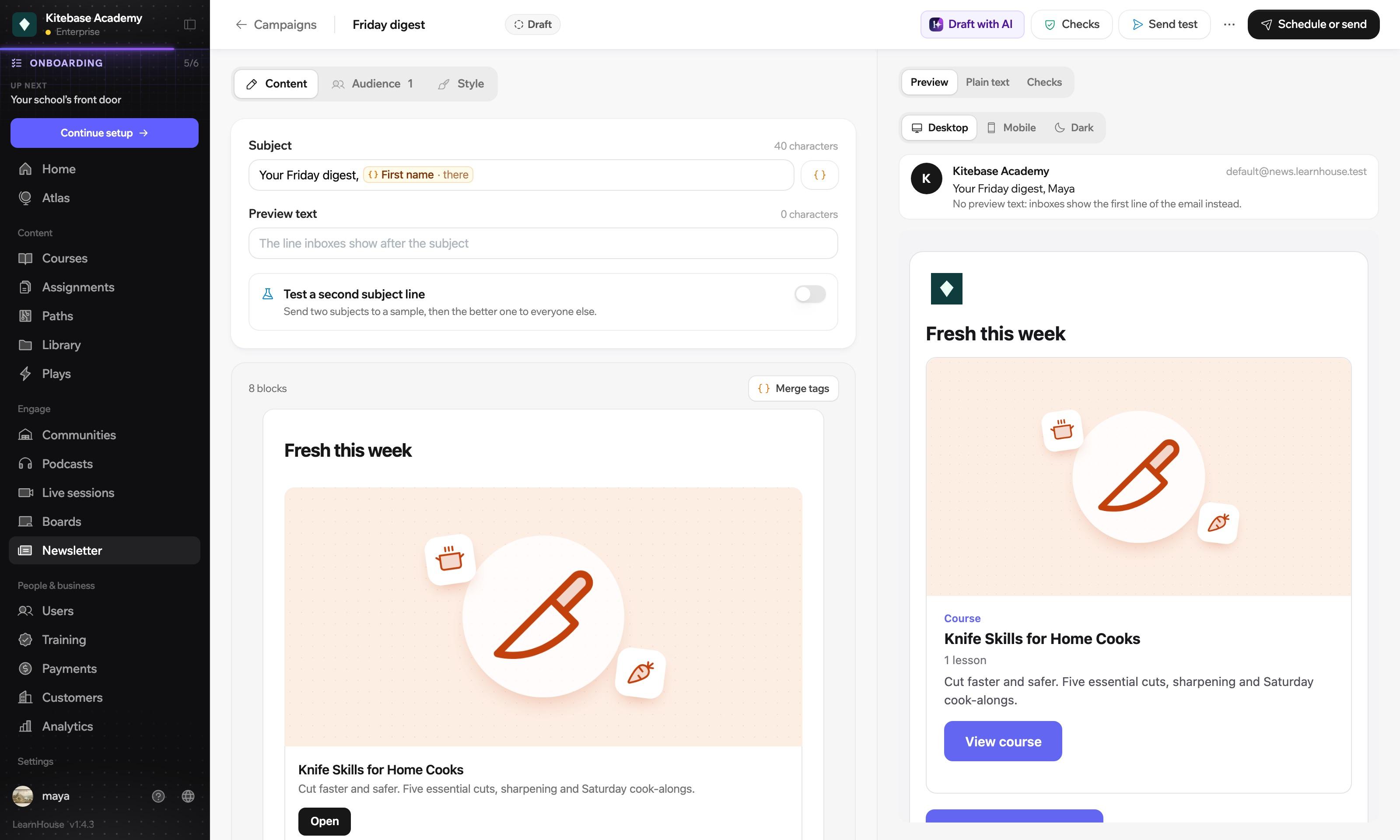
Press send and it is in their inbox, under your academy's name.
Inbox
Maya's Kitchen
To
Every newsletter comes with a signup page, a form you can embed and a public archive. Bring the list you already have, save segments, and send a campaign to just one of them.
Each newsletter has its own signup page, a form you can embed on another site and a public archive. New subscribers confirm by email, and the welcome series takes it from there.
Maya's Kitchen
You're subscribed
New issues of Maya's Kitchen will land in your inbox.
Past issues
Drawn with sample issues. In the archive, a paid issue shows a locked preview to anyone who has not bought it.
Start from a template, or let Draft with AI write the subject, the body or both in the tone you pick. And if you can't choose between two subject lines, send both.
The better one goes to everyone else.
Illustration. You set the sample size, how long to wait, and whether opens or clicks decide.
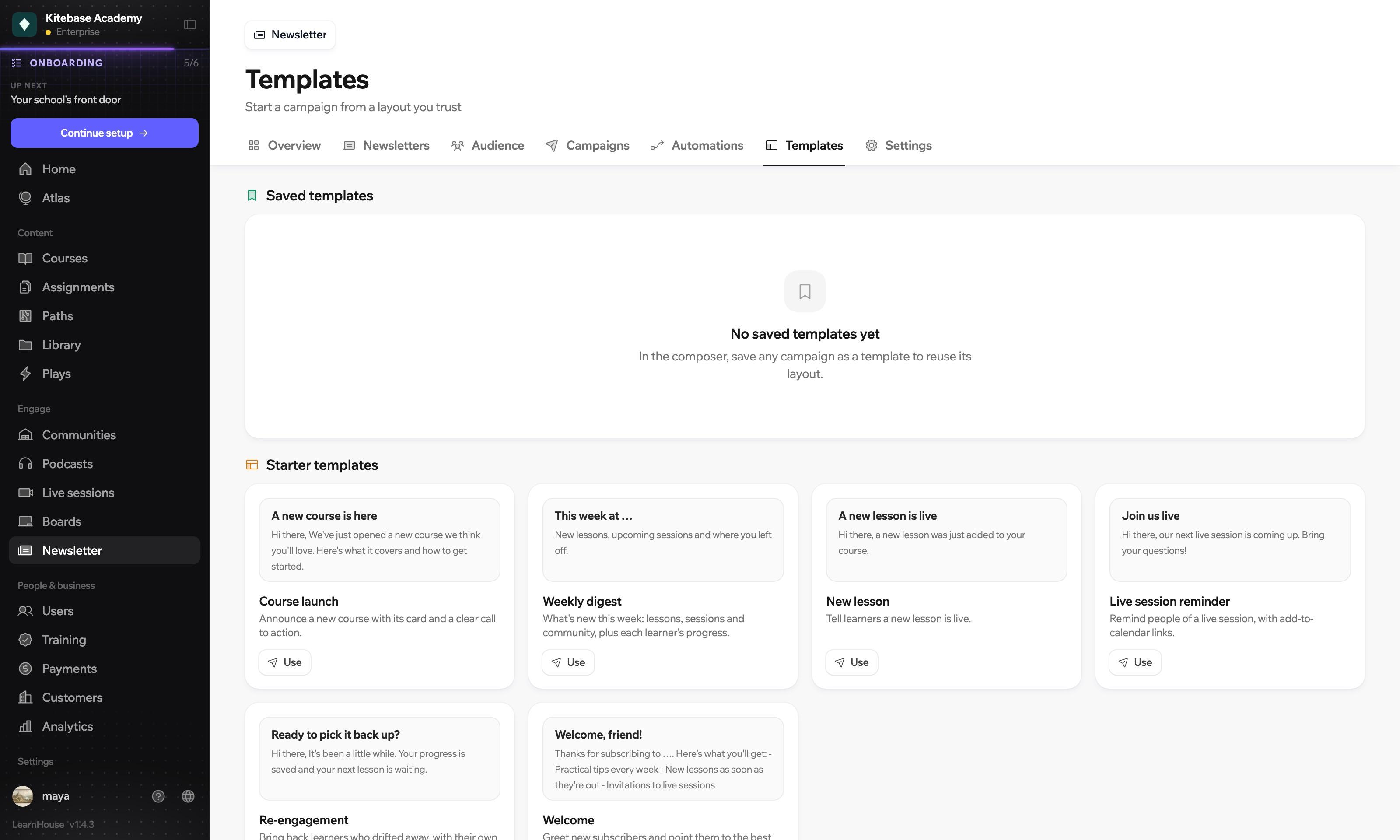
Starter templates cover a course launch, a weekly digest, a new lesson, a live session reminder and a welcome email. Save your own once you have a layout you like.
Each newsletter can welcome new subscribers, announce new lessons, follow up after a course and send a recurring digest. Automated emails go through the same checks as the ones you write.
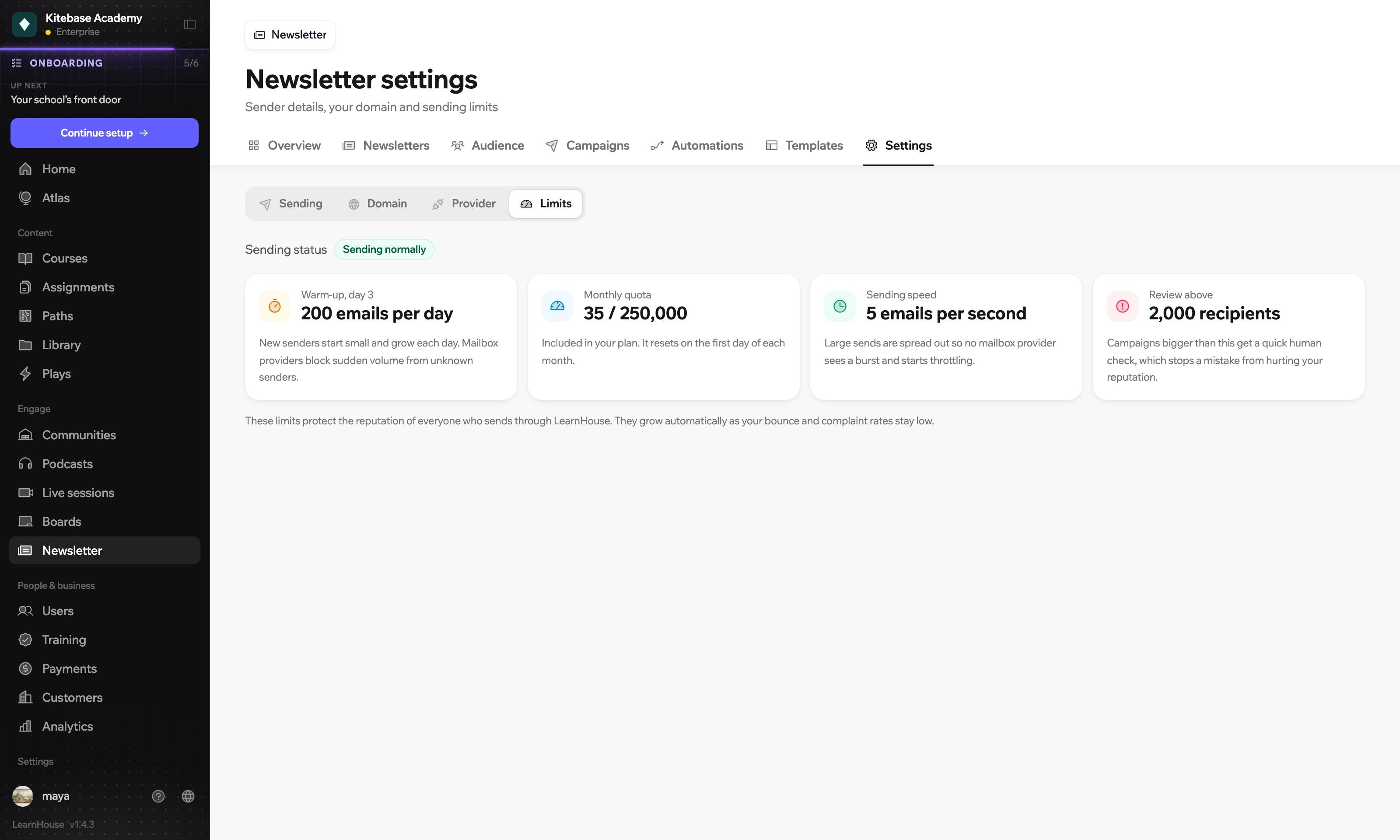
A new sender warms up gradually, large sends are spread out, and very big campaigns get a quick human check before they go. Add your own domain when you want mail to come from it.
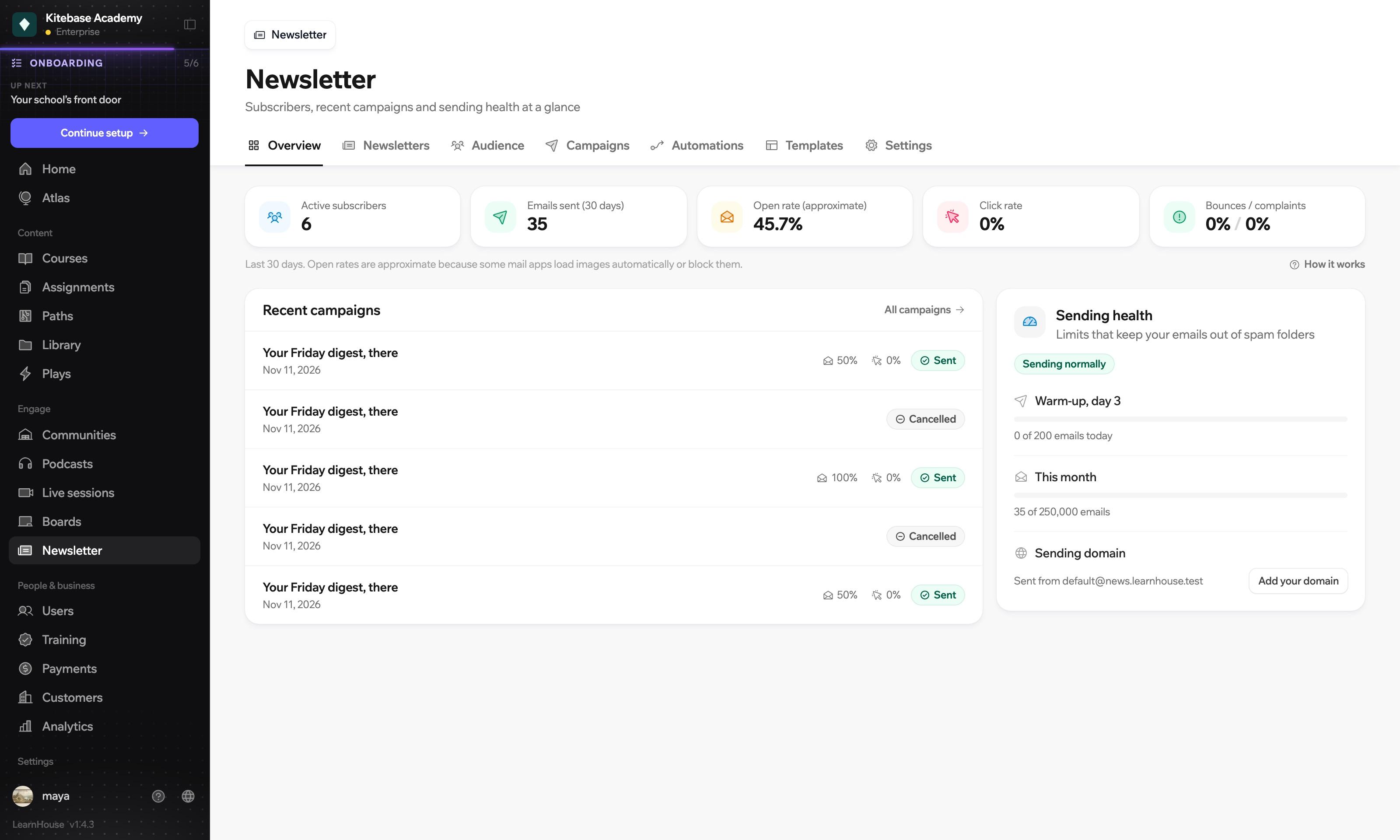
The overview shows your subscribers, what you sent and how often it was opened and clicked. Each campaign also has its own report, down to who opened it. Open rates are marked as approximate, because some mail apps load images on their own.
Newsletter is on the Standard, Pro, Business and Enterprise plans of LearnHouse Cloud. When you self-host, it is part of the Enterprise Edition.
Compare plansYes. Each newsletter has its own signup page, a form you can embed on another site and a public archive, so readers can subscribe before they ever enrol.
Yes. A newsletter can be free or paid. A paid one is sold with an offer, and you can also include it with a course.
Yes. Import a list or add people by hand. Every subscriber shows where they came from: a signup page, an import or an admin.
Yes. Save segments of your subscribers and send a campaign to one of them.
Yes. Draft with AI writes a first version for you to edit. You can also test two subject lines on a sample and send the better one to everyone else.

Start a 14-day trial and write to your learners today.
14 days free, no card needed.

