LearnHouse
Get Started
LearnHouse
AIEnterpriseDevelopersMobilePricing
GitHub...
LoginGet Started

The next gen modern open source learning platform

XGitHubLinkedInDiscord

Product

  • Creators
  • Academia
  • Enterprise
  • Developers
  • Mobile app
  • Open source
  • Design
  • Discoverability
  • Pricing

Features

  • Courses
  • AI
  • Payments
  • Communities
  • Podcasts
  • Boards
  • Plays
  • Code
  • Analytics
  • Video courses
  • Newsletter
  • Live sessions
  • Learning paths
  • Drip content
  • Assignments
  • Certificates
  • Scenarios
  • Required training
  • Course translation
  • Integrations

Resources

  • Documentation
  • University
  • Blog
  • Changelog
  • Self-hosting
  • Glossary
  • GitHub
  • Compare platforms

Company

  • Contact
  • Security
  • Industries

Company

  • Contact
  • Security
  • Industries

Compare LearnHouse with

  • Udemy
  • Moodle
  • Teachable
  • Open edX
  • Thinkific
  • Canvas
  • Kajabi
  • Skool
  • Podia
  • Coursera
  • All comparisons

Alternatives to

  • Udemy
  • Teachable
  • Thinkific
  • Kajabi
  • Skool
  • Podia
  • Coursera
  • Moodle
  • Open edX
  • Canvas LMS
  • Skillshare
  • Mighty Networks
  • LearnWorlds
  • Circle
Found a bug or issue?
Open Source Initiative

Open Source

AGPLv3 licensed, self-hostable

GDPR Ready

EU data protection compliant

G2

G2

Review us on G2

© 2026 LearnHouse, Inc.

  • Privacy
  • Terms
  • Cookie Policy
Learning paths

Turn your courses into a program

A learning path puts courses in order, marks which are required and which are electives, and ends with a certificate. Learners see the whole journey and where they are on it.

Start freeSee pricing

14 days free, no card needed.

Start1Kitchen basicsRequired2Knife skillsRequired3Baking breadElectiveHome Cook certificateCertificateStart1Kitchen basicsRequired2Knife skillsRequired3Baking breadElectiveHome Cook certificateCertificate

A path called Home Cook: two required courses, one elective and a certificate at the end.

Learners see the whole route

The path page lays out every course in order, shows which ones are required, and tracks progress across all of them from one place.
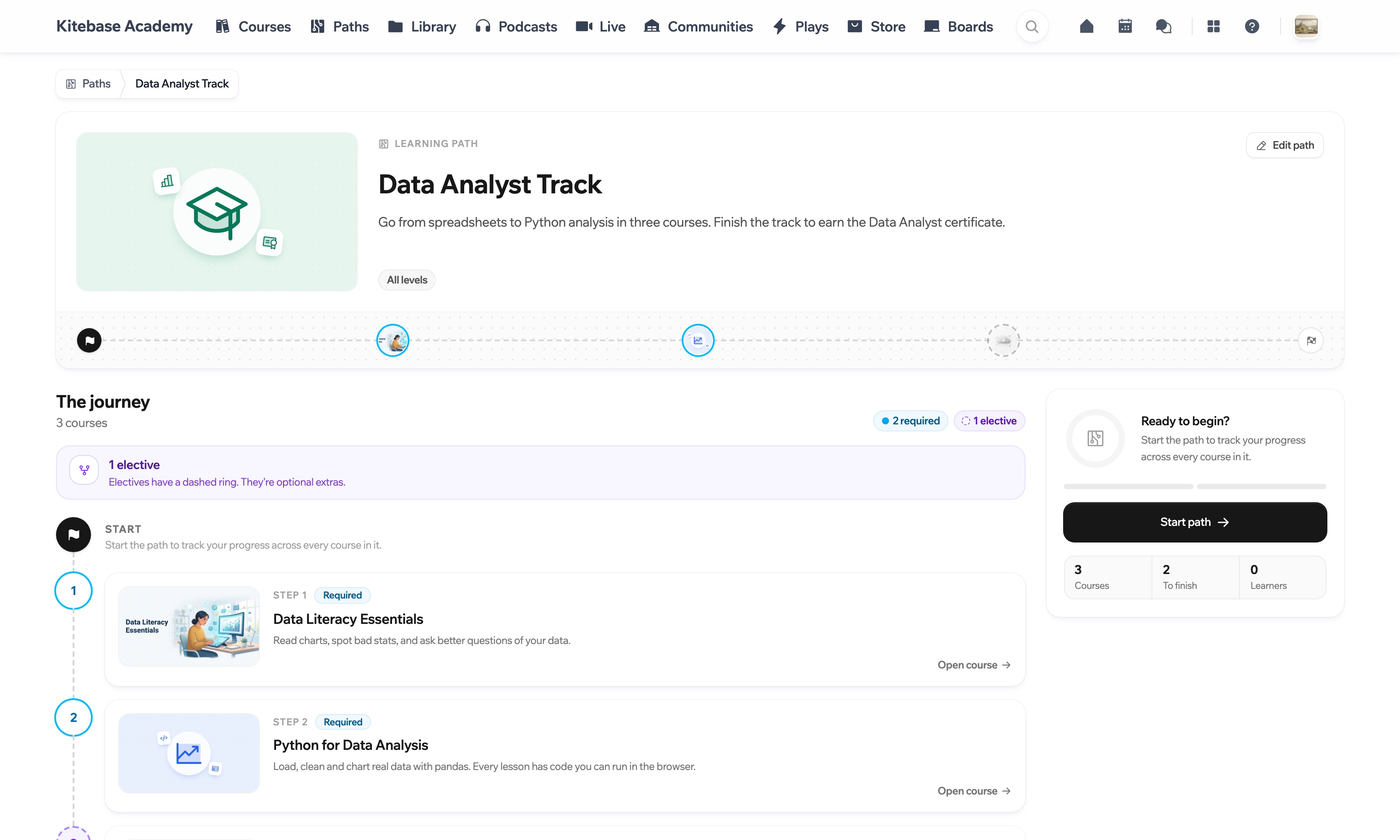
A learning path as a learner sees it, with its courses in order and a certificate at the end

Decide what is required and what is a choice

Drag courses into order and mark each one required or elective. Turn on guided order and each course unlocks when the one before it is finished.
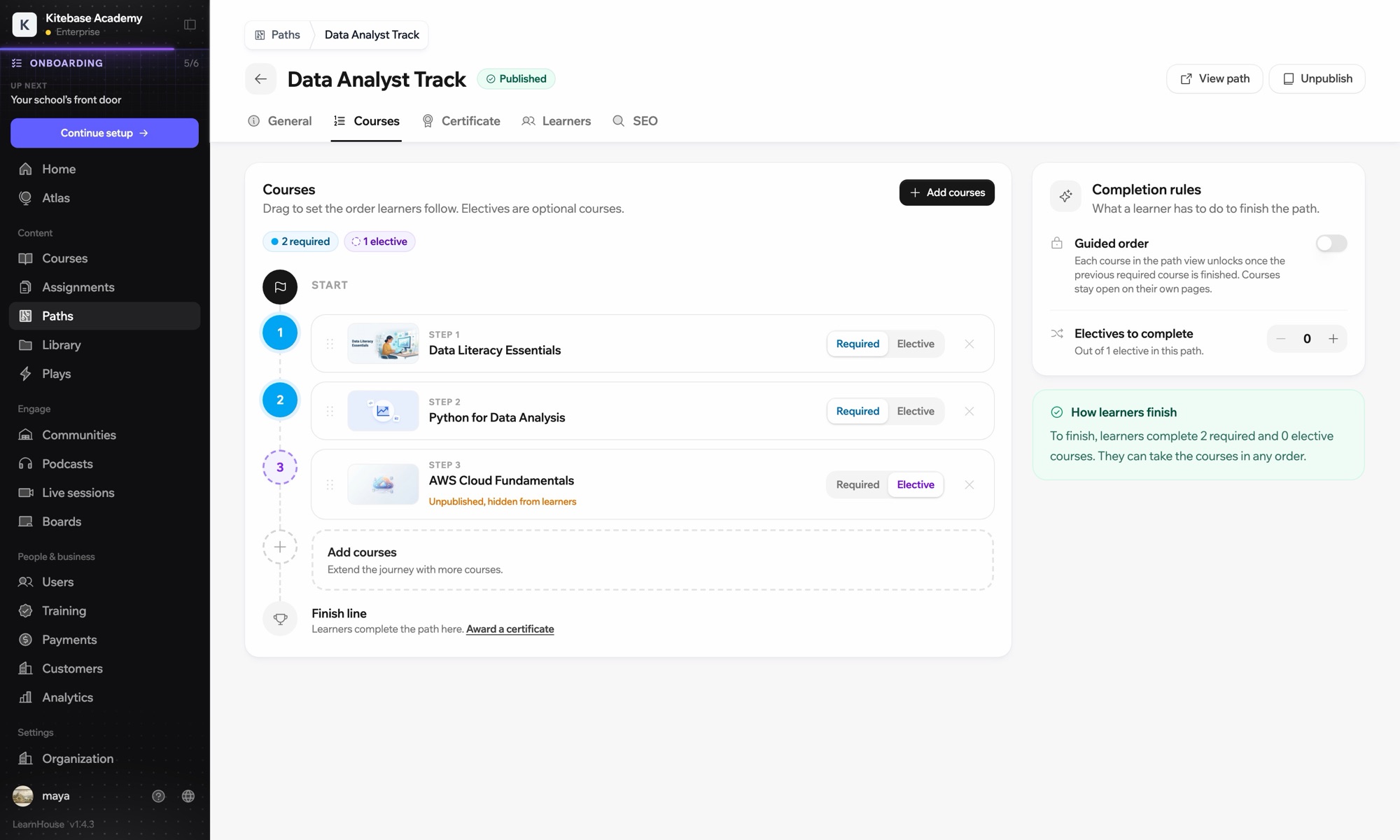
  • A solid ring is a required course.
  • A dashed ring is an elective.
Path editor with required and elective courses and completion rules

Set the rules, then walk the route

Two settings decide how a path is finished. Change them, then tap a course to finish it.

Electives to completeOut of 1 elective in this path.0

To finish, learners complete 2 required and 0 elective courses. Courses unlock one after another.

  1. Start
  2. Home Cook certificateNot earned yet

See who is on the path

The learners tab shows each person's progress through the courses, the completion rate and who has earned the certificate.
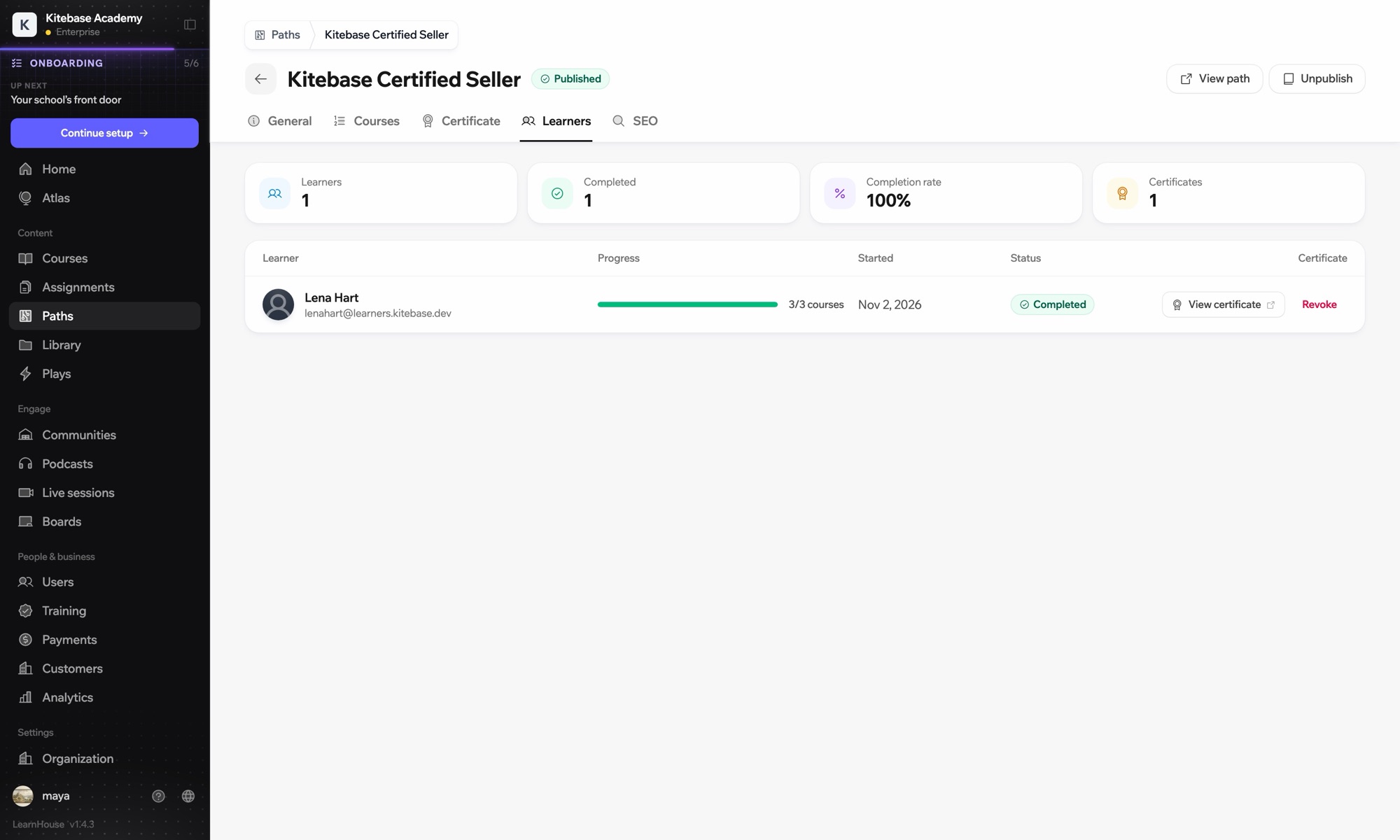
Path learners tab with progress and certificates

One academy, several lines

A course can sit on more than one path, so a school can run several programs from the same courses.

StartKitchen basicsBaking breadPastryBaker certificateKnife skillsHome Cook certificateSetting the tableCooking for guestsHost certificate
  • Baker

    Kitchen basics → Baking bread → Pastry → Baker certificate

  • Home Cook

    Kitchen basics → Knife skills → Baking bread (elective) → Home Cook certificate

  • Host

    Kitchen basics → Setting the table → Cooking for guests → Host certificate

An example school with three paths. Kitchen basics is on all of them; Baking bread is required for bakers and an elective for home cooks.
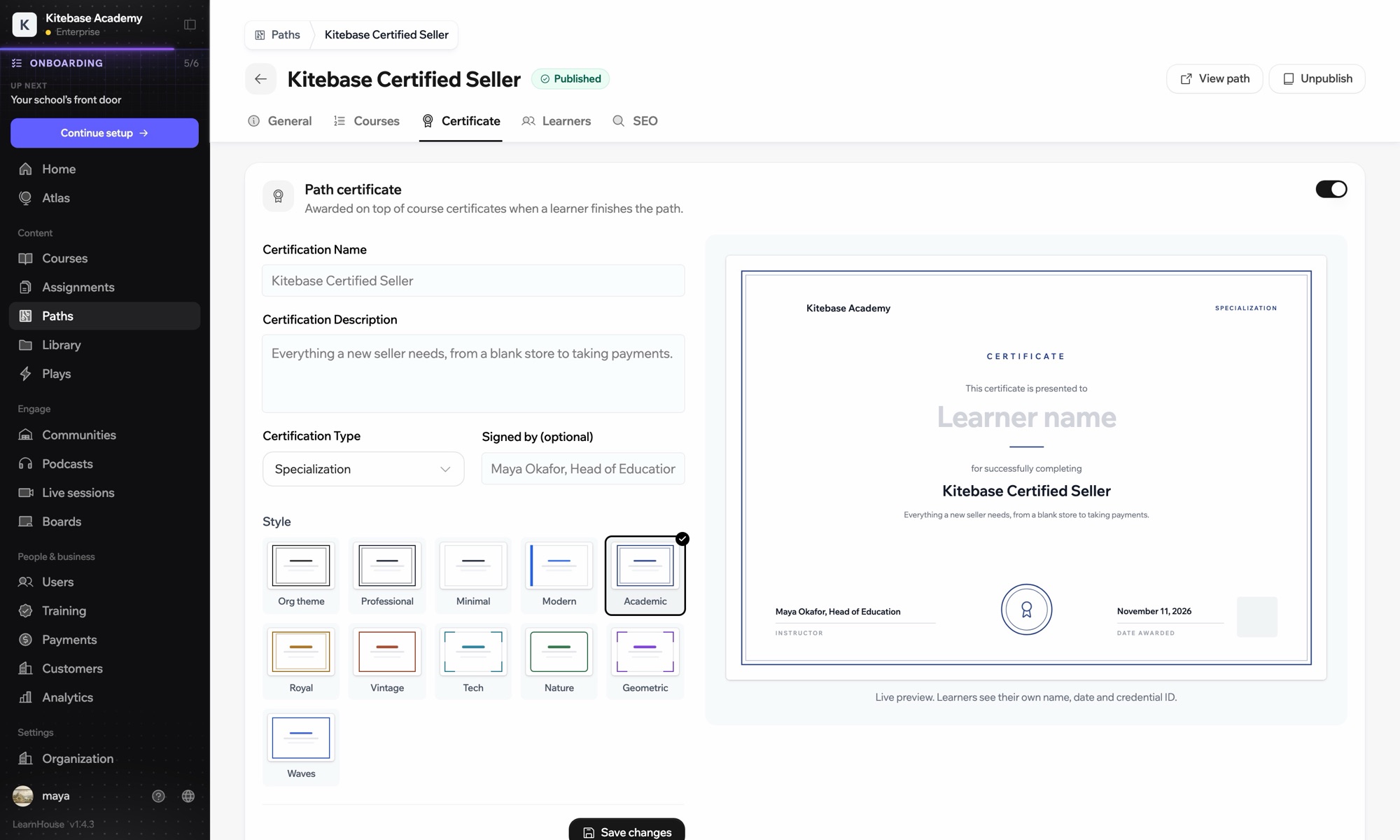
Path certificate settings with style choices and a live preview

Finish with a certificate

Award a path certificate on top of the course ones. Name it, choose a style and add who signed it, with a live preview as you go.

Where the line ends

Which plans include it

Learning paths are on the Pro, Business and Enterprise plans. When you self-host, paths and certificates are in the open source edition.

Compare plans

Questions people ask

Do learners have to take the courses in order?

Only if you want them to. With guided order on, each course unlocks once the previous required course is finished. With it off, they take the courses in any order.

How do electives work?

Mark courses as elective and set how many a learner must complete. They choose which ones.

Can I make a path mandatory for a team?

Yes. On the Business and Enterprise plans you can assign a path as required training with a due date.

RelatedCertificatesRequired trainingDrip contentCourses
Build your first learning path

Build your first learning path

Start a 14-day trial and line up your courses.

Start free

14 days free, no card needed.