A scenario is a branching exercise inside a lesson. The learner reads a situation, chooses what to do, and the story moves on from that choice.
14 days free, no card needed.
The refund
You work in a shoe shop. A customer comes back with a pair they bought last week.
Customer: “These don’t fit. Can I get my money back?”
Choose a reply
A short practice scenario. Choose a reply and the story moves on, the way it does inside a lesson.
Add a step, write the choices and point each one at the step it leads to. The editor tells you when every path reaches an ending, and a map view shows the whole tree.
Each choice points at a step.
Every path ends
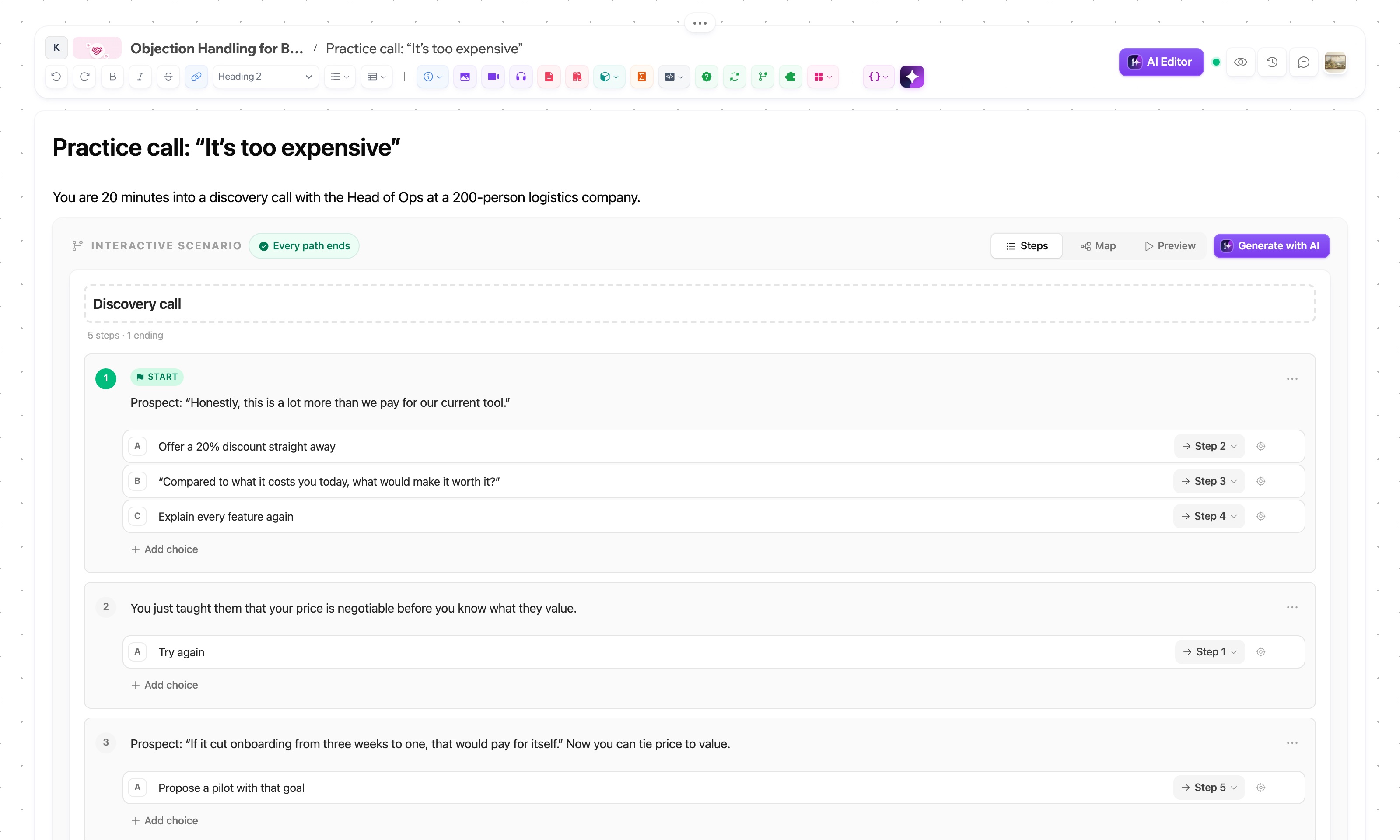
Point a choice at the wrong step and the editor tells you, before a learner gets stuck. Try it on the refund scenario.
“Come back tomorrow.”
Give the refund and thank them
Every path ends
Up to 40 steps, 4 choices each.
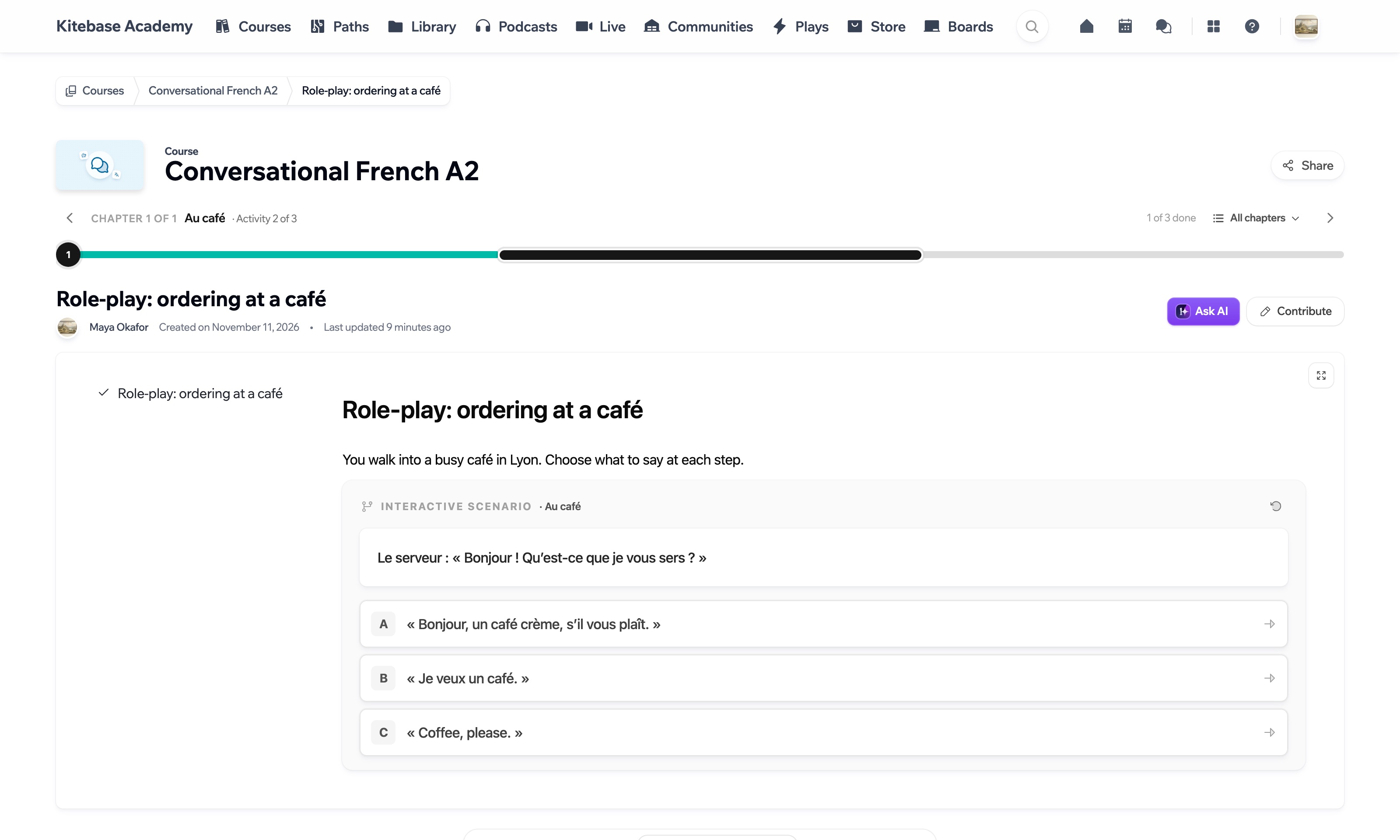
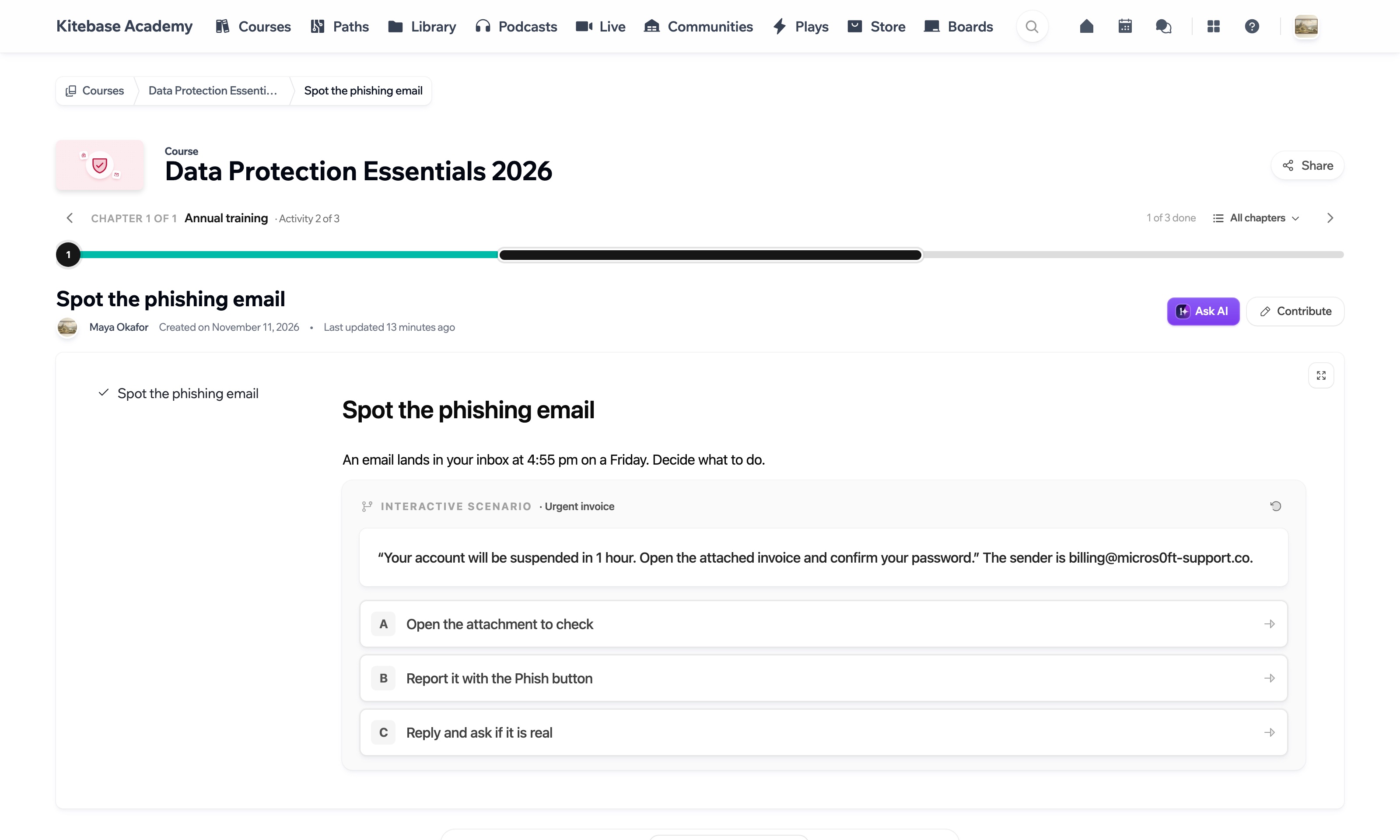
A sales call, ordering at a café in French, a suspicious email, a night shift on a ward. If the skill is choosing well in the moment, a scenario can teach it.
Conversational French A2
Data Protection Essentials
Choosing badly does not have to end the exercise. You decide where each choice leads: feedback, another try or the consequence.
An email from a stranger: “You won a prize! Send us your password to claim it.”
Send the password
Now a stranger has your password. Change it right away.
The consequence
The only way on is to change it.
Delete the email
Good call. A real prize never asks for your password.
The ending
Reply and ask if it is real
Now they know your address works. Do not reply to emails like this.
Another try
The learner goes back and chooses again.
One exercise, drawn as its three paths.
Say what the scenario is about and how many steps you want. AI drafts the steps and choices from your lesson, and you review the tree before it goes into the page.
What should the scenario be about?
A customer asks for a refund
Generating a scenario uses AI credits.
Insert into editorThe drawing shows the shape only. The words come from your lesson.
The ending
The scenario block is part of the course editor on every plan, and in the open source edition when you self-host. Generating a scenario with AI uses your plan's AI credits.
Compare plansYes. Generate with AI drafts the steps and choices from your lesson, and you edit the result like any other scenario.
Yes. Preview plays the scenario the way a learner will, without leaving the editor.
Inside any lesson, as a block next to your text, video and quizzes.

Start a 14-day trial and add one to a lesson.
14 days free, no card needed.
